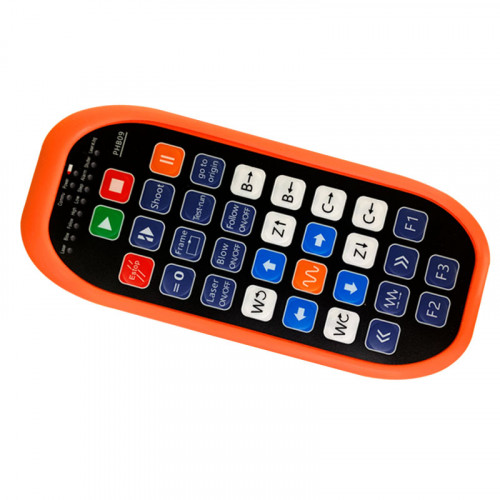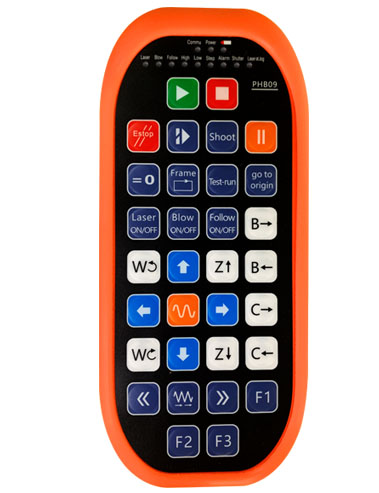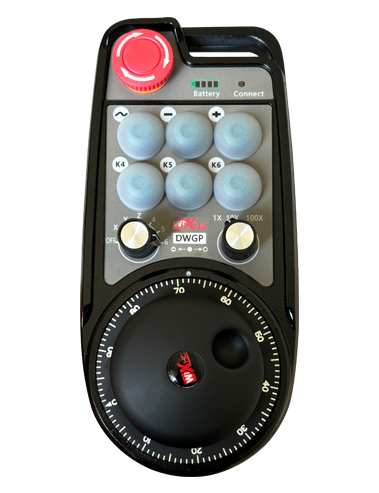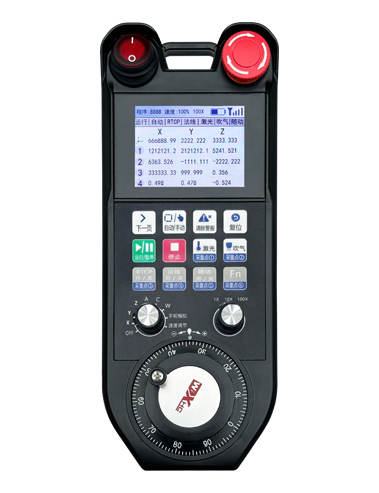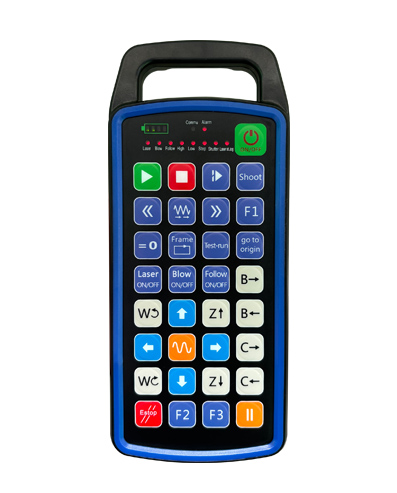
Ярҙам 32 ҡулланыусылар өсөн төймә программалау
Ярҙам 9 Ҡулланыусылар яҡтылыҡ диодлы яҡтылыҡ дисплейы программалау
433МГЗ сымһыҙ элемтә технологияһын ҡулланып, сымһыҙ эшләү
арауыҡ ? 80 счетчиктар .

£300.00
Ярҙам 32 ҡулланыусылар өсөн төймә программалау
Ярҙам 9 Ҡулланыусылар яҡтылыҡ диодлы яҡтылыҡ дисплейы программалау
433МГЗ сымһыҙ элемтә технологияһын ҡулланып, сымһыҙ эшләү
арауыҡ ? 80 счетчиктар .
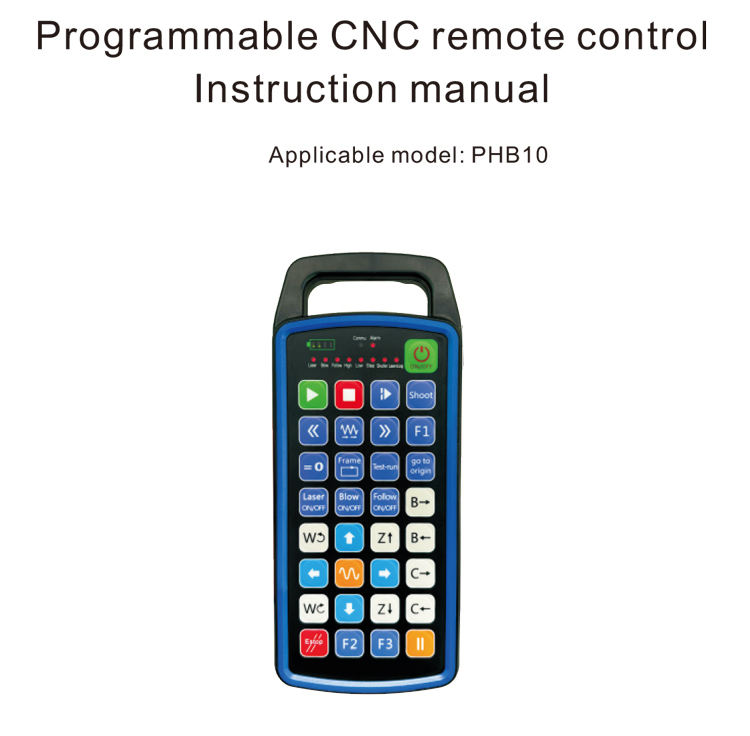
1.Продукт Инеш
Программалы ЧПУ пульты PHB10 сымһыҙ өсөн яраҡлы .
төрлө ЧПУ системаларының дистанцион идара итеүе. Ул ҡулланыусы билдәләгән
төймә функцияларын эшләү өсөн программалау, һәм төрлө дистанцион идара итеүҙе тормошҡа ашырыу
функциялары ЧПУ системаһында; ул ҡулланыусы билдәләгән программалауҙы үҫтерергә ярҙам итә
Светодиод яҡтыртҡыстар яҡтыртыу һәм һүндереү өсөн, һәм система статусын динамик күрһәтеүҙе тормошҡа ашырыу;
пульт менән идара итеү зарядка батареяһы менән килә һәм Тип-С ярҙам итә
интерфейс зарядкаһы.
2.Продукт функциялары
1. 433МГЗ сымһыҙ элемтә технологияһын ҡулланып, сымһыҙ эшләү
арауыҡ ? 80 счетчиктар .;
2.Автоматик йышлыҡ hopping функцияһын ҡулланып, 32 сымһыҙ пульт комплекттары
контроллерҙар бер үк ваҡытта ҡулланырға мөмкин, бер-береһенә йоғонто яһамай;
3.Ярҙам 32 ҡулланыусылар өсөн төймә программалау;
4.Ярҙам 9 Ҡулланыусылар яҡтылыҡ диодлы яҡтылыҡ дисплейы программалау;
5.Ярҙам IP67 һыу үткәрмәүсән кимәле;
6.Стандарт Тип-С интерфейсы зарядкаһын ярҙам итә; 5V-2A зарядка спецификацияһы;
1100 мАч ҙур һыйҙырышлы батарея, автоматик йоҡо көтөү функцияһы менән; аңларға
ультра-оҙайлы түбән ҡөҙрәтле көтөү режимы;
7.Ҡөҙрәтте реаль ваҡытта күрһәтеүгә булышлыҡ итә.
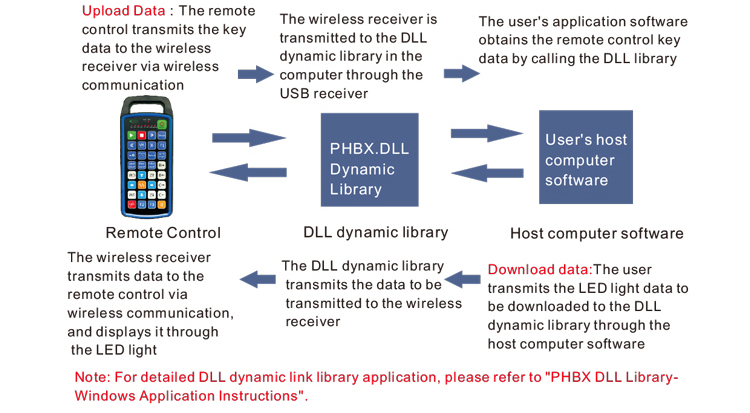
3.Эш принцибы
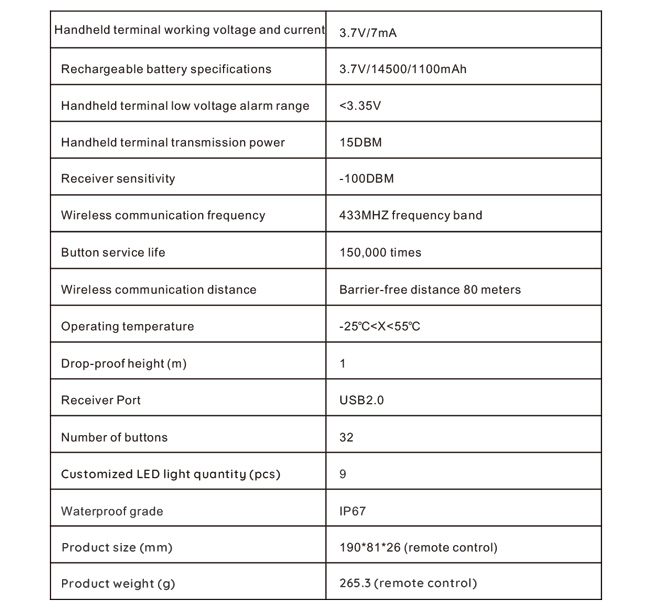
4. Продукт спецификацияһы
5.Продукт функцияһын индереү
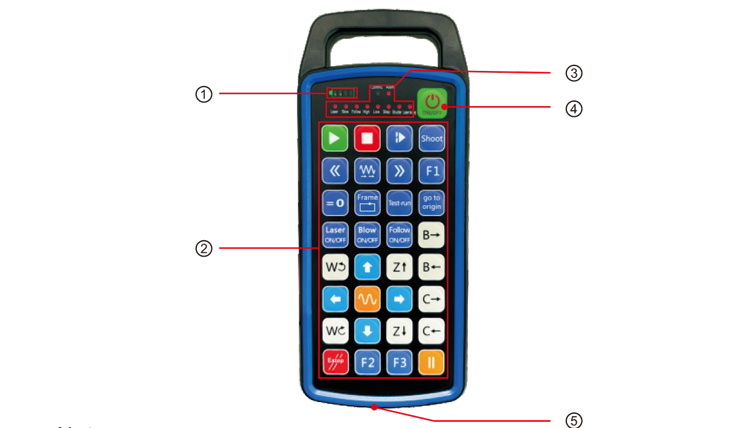
Иҫкәрмәләр:
①Battery level display:
Тоҡ тоҡандырғандан һуң яна, һүнгәндән һуң һүнә;
Әгәр батарея индикаторы яҡтылыҡ бер генә бар һәм ялтырап тора, был тигәнде аңлата
батарея бик түбән. Зинһар, батареяны алмаштырығыҙ;
Әгәр батарея индикаторы яҡтылыҡ бөтәһе лә янып һәм башҡа светодиод яҡтыртҡыстары кире ярып һәм
алға, тимәк, батарея бик түбән. Зинһар, батареяны алмаштырығыҙ;
Әгәр батарея индикаторы янмай йәки һүнмәй, һәм ҡоролма була алмай
ҡоролма ҡоролмаһы төймәһенә баҫып тотоп башланды, рәхим итеп, батареяны алмаштырығыҙ;
②Button area:32 4Х8 формаһында урынлаштырылған төймәләр., ҡулланыусылар менән билдәләнгән программалау;
③Status LED:
КОММУ: Төймә индикаторы яҡтылығы, төймәгә баҫҡанда яҡтырта һәм китә
төймәне ебәргәндә сыға; башҡа яҡтыртҡыстар ҡулланыусылар өсөн күрһәтелгән;
④Power switch:
өсөн оҙаҡ баҫыу. 3 секунд ҡабыҙырға, өсөн оҙон баҫыу 3 секунд һүндерергә;
⑤Charging port:
Ҡулланыу Тип-С зарядка зарядка өсөн, зарядка көсөргәнеш 5В, ток 1А-2А; зарядка
ваҡыт 3-5 сәғәт;
Зарядка яһағанда ., ҡоролма күрһәткесе ялтырап тора, зарядка яһауын күрһәтеп. Ҡасан
тулыһынса зарядланған, Ҡояш күрһәткесе ялтырап тормайынса тулы панелде күрһәтәсәк.
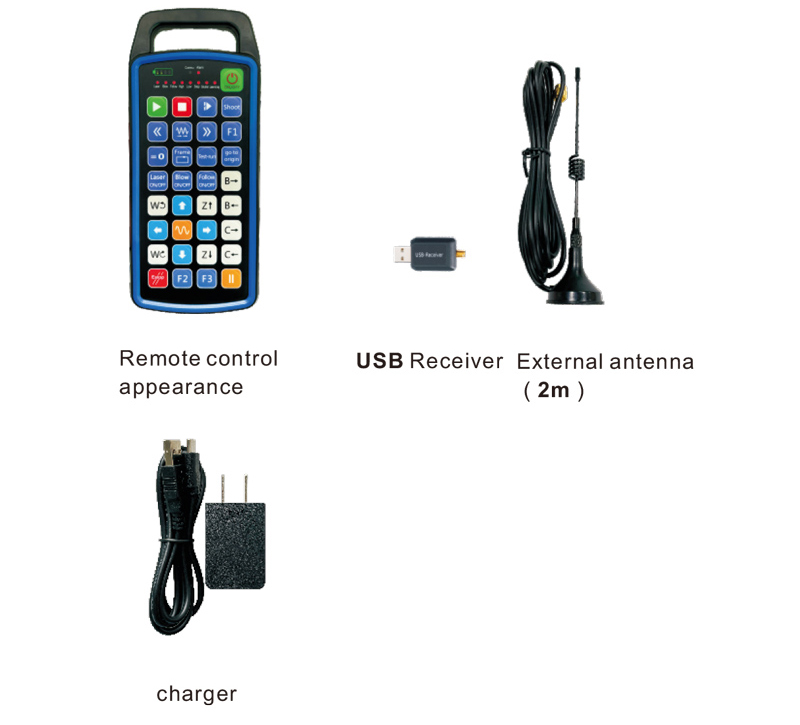
6.Продукт аксессуарҙары схемаһы
7.Продукт ҡуйыу ҡулланмаһы
1 . Мин USB-приемникты компьютерға индерәм, компьютер автоматик рәүештә буласаҡ
танырға һәм ҡуйырға USB-ҡоролма драйверы ҡулланмаһыҙ
2. Зарядкаға пультты индерегеҙ. Аккумулятор тулыһынса зарядланғандан һуң, баҫыу
һәм ҡоролма төймәһен тотоп тороғоҙ өсөн 3 секунд. Пульт ҡабыҙыласаҡ һәм ҡоролма
индикатор янасаҡ, ҡоролма уңышлы булыуын күрһәтеү.
3. Һуңынан ҡотҡарыу өҫтөндә ., һеҙ теләһә ниндәй төймә операцияһын башҡара ала. Пульт менән идара итеү
бер үк ваҡытта ике төймә менән эшләүҙе хуплай ала. Ҡасан һеҙ ниндәй ҙә булһа төймәгә баҫа, был
Пульттағы КОММУ яҡтылығы янасаҡ, был төймәнең дөрөҫ булыуын күрһәтеү.
8.Продукт менән эшләү күрһәтмәләре
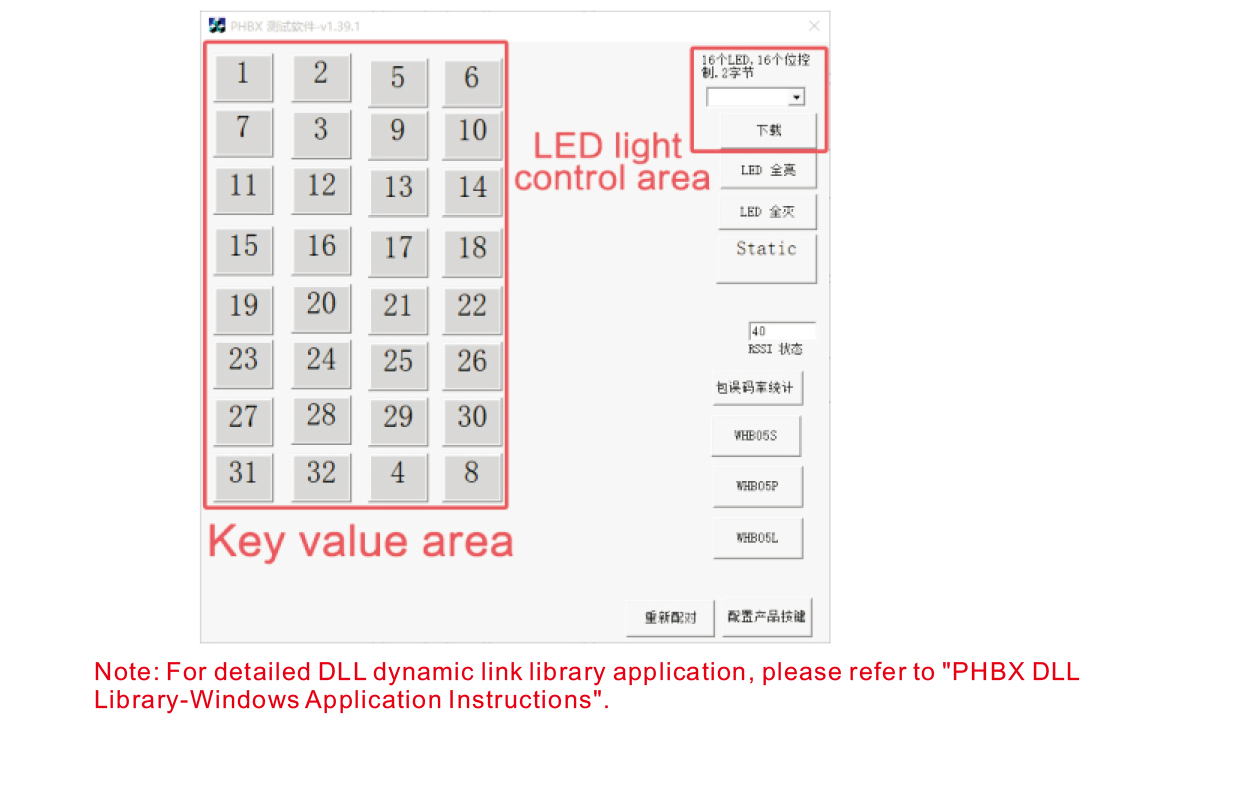
Продукция эшләү һәм ҡулланыу алдынан ., һеҙ ҡулланырға мөмкин демо-программа беҙ тәьмин итеү өсөн
пульттағы төймәләрҙе һәм пульттағы яҡтылыҡ диодлы яҡтылыҡты һынап ҡарағыҙ. Һин алаң
шулай уҡ демо-версияны киләсәктә программалауҙы үҫтереүҙең белешмә процедураһы булараҡ ҡулланыу.
Ҡулланыу алдынан Demo программа тәьминәте ., рәхим итеп, USB-приемникты компьютерға тоташтырығыҙ,
дистанцион идара итеүсе етерлек ҡөҙрәткә эйә булыуына ышанығыҙ, баҫып тотоп, ҡоролма төймәһенә т
урна уны өҫтөндә, һәм һуңынан уны ҡулланырға;
Ҡасан ниндәй ҙә булһа төймә пультында идара итеү баҫылған, Һынау программа тәьминәте демо күрһәтеләсәк
тейешле төп ҡиммәт. Уны сығарғандан һуң, төп ҡиммәт дисплейы юҡҡа сыға,
тип күрһәтеү, асҡыс тейәү нормаль;
Һеҙ шулай уҡ һайлай алаһығыҙ светодиодный яҡтылыҡ номеры һынау программа тәьминәте демо ., күсерергә баҫығыҙ,
һәм пульттағы тейешле яҡтылыҡ номеры янасаҡ, тип күрһәтеп,
Яҡтылыҡ диодлы яҡтылыҡ нормаль скачать.
9.Продукт Продукт
10. Хеҙмәтләндереүҙең һәм хәстәрлек
1. Зинһар, уны ҡулланыу ҡоро мөхиттә ғәҙәти температура һәм баҫым менән оҙайтыу өсөн
хеҙмәт итеү ваҡыты;
2. Асҡыстың хеҙмәт итеү ваҡытын оҙайтыу өсөн төп майҙанға ҡағылыу өсөн үткер объекттар ҡулланмағыҙ;
3. Зинһар, төп майҙанды таҙа тотоу өсөн, асҡыс кейемен кәметергә;
4. Ҡотолоу өсөн ҡыҫыу һәм ҡолау өсөн зыян килтерергә пульт менән идара итеү;
5. Әгәр ҙә оҙаҡ ҡулланылмаһа ., Зинһар, батареяны сығарып, пультты һаҡлағыҙ
һәм батарея таҙа һәм хәүефһеҙ урында;
6. Һаҡлау һәм ташыу ваҡытында дымлылыҡҡа иғтибар итеүгә иғтибар итегеҙ.
11.Хәүефһеҙлек тураһында мәғлүмәт
1. Ҡулланыр алдынан күрһәтмәләрҙе иғтибар менән уҡығыҙ. Профессиональ булмағандарға 2019 йылда тыйыла.
эшләү.
2. Зинһар, оригиналь зарядка йәки зарядка етештереүсе даими етештереүсе менән ҡулланыу
шул уҡ спецификациялар.
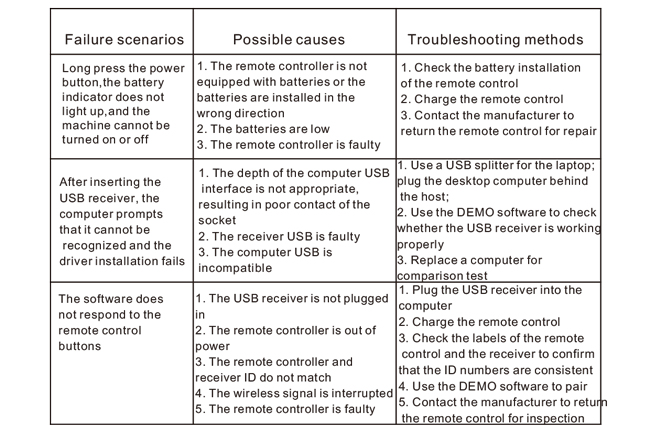
3. Зинһар, ваҡытында зарядка дөрөҫ эшләмәү сәбәпле етерлек булмаған ҡөҙрәт сәбәпле
дистанцион идара итеү яуап бирмәй.
4. Әгәр ремонт талап ителә ., рәхим итеп, етештереүсегә мөрәжәғәт итегеҙ. Әгәр ҙә зыян үҙ-үҙен ремонтлау арҡаһында килеп сыҡһа,
етештереүсе гарантия бирмәйәсәк.