Васиф

1.Продукт Инеш
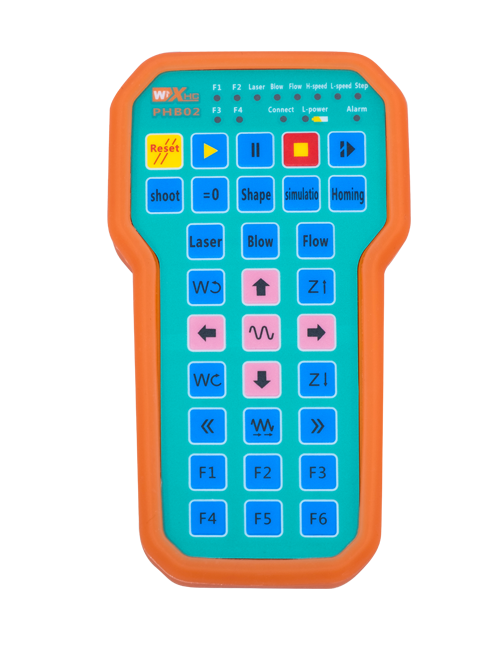
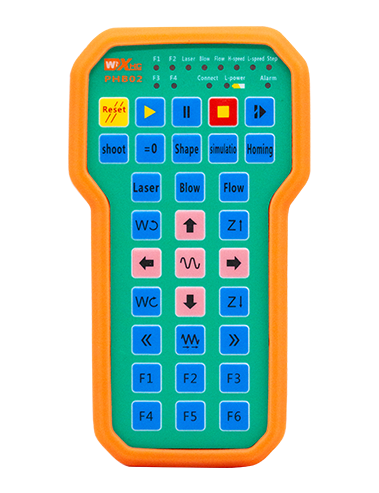
Wireless Remote Control is used for manual guidance, позицияһы, tool setting and other operations of CNC machine tools. Был продукт сымһыҙ тапшырыу технологияһын ҡабул итә, традицион яҙғы сым тоташыуын бөтөрөү, кабелдәр арҡаһында барлыҡҡа килгән ҡорамалдар етешһеҙлектәрен кәметкән, кабель һөйрәп йөрөүҙең етешһеҙлектәрен бөтөрөү, нефть таптары, һ. б., and is more convenient to operate.It is widely applicable to CNC machine tools such as gantry machining centers, gantry vertical lathes, and CNC gear processing machines, and is compatible with various mainstream CNC system brands on the market, including Siemens, Мицубиси, ФАНУК, Syntec and more.
2.Продукт функциялары
1. 433МГц сымһыҙ элемтә технологияһын ҡабул итә, сымһыҙ эш арауығы 100 мм. 20 счетчиктар ..
2.Адаптив йышлыҡ һикереү; 32 сымһыҙ пульттар комплекты бер үк ваҡытта ҡамасауһыҙ ҡулланырға мөмкин.
3.Supports the emergency stop button, and the emergency stop button remains effective even after the remote control is powered off.
4.Ярҙам итә 3 Ҡулланыусы төймәләре менән коммутация IO сигнал сығыу.
5.күсәрле идара итеүҙе хуплай, һәм 7 12-үҙәкле идара итеү настраиваемый.
6. тиҙлекле ҙурайтыу менән идара итеүҙе хуплай, һәм 4-тиҙлекле ҙурайтыу менән идара итеү настраиваемый.
7.өҫтәү төймәһе функцияһын хуплай, Ҡайһы бер коммутация IO сигналдарын сығара ала, һәм шулай уҡ контроль күсәр һайлау, ҙурайтыу һәм кодировщик.
8.Программа ярҙамында күсәр һайлау һәм ҙурайтыу кодлау тибын үҙгәртеүҙе хуплай.
9. Supports pulse encoder with specification of 100 бер революция импульстары.
10. Supports standard Type-C charging with 5V-2A charging specification; built-in battery
specification: 14500 / 1100мАһ..
3. Тауар характеристикалары
| Working Voltage and Current of Handheld Terminal |
3.7V/20.0mA |
| Charging Battery Specification |
3.7V/14500/1100mAh
|
| Low Voltage Alarm Range of Handheld Terminal |
<3.35V |
| Receiver Power Supply Voltage |
DC5V-24V/1A |
| Receiver Emergency Stop Output Load Range |
AC125V-1A/DC30V-2A |
| Receiver Enable Output Load Range |
AC125V-1A/DC30V-2A |
| Receiver Custom Button Output Load Range |
DC24V/50мА
|
| Receiver Axis Selection Output Load Range |
DC24V/50мА |
| Receiver magnification Output Load Range |
DC24V/50мА |
| Handheld Terminal Transmit Power |
15дБм
|
| Һиҙгерлек алыусы ҡабул итеүсе |
-100дБм |
| Сымһыҙ аралашыу йышлығы |
433МГц йышлыҡ диапазоны
|
| Wireless Communication Distance |
20 meters barrier-free distance
|
| Operating Temperature |
-251.<X<551. |
| Safe drop height |
1 м
|
| Number of Custom Buttons |
3
|
| Product Weight |
546.86(g) |
| Product Dimensions |
200*87*72(Мм) |
4. Продукт функцияһы Инеш

Иҫкәрмәләр:
① Emergency Stop Button:
Ғәҙәттән тыш хәл төймәһенә баҫығыҙ, the two groups of emergency stop IO outputs on the receiver will disconnect, and all remote control functions will be invalidated.Release the emergency stop button, the emergency stop IO outputs on the receiver will be closed, and all remote control functions will be restored. Өҫтәүенә, even if the remote control is powered off, pressing the emergency stop button can still activate the emergency stop IO output of the receiver.
② Enable Button:
Press either enable button on both sides, the two sets of enable IO outputs on the receiver will conduct. Release the enable button, and the enable IO outputs will disconnect. It is necessary to press and hold the enable button before toggling axis selection, magnification or rotating the remote control for the operation to take effect.This function can be canceled through the configuration software.
③ Axis Selection Switch (Power Switch):
Төймәһенә баҫығыҙ һәм тотоп торорға, then toggling the axis selection switch can control the movement of axis .Press and hold the enable button, then toggle the axis selection switch to switch the motion axis controlled by the remote control. Toggle the switch from the OFF position to any axis position, and the remote control will power on automatically.
④ Pulse Encoder:
Press and hold the enable button and rotate the pulse encoder, it will output pulse signals to control the movement of the machine axis.
⑤ LCD Display Screen:

5. Product Accessories Diagram

6. Продукт ҡуйыу ҡулланмаһы
6.1 Продукт ҡуйыу аҙымдары
1. Install the receiver in the electrical cabinet via the buckle on its back, or mount it inside the electrical cabinet through the screw holes at the four corners of the receiver.
2. Беҙҙең приемник проводка схемаһына мөрәжәғәт итегеҙ, уны урындағы ҡорамалдар менән сағыштырығыҙ, and connect the equipment to the receiver with cables.
3. After the receiver is fixed in place, install the supporting antenna of the receiver properly. Mount or place the outer end of the antenna outside the electrical cabinet. It is recommended to place it on the top of the electrical cabinet for optimal signal performance. Do not leave the antenna uninstalled or place it inside the electrical cabinet; башҡаса, signal failure may occur.
4. Ахырҙа, turn on the remote control power switch, then you can remotely operate the machine via the remote control.
6.2 Receiver Installation Dimensions

6.3 Ҡабул итеүсе проводка һылтанма схемаһы
7. Продукт менән эшләү күрһәтмәләре
1. Машинала һәм приемникта энергия. The receiver operation indicator flashes. After the wireless electronic remote control is fully charged, toggle it from the OFF gear to the X-axis gear, and the remote control display lights up.
2. Select the axis : Төймәһенә баҫығыҙ һәм тотоп торорға, toggle the axis selection switch to select the axis to be operated.
3. Select the magnification: Төймәһенә баҫығыҙ һәм тотоп торорға, toggle the magnification switch to select the required magnification gear.
4. Axis movement: Төймәһенә баҫығыҙ һәм тотоп торорға, select the axis selection switch and the magnification switch, then rotate the pulse encoder. Rotate clockwise to move the axis in the positive direction, and rotate counterclockwise to move the axis in the negative direction.
5. Теләһә ниндәй төймәгә баҫығыҙ һәм тотоғоҙ ., the corresponding button IO output of the receiver will turn on; release the button, and the output will turn off.
6. Ғәҙәттән тыш хәл төймәһенә баҫығыҙ, the corresponding emergency stop IO output of the receiver disconnects and the remote control function becomes invalid. Release the emergency stop button, the emergency stop IO output closes and the remote control function is restored.
7. If the wireless remote control is not operated for a period of time, ул автоматик рәүештә йоҡо режимына инә, энергия ҡулланыуҙы кәметергә. It can be used normally again by pressing the enable button again.
8.If the wireless remote control is not used for a long time, turn the axis switch to OFF to turn off the power and extend battery life
8. Продукт моделе Тасуирлама
3.:UWGP stands for appearance style.
3.:Pulse Output Parameters:
01: Импульс сығыу сигналы А тип күрһәтә А, Б.; Пульс көсөргәнеш 5В; пульс күләме 100ППР.
02: Импульс сығыу сигналы А тип күрһәтә А, Б.; Пульс көсөргәнеш 12В; pulse quantity 25PPR.
03: Импульс сығыу сигналы А тип күрһәтә А, Б., А А. -, Б. -; Пульс көсөргәнеш 5В; пульс күләме 100ППР.
04: Түбән кимәлдәге НПН асыҡ схема сығышын күрһәтә, импульслы сығыш сигналдары менән А һәм В .; The number of pulses is 100PPR.
05: Юғары кимәлдәге ПНП сығанағы сығышын күрһәтә, импульслы сығыш сигналдары менән А һәм В .; Пульстар һаны 100ППР тәшкил итә..
1.:Represents the axis selection switch quantity; 6 stands for 6 балта, 7 stands for 7 балта, and so on.
6.: Represents the signal type of the axis selection switch.A stands for point-to-point output signal, and B stands for encoder output signal.
6.: Represents the signal type of the magnification switch.A stands for point-to-point output signal, and B stands for encoder output signal.
3.: Ҡулланыусылар төймәләренең һанын күрһәтә.; 3 corresponds to 6 ҡулланыусылар өсөн төймәләр.
3.: Represents the power supply for the system remote control. 05 stands for 5V power supply, һәм 24 stands for 24V power supply.
6.: Represents the contact charging mode. It starts charging automatically when placed back on the charging base.
9. Продукттың етешһеҙлектәрен бөтөрөү

10. Maintenance and upkeep
1. Зинһар, уны ҡулланыу өсөн ҡоро мөхиттә бүлмә температураһында һәм баҫым, уның хеҙмәт итеү ваҡытын оҙайтыу өсөн.
2. Please avoid using in abnormal environments such as rain and water to extend the service life.
3. Please keep the appearance of the remote control clean to extend its service life.
4. Please avoid crushing, dropping, or bumping, һ. б.. to prevent damage to the precision components inside the remote control or accuracy errors.
5. Әгәр ҙә оҙаҡ ҡулланылмаһа ., please store the remote control in a clean and safe place.
6. Avoid moisture and shock during storage and transportation.
11. Хәүефһеҙлек тураһында мәғлүмәт
1. Зинһар, күрһәтмәләрҙе иғтибар менән уҡығыҙ, ҡулланыр алдынан һәм профессионалдар булмаған эшләүҙе тыйығыҙ.
2. Please charge the remote control in a timely manner when the battery level is too low, to avoid malfunction and operational errors caused by insufficient power.
3. If you repair it yourself and cause damage, the warranty will be void.