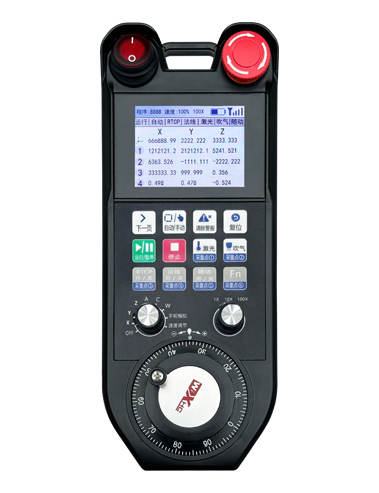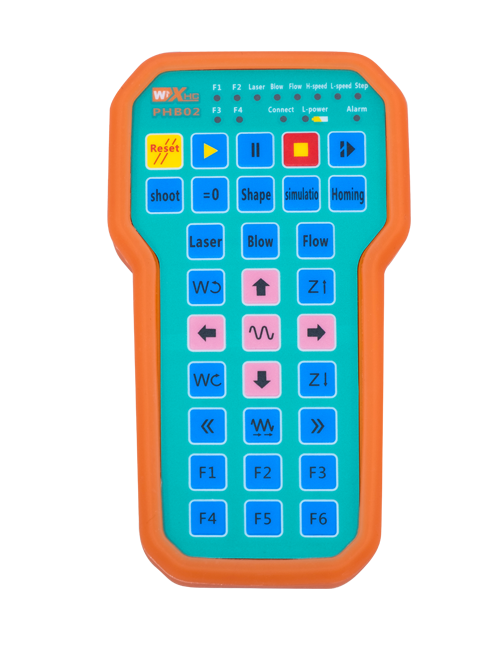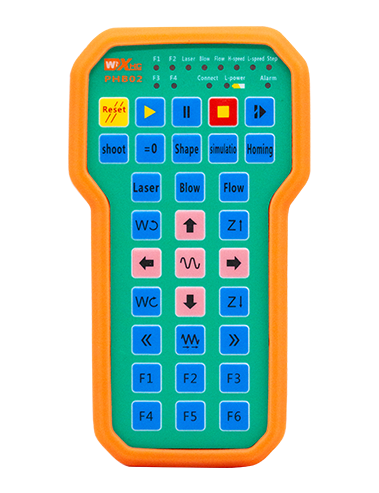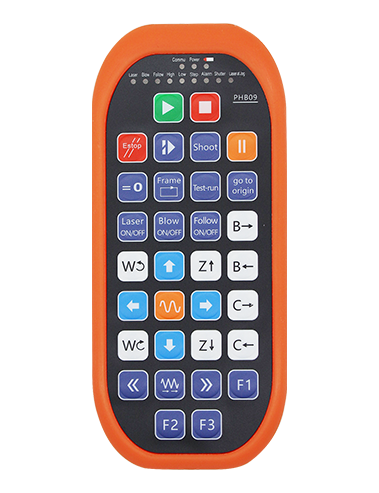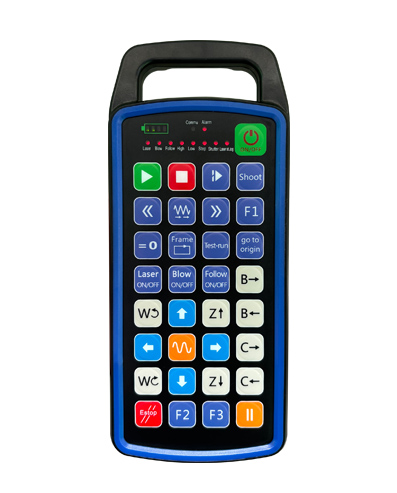
Podpora 32 vlastní programování tlačítek
Podpora 9 vlastní programování LED světelného displeje
Pomocí bezdrátové komunikační technologie 433 MHz, bezdrátový provoz
vzdálenost je 80 metry

£300.00
Podpora 32 vlastní programování tlačítek
Podpora 9 vlastní programování LED světelného displeje
Pomocí bezdrátové komunikační technologie 433 MHz, bezdrátový provoz
vzdálenost je 80 metry
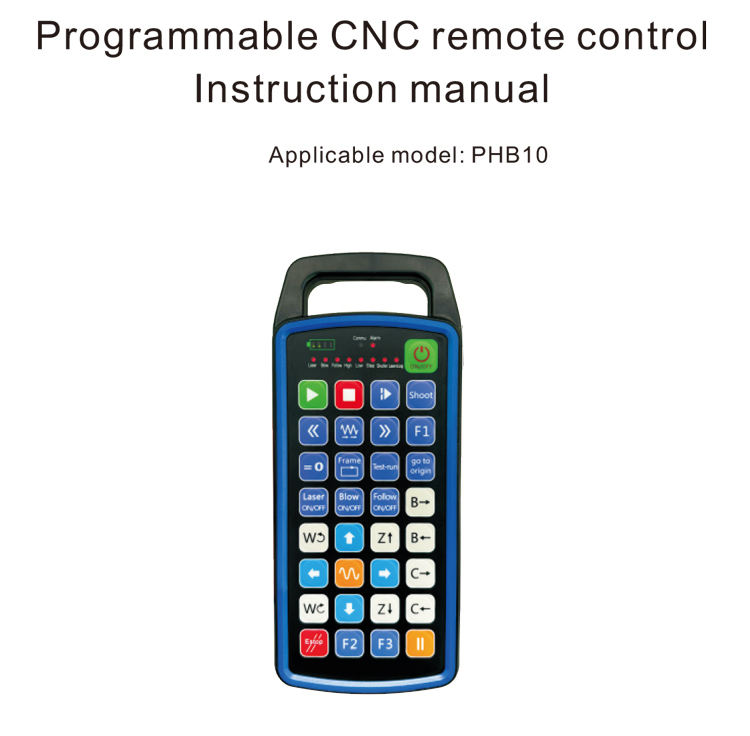
1.Úvod produktu
Programovatelné CNC dálkové ovládání PHB10 je vhodné pro bezdrátové připojení
dálkové ovládání provozu různých CNC systémů. Podporuje uživatelem definované
programování pro vývoj funkcí tlačítek, a realizovat dálkové ovládání různých
funkce na CNC systému; podporuje vývoj uživatelsky definovaného programování
LED kontrolky pro rozsvícení a zhasnutí, a realizovat dynamické zobrazení stavu systému;
dálkový ovladač je dodáván s dobíjecí baterií a podporuje typ C
nabíjení rozhraní.
2.Vlastnosti produktu
1. Pomocí bezdrátové komunikační technologie 433 MHz, bezdrátový provoz
vzdálenost je 80 metry;
2.Použití funkce automatického přeskakování frekvence, 32 sady bezdrátového dálkového ovládání
ovladače lze používat současně, aniž by se navzájem ovlivňovaly;
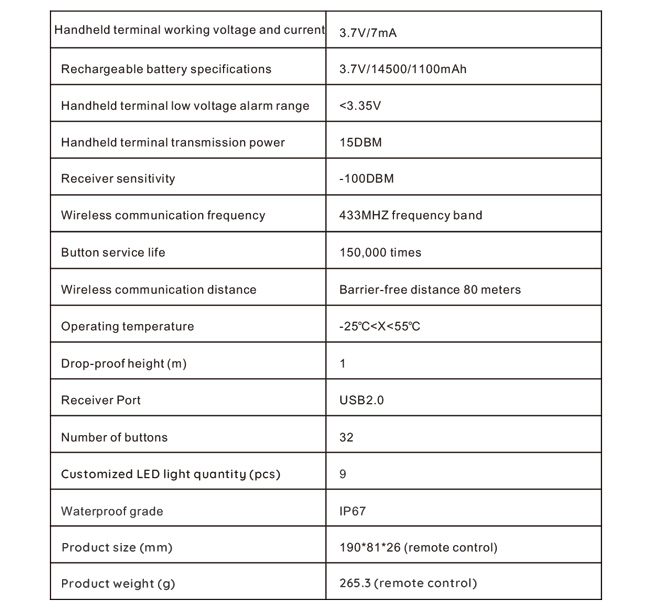
3.Podpora 32 vlastní programování tlačítek;
4.Podpora 9 vlastní programování LED světelného displeje;
5.Podpora vodotěsnosti IP67;
6.Podpora standardního nabíjení rozhraní Type-C; 5Specifikace nabíjení V-2A;
1100 mAh velkokapacitní baterie, s funkcí automatického režimu spánku; realizovat
ultra dlouhý pohotovostní režim s nízkou spotřebou;
7.Podpora zobrazení výkonu v reálném čase.
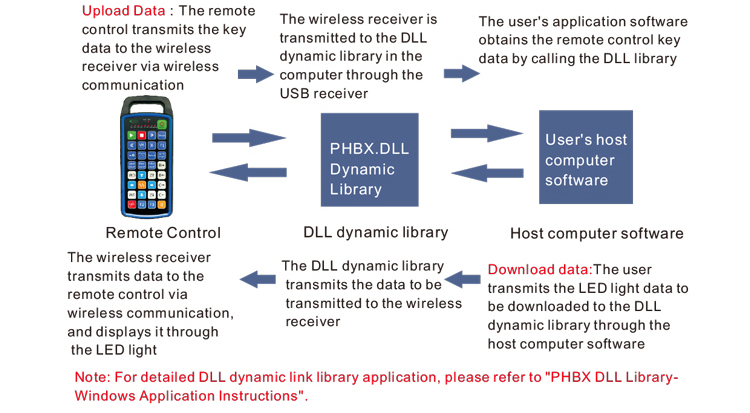
3.Pracovní princip
4. Specifikace produktu
5.Představení funkce produktu
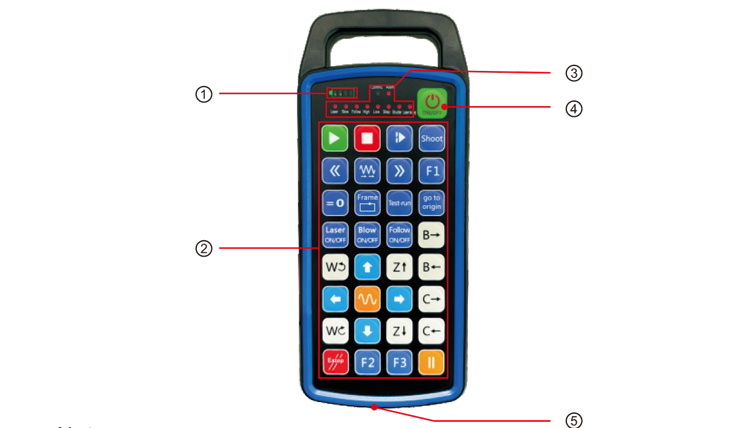
Poznámky:
①Battery level display:
Rozsvítí se po zapnutí, po vypnutí se vypne;
Pokud je indikátor baterie pouze jeden pruh a stále bliká, znamená to
baterie je příliš slabá. Vyměňte baterii;
Pokud všechny kontrolky baterie svítí a ostatní kontrolky LED znovu blikají a
dále, znamená to, že baterie je velmi slabá. Vyměňte baterii;
Pokud se indikátor baterie nerozsvítí nebo nezhasne, a zařízení nemůže být
spustíte stisknutím a podržením tlačítka napájení, prosím vyměňte baterii;
②Button area:32 tlačítka uspořádaná v 4X8, uživatelsky definované programování;
③Status LED:
COMMU: Kontrolka tlačítka, rozsvítí se po stisknutí tlačítka a zhasne
ven po uvolnění tlačítka; ostatní světla jsou zakázkové displeje;
④Power switch:
Dlouhým stisknutím pro 3 sekund k zapnutí, dlouze stiskněte pro 3 sekund k vypnutí;
⑤Charging port:
K nabíjení použijte nabíječku typu C, nabíjecí napětí 5V, proud 1A-2A; nabíjení
čas 3-5 hodin;
Při nabíjení, indikátor napájení bliká, indikující, že se nabíjí. Když
plně nabitá, indikátor napájení zobrazí plný pruh bez blikání.
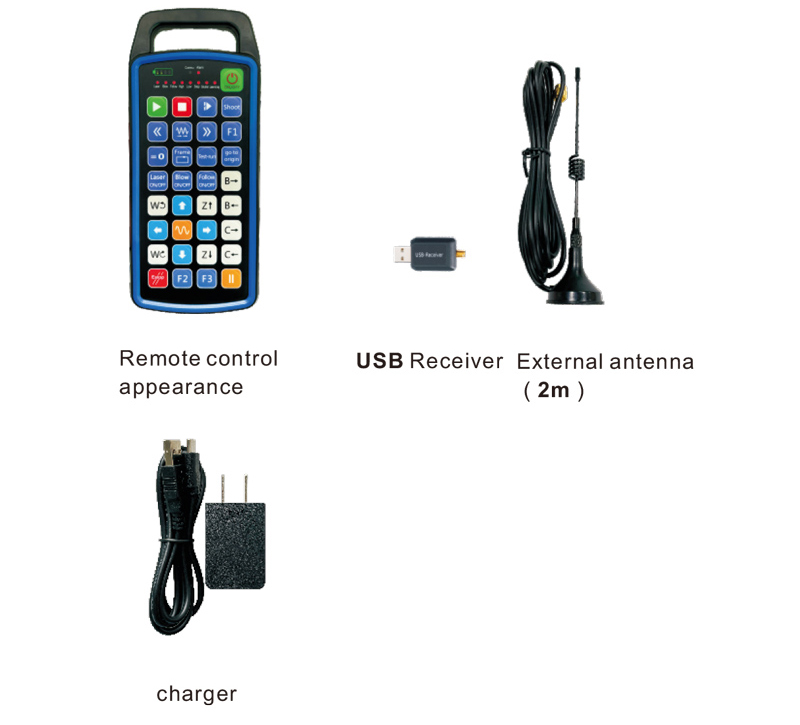
6.Schéma příslušenství produktu
7.Průvodce instalací produktu
1 . Vložil jsem USB přijímač do počítače, počítač bude automaticky
rozpoznat a nainstalovat ovladač zařízení USB bez manuálu
2. Vložte dálkový ovladač do nabíječky. Po úplném nabití baterie, stiskněte
a podržte tlačítko napájení 3 sekundy. Dálkové ovládání se zapne a napájení
indikátor se rozsvítí, což znamená, že zapnutí bylo úspěšné.
3. Po zapnutí, můžete provést jakoukoli operaci tlačítka. Dálkové ovládání
může podporovat provoz dvou tlačítek současně. Když stisknete jakékoli tlačítko, a
Na dálkovém ovladači se rozsvítí kontrolka COMMU, označující, že toto tlačítko je platné.
8.Návod k obsluze produktu
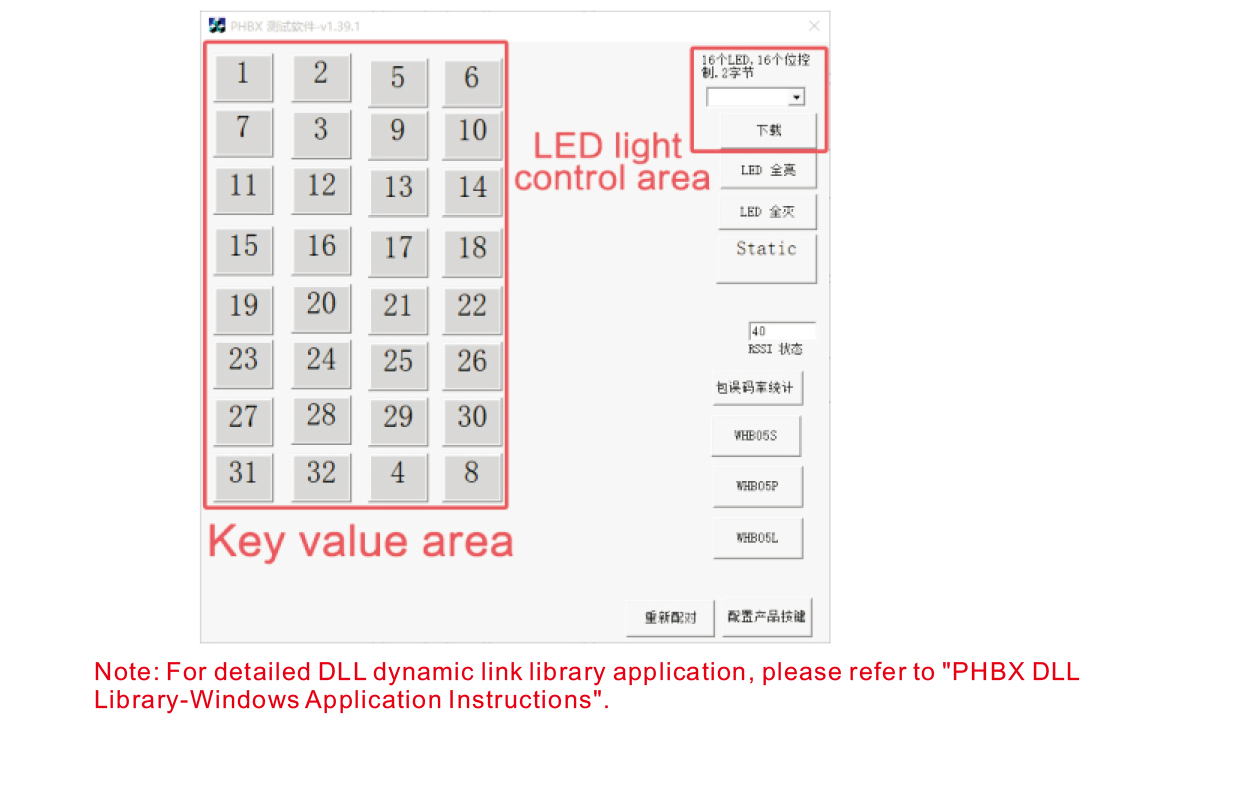
Před vývojem a používáním produktu, můžete použít demo software, který poskytujeme
otestujte tlačítka na dálkovém ovladači a kontrolku LED na dálkovém ovladači. Můžete
demo také použijte jako referenční rutinu pro budoucí vývoj programování.
Před použitím demo softwaru, připojte USB přijímač k počítači,
ujistěte se, že má dálkový ovladač dostatek energie, stisknutím a podržením tlačítka napájení t
nasadit to, a pak to použít;
Po stisknutí libovolného tlačítka na dálkovém ovladači, zobrazí se ukázka testovacího softwaru
odpovídající klíčovou hodnotu. Po uvolnění, zobrazení klíčové hodnoty zmizí,
což znamená, že nahrání klíče je normální;
Můžete také vybrat číslo LED světla v ukázce testovacího softwaru, klikněte na stáhnout,
a na dálkovém ovladači se rozsvítí odpovídající číslo kontrolky, což naznačuje, že
LED světlo se stahuje normálně.
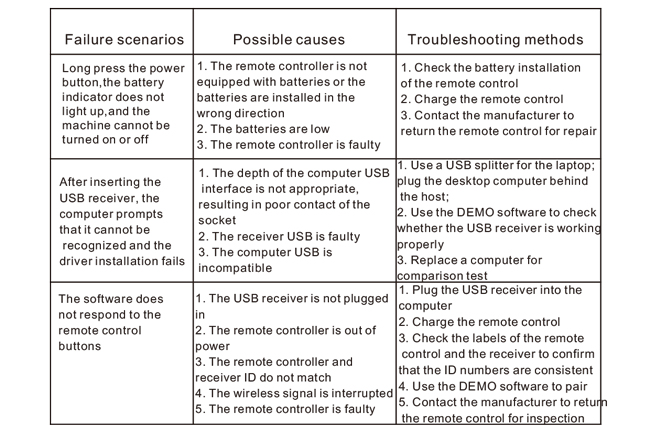
9.Odstraňování problémů s produktem
10. Údržba a péče
1. Používejte jej v suchém prostředí s normální teplotou a tlakem
životnost;
2. Nedotýkejte se oblasti klíče ostrými předměty, abyste prodloužili životnost klíče;
3. Udržujte oblast klíče v čistotě, abyste snížili opotřebení klíče;
4. Vyhněte se zmáčknutí a pádu, aby nedošlo k poškození dálkového ovladače;
5. Pokud se nepoužívá po dlouhou dobu, vyjměte baterii a uložte dálkový ovladač
a baterii na čistém a bezpečném místě;
6. Při skladování a přepravě dbejte na odolnost proti vlhkosti.
11.Bezpečnostní informace
1. Před použitím si prosím pečlivě přečtěte pokyny. Neprofesionálům je zakázáno
provozní.
2. Použijte prosím originální nabíječku nebo nabíječku vyrobenou běžným výrobcem
stejné specifikace.
3. Nabíjejte prosím včas, abyste předešli nesprávné činnosti způsobené nedostatečným napájením
aby dálkové ovládání nereagovalo.
4. Pokud je vyžadována oprava, kontaktujte prosím výrobce. Pokud je škoda způsobena opravou svépomocí,
výrobce neposkytuje záruku.