Ddisgrifiad

1.Cyflwyniad Cynnyrch
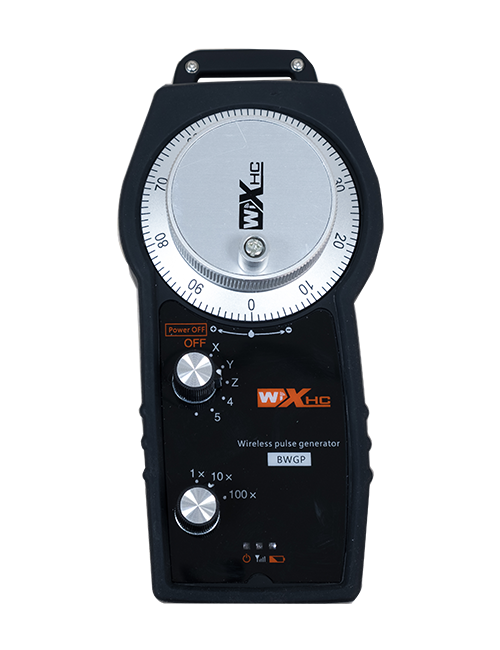
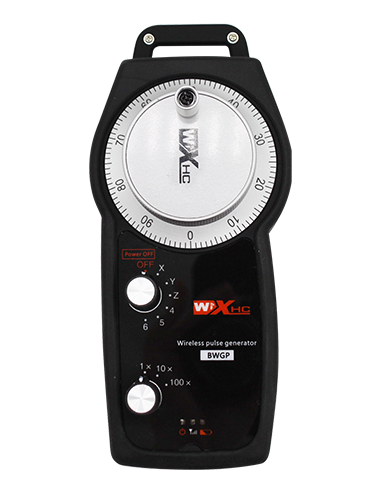
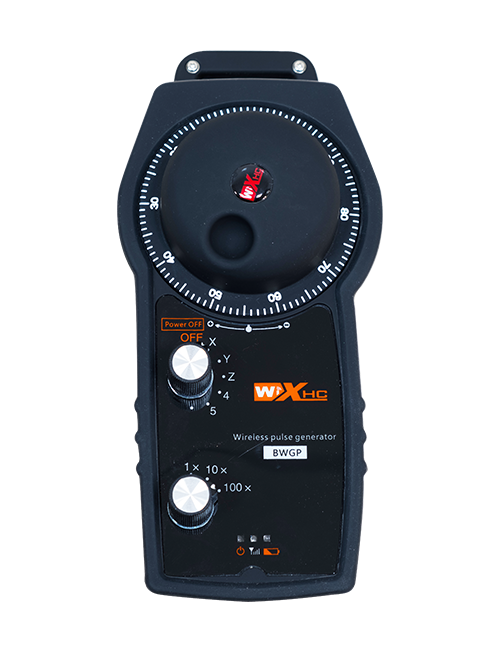
Wireless Remote Control is used for manual guidance, safleoedd, tool setting and other operations of CNC machine tools. Mae'r cynnyrch hwn yn mabwysiadu technoleg trosglwyddo diwifr, Dileu'r cysylltiad gwifren gwanwyn traddodiadol, lleihau methiannau offer a achosir gan geblau, Dileu anfanteision llusgo cebl, staeniau olew, ac ati., and is more convenient to operate.It is widely applicable to CNC machine tools such as gantry machining centers, gantry vertical lathes, and CNC gear processing machines, and is compatible with various mainstream CNC system brands on the market, including Siemens, Mitsubishi, Ffaniff, Syntec and more.
2.Nodweddion cynnyrch
1. Yn mabwysiadu technoleg cyfathrebu diwifr 433MHz gyda phellter gweithredu diwifr o 20 metrau.
2.Hopping amledd addasol; 32 gellir defnyddio setiau o reolaethau o bell di-wifr ar yr un pryd heb ymyrraeth.
3.Supports the emergency stop button, and the emergency stop button remains effective even after the remote control is powered off.
4.Nghefnogaeth 3 botymau arfer gyda newid allbwn signal IO.
5.Yn cefnogi rheolaeth 6-echel, a 7 i reolaeth 12-echel yn customizable.
6. Yn cefnogi rheolaeth chwyddo 3-cyflymder, a rheoli chwyddo 4-cyflymder yn customizable.
7.yn cefnogi swyddogaeth y botwm galluogi, sy'n gallu allbwn switsio signalau IO, a hefyd yn rheoli dewis echelin, chwyddiad ac encoder.
8.Yn cefnogi addasu'r math amgodio o ddethol a chwyddo echelin trwy feddalwedd.
9. Supports pulse encoder with specification of 100 corbys y chwyldro.
10. Supports standard Type-C charging with 5V-2A charging specification; built-in battery
specification: 14500 / 1100mah.
| Working Voltage and Current of Handheld Terminal |
3.7V/20.0mA |
| Charging Battery Specification |
3.7V/14500/1100mAh
|
| Low Voltage Alarm Range of Handheld Terminal |
<3.35V |
| Receiver Power Supply Voltage |
DC5V-24V/1A |
| Receiver Emergency Stop Output Load Range |
AC125V-1A/DC30V-2A |
| Receiver Enable Output Load Range |
AC125V-1A/DC30V-2A |
| Receiver Custom Button Output Load Range |
DC24V/50mA
|
| Receiver Axis Selection Output Load Range |
DC24V/50mA |
| Receiver magnification Output Load Range |
DC24V/50mA |
| Handheld Terminal Transmit Power |
15dBm
|
| Derbynnydd yn derbyn sensitifrwydd |
-100dBm |
| Amledd cyfathrebu di-wifr |
433Band amledd MHz
|
| Wireless Communication Distance |
20 meters barrier-free distance
|
| Operating Temperature |
-25℃<X<55℃ |
| Safe drop height |
1 m
|
| Number of Custom Buttons |
3
|
| Product Weight |
546.86(g) |
| Product Dimensions |
200*87*72(mm) |
4. Cyflwyniad Swyddogaeth Cynnyrch

Nodiadau:
① Emergency Stop Button:
Pwyswch y botwm stopio brys, the two groups of emergency stop IO outputs on the receiver will disconnect, and all remote control functions will be invalidated.Release the emergency stop button, the emergency stop IO outputs on the receiver will be closed, and all remote control functions will be restored. Yn ogystal, even if the remote control is powered off, pressing the emergency stop button can still activate the emergency stop IO output of the receiver.
② Enable Button:
Press either enable button on both sides, the two sets of enable IO outputs on the receiver will conduct. Release the enable button, and the enable IO outputs will disconnect. It is necessary to press and hold the enable button before toggling axis selection, magnification or rotating the remote control for the operation to take effect.This function can be canceled through the configuration software.
③ Axis Selection Switch (Power Switch):
Pwyswch a dal y botwm galluogi, then toggling the axis selection switch can control the movement of axis .Press and hold the enable button, then toggle the axis selection switch to switch the motion axis controlled by the remote control. Toggle the switch from the OFF position to any axis position, and the remote control will power on automatically.
④ Pulse Encoder:
Press and hold the enable button and rotate the pulse encoder, it will output pulse signals to control the movement of the machine axis.
⑤ LCD Display Screen:

5. Product Accessories Diagram

6. Canllaw Gosod Cynnyrch
6.1 Camau Gosod Cynnyrch
1. Install the receiver in the electrical cabinet via the buckle on its back, or mount it inside the electrical cabinet through the screw holes at the four corners of the receiver.
2. Cyfeiriwch at ein diagram gwifrau derbynnydd, Cymharwch ef â'ch offer ar y safle, and connect the equipment to the receiver with cables.
3. After the receiver is fixed in place, install the supporting antenna of the receiver properly. Mount or place the outer end of the antenna outside the electrical cabinet. It is recommended to place it on the top of the electrical cabinet for optimal signal performance. Do not leave the antenna uninstalled or place it inside the electrical cabinet; fel arall, signal failure may occur.
4. Olaf, turn on the remote control power switch, then you can remotely operate the machine via the remote control.
6.2 Receiver Installation Dimensions

6.3 Diagram cyfeirio gwifrau derbynnydd
7. Cyfarwyddiadau Gweithredu Cynnyrch
1. Pwer ar y peiriant a'r derbynnydd. The receiver operation indicator flashes. After the wireless electronic remote control is fully charged, toggle it from the OFF gear to the X-axis gear, and the remote control display lights up.
2. Select the axis : Pwyswch a dal y botwm galluogi, toggle the axis selection switch to select the axis to be operated.
3. Select the magnification: Pwyswch a dal y botwm galluogi, toggle the magnification switch to select the required magnification gear.
4. Axis movement: Pwyswch a dal y botwm galluogi, select the axis selection switch and the magnification switch, then rotate the pulse encoder. Rotate clockwise to move the axis in the positive direction, and rotate counterclockwise to move the axis in the negative direction.
5. Pwyswch a dal unrhyw botwm arfer, the corresponding button IO output of the receiver will turn on; release the button, and the output will turn off.
6. Pwyswch y botwm stopio brys, the corresponding emergency stop IO output of the receiver disconnects and the remote control function becomes invalid. Release the emergency stop button, the emergency stop IO output closes and the remote control function is restored.
7. If the wireless remote control is not operated for a period of time, bydd yn mynd i mewn i'r modd cysgu yn awtomatig i leihau'r defnydd o bŵer. It can be used normally again by pressing the enable button again.
8.If the wireless remote control is not used for a long time, turn the axis switch to OFF to turn off the power and extend battery life
8. Disgrifiad o'r Model Cynnyrch
①:UWGP stands for appearance style.
②:Pulse Output Parameters:
01: Yn dangos bod y signal allbwn pwls yn A, B; Foltedd pwls 5v; maint pwls 100PPR.
02: Yn dangos bod y signal allbwn pwls yn A, B; Foltedd pwls 12V; pulse quantity 25PPR.
03: Yn dangos bod y signal allbwn pwls yn A, B, A -, B -; Foltedd pwls 5v; maint pwls 100PPR.
04: Yn nodi allbwn cylched agored NPN lefel isel, gyda signalau allbwn pwls o A a B.; The number of pulses is 100PPR.
05: Yn dynodi allbwn ffynhonnell PNP lefel uchel, gyda signalau allbwn pwls o A a B.; Nifer y corbys yw 100PPR.
③:Represents the axis selection switch quantity; 6 stands for 6 bwyeill, 7 stands for 7 bwyeill, and so on.
④: Represents the signal type of the axis selection switch.A stands for point-to-point output signal, and B stands for encoder output signal.
⑤: Represents the signal type of the magnification switch.A stands for point-to-point output signal, and B stands for encoder output signal.
⑥: Yn cynrychioli nifer y botymau arferiad; 3 corresponds to 6 Botymau Custom.
⑦: Represents the power supply for the system remote control. 05 stands for 5V power supply, a 24 stands for 24V power supply.
⑧: Represents the contact charging mode. It starts charging automatically when placed back on the charging base.
9. Datrys problemau cynnyrch

10. Maintenance and upkeep
1. Defnyddiwch ef mewn amgylchedd sych ar dymheredd a phwysau ystafell i ymestyn ei oes gwasanaeth.
2. Please avoid using in abnormal environments such as rain and water to extend the service life.
3. Please keep the appearance of the remote control clean to extend its service life.
4. Please avoid crushing, dropping, or bumping, ac ati. to prevent damage to the precision components inside the remote control or accuracy errors.
5. Os na chaiff ei ddefnyddio am amser hir, please store the remote control in a clean and safe place.
6. Avoid moisture and shock during storage and transportation.
11. Gwybodaeth Diogelwch
1. Darllenwch y cyfarwyddiadau yn ofalus cyn eu defnyddio a gwahardd gweithwyr nad ydynt yn weithwyr proffesiynol rhag gweithredu.
2. Please charge the remote control in a timely manner when the battery level is too low, to avoid malfunction and operational errors caused by insufficient power.
3. If you repair it yourself and cause damage, the warranty will be void.