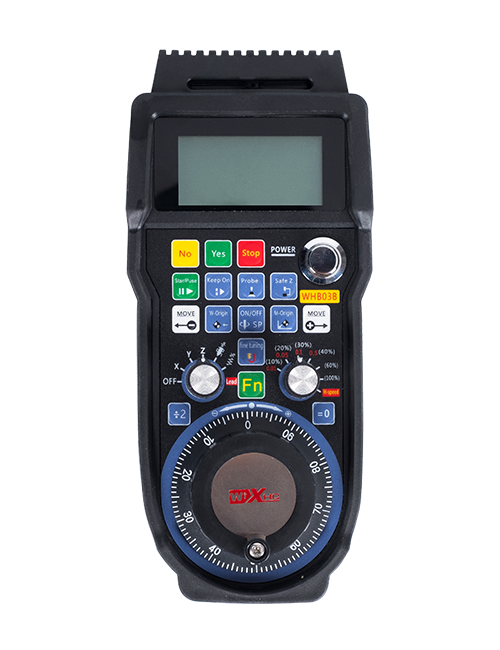
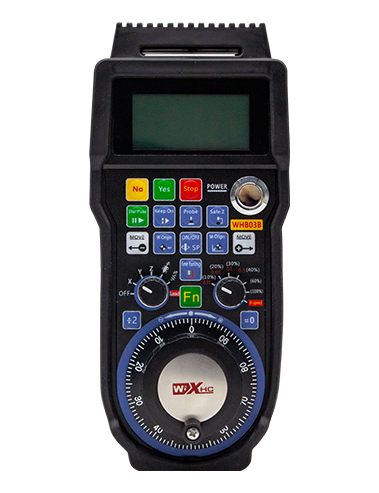
Txhawb nqa 2 Customizable nyees khawm, Nrog hloov-hom IO teeb liab tso zis;
Txhawb nqa -2 Kev Tswj Axis;
Txhawb Nqa 3-Theem Kev Tswj Xyuas;


1.Khoom Taw Qhia
2. Khoom ua haujlwm yam ntxwv
| Operating voltage and current of wireless remote |
3V/14MA
|
| Battery specifications | 2 AA alkaline batteries, size 5 |
| Low voltage alarm range of wireless remote | < 2.3V |
| Tau Txais Hluav Taws Xob Hluav Taws Xob | DC5V-24V/A |
| Receiver emergency stop output load range | AC125V-1A/DC30V-2A |
| Receiver enable output load range |
AC125V-1A/DC30V-2A
|
| Receiver custom button output load range | DC24V/50mA |
| Receiver axis selection output load range | DC24V/50mA |
| Receiver magnification output load range | DC24V/50mA |
| Transmission power of handheld terminal |
15dBm
|
| Receiver receiving sensitivity | -100dBm |
| Wireless communication frequency | 433MHz frequency band |
| Wireless communication distance | Barrier free distance of 40 meters |
| Operation temperature | -25℃ < X < 55℃ |
| Anti fall height | 1 (lub ntsuas) |
| Custom button quantity | 2 |


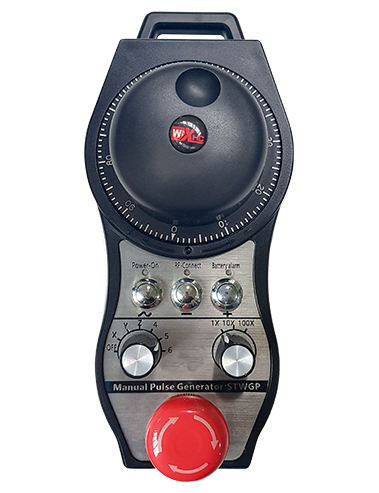
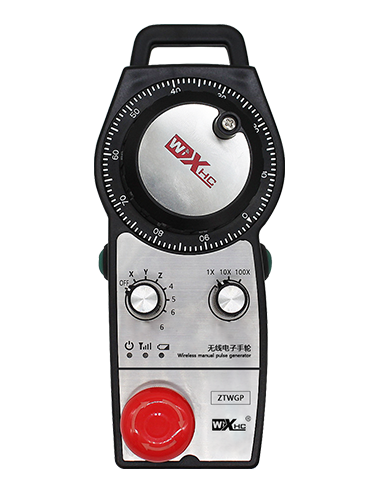
① Pulse encoder:
Nias thiab tuav lub pob qhib, Co cov mem tes encoder, emit mem tes teeb liab,and control the movement ofthe machine axis.
② Enable button:
Press either enable button on either side, and the two sets of enable IO outputs on the receiver will conduct. Release the enable button to disconnect the enable IO output; And before switching the axis selection magnification and shaking the handwheel,the enable button needs to be held down to be effective; This function can be cancelled through configuration software.
③ Indicator lights:
Left side light: power on light,the handwheel uses the axis to select OFF for power on, and this light stays on after power on;
Middle light: a signal light that lights up when operating any function ofthe handwheel, and does not light up when there is no operation;
Right side light: Tsawg tsawg voltage lub teeb, low battery level,this lightflashes or stays on, battery needs to be replaced.
④ Emergency stop button:
Nias lub khawm thaum muaj xwm ceev, Thiab ob pawg ntawm kev kub ntxhov nres IO tawm tswv yim ntawm tus txais yuav raug txiav tawm, thiab txhua txoj haujlwm ntawm kev ua haujlwm yuav tsis muaj tseeb.
⑤ Magnification switch:
Press and hold the enable button to switch the magnification switch, which can switch the magnification controlled by the handwheel.
⑥ Axis selection switch (Lub Zog Hloov):
Press and hold the enable button to switch the axis selection switch, which can switch the movement axis controlled by the handwheel. Switch this switch from OFF to any axis and turn on the handwheel power.
⑦ Custom button:
Two custom buttons, txhua qhov sib xws rau IO tso zis tawm ntawm tus txais.

1. Nruab lub receiver rau hauv lub txee hluav taws xob los ntawm lub pob tw sab nraum qab, lossis nruab nws mus rau hauv cov txee los ntawm cov ntsia hlau qhov ntawm plaub lub ces kaum ntawm tus txais.
2. Xa mus rau peb cov ntaub ntawv uas tau txais daim duab uas tau txais thiab muab piv nrog koj cov khoom siv hauv lub xaib. Connect the equipment to the receiver via cables.
3.After the receiver is properly fixed, Tus kav hlau txais xov tau nruab nrog tus txais yuav tsum tau sib txuas, and the outer end of the antenna should be installed or placed outside the electrical cabinet. Nws raug nquahu kom muab tso rau saum cov txee hluav taws xob rau cov teeb liab zoo tshaj. It is prohibited to leave the antenna unconnected or place it inside the electrical cabinet, as this may result in the signal being unusable.
4. Kawg no, turn on the power switch of the handwheel, and you can operate the machine remotely using the handwheel.
6.2 Tau txais qhov ntev

6.3 Tus txais ntaub ntawv siv tshuaj lom neeg siv

7. Cov Lus Qhia Khoom Lag Luam
1. Power on the machine and the receiver. The receiver’s working indicator light flashes. Install the battery in the wireless electronic handwheel, secure the battery cover, thiab
turn on the power switch of the wireless electronic handwheel. The handwheel’s battery level indicator light is on.
2. Xaiv cov kev sib koom tes axis: Nias thiab tuav lub pob qhib, toggle the axis selection switch, and select the axis you want to operate.
3. Xaiv Daim Ntawv Tshaj Tawm: Nias thiab tuav lub pob qhib, toggle the magnification switch,and select the desired magnification level.
4. Txav axis: Nias thiab tuav lub pob qhib, Xaiv Lub Axis Xaiv Hloov, Xaiv lub zog hloov, and then rotate the pulse encoder. Rotate clockwise to move the
positive axis and counterclockwise to move the negative axis.
5. Nias thiab tuav ib qho kev cai khawm, and the corresponding button IO output of the receiver will be turned on. Release the button, and the output will be turned off.
6. Nias lub khawm thaum muaj xwm ceev, Tus coj thaum muaj xwm ceev coj IO tawm ntawm tus txais yuav raug txiav tawm, Lub tes ua haujlwm muaj nuj nqi yuav raug neeg xiam,Tso Tawm Lub Pob Ceev, Qhov xwm txheej ceev nres Io tawm yuav raug kaw, thiab cov tes ua haujlwm muaj nuj nqi yuav rov qab los.
7. Yog tias tus tes tau ua haujlwm rau ib lub sijhawm, it will automatically enter sleep mode to reduce power consumption. Thaum nws tau siv dua, the handwheel can be activated by pressing the enable button.
8. Yog hais tias tus tes tau siv rau lub sijhawm ntev, it is recommended to switch the handwheel shaft to the OFF position, Kaw cov hwj huam sib luag, thiab txuas lub roj teeb lub neej.
8. Cov qauv khoom piav qhia

① :ZTWGP represents the appearance style
②:Mem tes tsim tawm cov lus qhia:
01: Indicates that the pulse output signal is A, B; Mem kev voltage 5v; pulse quantity 100PPR.
02:Indicating thatthe pulse output signals are A and B; Pulse voltage 12V; pulse quantity 100PPR.
03:Indicating thatthe pulse output signals are A, B, A -, B -; Mem kev voltage 5v; pulse quantity 100PPR.
04:Qhia tau tias qib qis NPN qhib cov khoom siv hluav taws xob, nrog mem tes tsim tawm cim ntawm a thiab b;The number of pulses is 100PPR.
05:Qhia tias yog cov qib siab PNP cov zis, nrog mem tes tsim tawm cim ntawm a thiab b; The number of pulses is 100PPR.
③:Representing the number of axis selection switches, 2 sawv cev 2 li 2es.
④:Represents the type of axis selection switch signal, Ib qho sawv cev rau taw tes-rau-taw qhia kev tawm tsam, thiab b sawv cev encoded tso zis teeb liab.
⑤:Represents the type of multiplication switch signal, Ib qho sawv cev rau taw tes-rau-taw qhia kev tawm tsam, thiab b sawv cev encoded tso zis teeb liab.
⑥:Represents the number of custom buttons, 2 sawv cev 2 Kev cai khawm.
⑦:Represents the power supply for the system handwheel, thiab 05 sawv cev 5v fais fab mov.
⑧:L represents the left column (left knife holder), and R represents the right column (right knife holder).
9.Solution to Product Malfunctions

1. Thov siv nws nyob rau hauv ib puag ncig qhuav ntawm chav sov thiab siab kom txuas nws lub neej pabcuam.
2. Thov zam tsis txhob siv nyob rau hauv ib puag ncig txawv txav xws li nag thiab dej npuas kom txuas ntxiv rau lub neej pabcuam.
3. Thov khaws cov tsos ntawm cov tes ntxuav tes kom ntev nws lub neej pabcuam.
4. Thov zam tsis txhob muab cia, kev poob, tsoo, tus lwm yam. Txhawm rau tiv thaiv kev puas tsuaj rau cov precision Cheebtsam sab hauv cov kev sib tsoo lossis qhov raug yuam kev.
5. Yog tias tsis siv sijhawm ntev, Thov khaws cov tes ua kom huv thiab nyab xeeb. Thaum lub sij hawm cia thiab tsheb thauj mus los, mloog yuav tsum tau them rau noo noo thiab poob siab tsis kam.
11. Cov Ntaub Ntawv Kev Nyab Xeeb
1. Thov nyeem cov lus qhia kom zoo zoo ua ntej siv thiab txwv tsis pub cov kws tshaj lij los ntawm kev ua haujlwm.
2. Please replace the battery in a timely manner when the battery level is too low to avoid errors caused by insufficient battery power and inability to operate the handwheel.
3. Yog tias yuav tsum tau kho kho, Thov hu rau cov chaw tsim khoom. Yog tias qhov kev puas tsuaj yog tshwm sim los ntawm kev kho tus kheej, Cov chaw tsim khoom yuav tsis muaj kev tiv thaiv