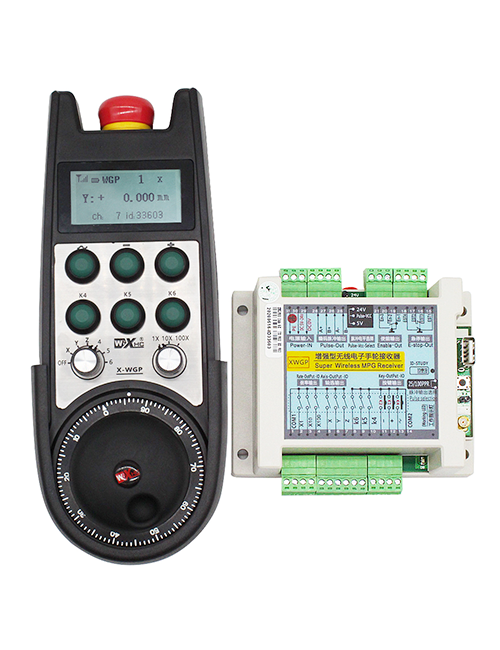
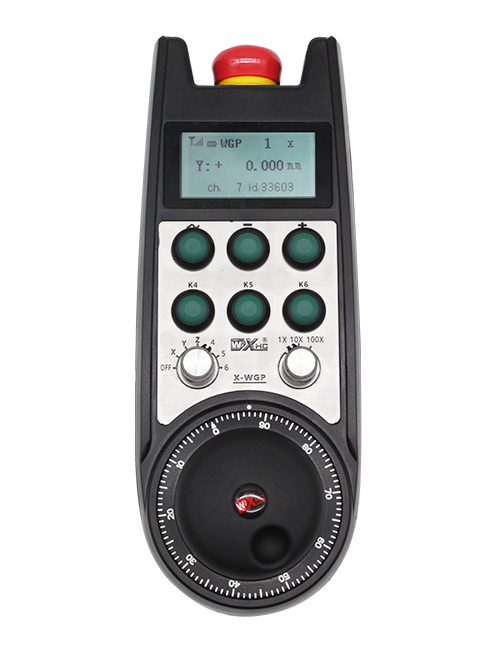
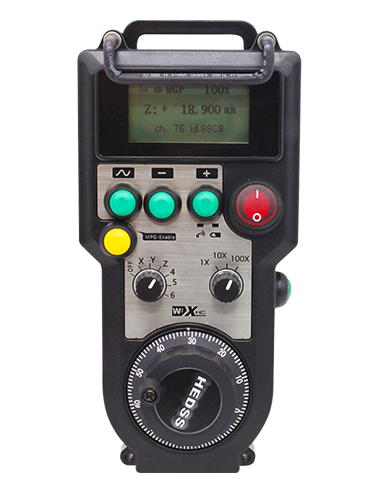
Sipò 2 bouton customizable, ak switch-type IO pwodiksyon siyal;
Sipò -2 kontwòl aks;
Sipòte kontwòl agrandisman 3-nivo;


1.Pwodwi Entwodiksyon
2. Pwodwi karakteristik fonksyonèl
| Fonksyone vòltaj ak aktyèl nan remote san fil |
3V/14MA
|
| Espesifikasyon batri | 2 AA pil alkalin, gwosè 5 |
| Ranje alam vòltaj ba nan remote san fil | < 2.3V |
| Reseptè vòltaj ekipman pou pouvwa | DC5V-24V/A |
| Reseptè arè ijans pwodiksyon chaj ranje | AC125V-1A/DC30V-2A |
| Reseptè pèmèt ranje chaj pwodiksyon |
AC125V-1A/DC30V-2A
|
| Reseptè koutim bouton pwodiksyon chaj ranje | DC24V/50mA |
| Reseptè aks seleksyon pwodiksyon chaj ranje | DC24V/50mA |
| Reseptè agrandisman pwodiksyon chaj ranje | DC24V/50mA |
| Transmisyon pouvwa nan tèminal pòtatif |
15dBm
|
| Reseptè k ap resevwa sansiblite | -100dBm |
| Frekans kominikasyon san fil | 433Band frekans MHz |
| Distans kominikasyon san fil | Distans san baryè nan 40 mèt |
| Tanperati operasyon | -25℃ < X < 55℃ |
| Anti tonbe wotè | 1 (mèt) |
| Kantite bouton Custom | 2 |


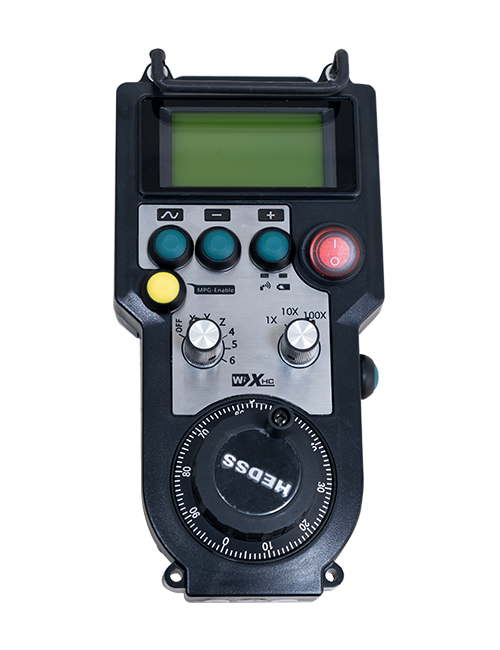
① Pulse encoder:
Peze epi kenbe bouton an pèmèt, souke ankode batman kè a, emèt yon siyal batman kè,epi kontwole mouvman aks machin lan.
② Enable button:
Peze swa bouton pèmèt sou chak bò, ak de seri pèmèt pwodiksyon IO sou reseptè a ap fè. Lage bouton an pèmèt yo dekonekte pwodiksyon an pèmèt IO; Epi anvan chanje agrandisman seleksyon aks la ak souke volan an,bouton an pèmèt yo dwe kenbe desann yo dwe efikas; Fonksyon sa a ka anile atravè lojisyèl konfigirasyon.
③ Indicator lights:
Limyè bò gòch: pouvwa sou limyè,volan an sèvi ak aks la pou chwazi OFF pou pouvwa sou, ak limyè sa a rete limen apre limen;
Mwayen limyè: yon limyè siyal ki limen lè w ap opere nenpòt fonksyon nan volan an, epi li pa limen lè pa gen okenn operasyon;
Limyè bò dwat la: Limyè alam vòltaj ki ba, nivo batri ki ba,limyè sa a ap flache oswa rete limen, batri bezwen ranplase.
④ Emergency stop button:
Peze bouton pou kanpe ijans lan, epi de seri IO arè ijans yo sou reseptè a pral dekonekte, ak tout fonksyon nan volan an pral valab.
⑤ Magnification switch:
Peze epi kenbe bouton pèmèt pou chanje switch agrandisman an, ki ka chanje agrandisman kontwole pa handwheel la.
⑥ Axis selection switch (switch pouvwa):
Peze epi kenbe bouton pèmèt pou chanje switch seleksyon aks la, ki ka chanje aks mouvman kontwole pa handwheel la. Chanje switch sa a soti nan OFF nan nenpòt aks epi limen pouvwa handwheel la.
⑦ Custom button:
De bouton koutim, chak ki koresponn ak yon pwen pwodiksyon IO sou reseptè a.

1. Enstale reseptè a nan kabinè elektrik la nan bouk la sou do a, oswa enstale li nan kabinè a nan twou yo vis nan kat kwen yo nan reseptè a.
2. Gade nan dyagram fil elektrik reseptè nou an epi konpare li ak ekipman sou-sou sit ou. Konekte ekipman an nan reseptè a atravè câbles.
3.Apre reseptè a byen fikse, dwe konekte antèn ekipe ak reseptè a, epi yo ta dwe enstale fen deyò antèn la oswa mete deyò kabinè elektrik la. Li rekòmande pou mete l sou tèt kabinè elektrik la pou pi bon efè siyal la. Li entèdi pou kite antèn la pa konekte oswa mete l andedan kabinè elektrik la, paske sa ka lakòz siyal la pa ka itilize.
4. Anfen, limen switch pouvwa a nan volan an, epi ou ka opere machin nan adistans lè l sèvi avèk volan an.
6.2 Dimansyon enstalasyon reseptè

6.3 Dyagram referans fil elektrik reseptè

7. Enstriksyon operasyon pwodwi yo
1. Pouvwa sou machin nan ak reseptè a. The receiver’s working indicator light flashes. Enstale batri a nan volan elektwonik san fil la, an sekirite kouvèti batri a, ak
vire sou switch pouvwa a nan volan an san fil elektwonik. The handwheel’s battery level indicator light is on.
2. Chwazi aks kowòdone a: Peze epi kenbe bouton an pèmèt, activer switch seleksyon aks la, epi chwazi aks ou vle opere.
3. Chwazi agrandisman: Peze epi kenbe bouton an pèmèt, aktive switch agrandisman an,epi chwazi nivo agrandisman vle a.
4. Aks k ap deplase: Peze epi kenbe bouton an pèmèt, chwazi switch la seleksyon aks, chwazi switch agrandisman an, ak Lè sa a, Thorne ankode batman kè a. Vire nan sens goch pou deplase la
aks pozitif ak envers pou deplase aks negatif la.
5. Peze epi kenbe nenpòt bouton koutim, ak bouton korespondan pwodiksyon IO nan reseptè a pral vire sou. Lage bouton an, epi pwodiksyon an pral etenn.
6. Peze bouton pou kanpe ijans lan, yo pral dekonekte pwodiksyon IO arè ijans ki koresponn nan reseptè a, fonksyon volan an pral enfim,lage bouton pou kanpe ijans lan, pwodiksyon IO arè ijans la pral fèmen, epi fonksyon volan an pral retabli.
7. Si volan an pa opere pou yon peryòd de tan, li pral otomatikman antre nan mòd dòmi diminye konsomasyon pouvwa. Lè yo itilize li ankò, ka volan an dwe aktive pa peze bouton an pèmèt.
8. Si volan an pa itilize pou yon tan long, li rekòmande pou chanje arbr handwheel la nan pozisyon an OFF, fèmen pouvwa handwheel la, epi pwolonje lavi batri a.
8. Pwodwi Modèl Deskripsyon

① :ZTWGP reprezante style aparans la
②:Paramèt pwodiksyon batman kè:
01: Endike ke siyal pwodiksyon batman kè a se A, B; Batman kè vòltaj 5V; batman kè kantite 100PPR.
02:Ki endike ke siyal pwodiksyon batman kè yo se A ak B; Batman kè vòltaj 12V; batman kè kantite 100PPR.
03:Ki endike ke siyal pwodiksyon batman kè yo se A, B, A -, B -; Batman kè vòltaj 5V; batman kè kantite 100PPR.
04:Endike yon pwodiksyon sikwi louvri NPN ki ba, ak siyal pwodiksyon batman kè A ak B;Nimewo a nan pulsasyon se 100PPR.
05:Endike wo nivo pwodiksyon sous PNP, ak siyal pwodiksyon batman kè A ak B; Nimewo a nan pulsasyon se 100PPR.
③:Reprezante kantite switch seleksyon aks, 2 reprezante 2 rach.
④:Reprezante ki kalite siyal switch seleksyon aks, A reprezante siyal pwodiksyon pwen-a-pwen, ak B reprezante siyal pwodiksyon kode.
⑤:Reprezante kalite siyal switch miltiplikasyon an, A reprezante siyal pwodiksyon pwen-a-pwen, ak B reprezante siyal pwodiksyon kode.
⑥:Reprezante kantite bouton koutim yo, 2 reprezante 2 bouton koutim.
⑦:Reprezante ekipman pou pouvwa pou volan sistèm lan, ak 05 reprezante ekipman pou pouvwa 5V.
⑧:L reprezante kolòn gòch la (detantè kouto gòch), epi R reprezante kolòn dwat la (dwa detantè kouto).
9.Solisyon pou defayans pwodwi yo

1. Tanpri itilize li nan yon anviwònman sèk nan tanperati chanm ak presyon pou yon ekstansyon pou lavi sèvis li yo.
2. Tanpri evite itilize nan anviwònman nòmal tankou lapli ak dlo bul pou yon ekstansyon pou lavi sèvis la.
3. Tanpri kenbe aparans nan volan an pwòp pou pwolonje lavi sèvis li yo.
4. Tanpri evite peze, tonbe, frape, elatriye. pou anpeche domaj nan eleman yo presizyon andedan volan an oswa erè presizyon.
5. Si ou pa itilize pou yon tan long, tanpri estoke volan an nan yon kote ki pwòp epi ki an sekirite. Pandan depo ak transpò, Atansyon yo ta dwe peye imidite ak rezistans chòk.
11. Enfòmasyon sou sekirite
1. Tanpri li enstriksyon yo ak anpil atansyon anvan ou itilize ak entèdi pwofesyonèl ki pa nan opere.
2. Tanpri ranplase batri a nan yon fason apwopriye lè nivo batri a twò ba pou evite erè ki te koze pa pouvwa batri ensifizan ak enkapasite pou opere volan an..
3. Si reparasyon obligatwa, Tanpri kontakte manifakti a. Si se domaj la ki te koze pa reparasyon pwòp tèt ou, manifakti a pa pral bay garanti