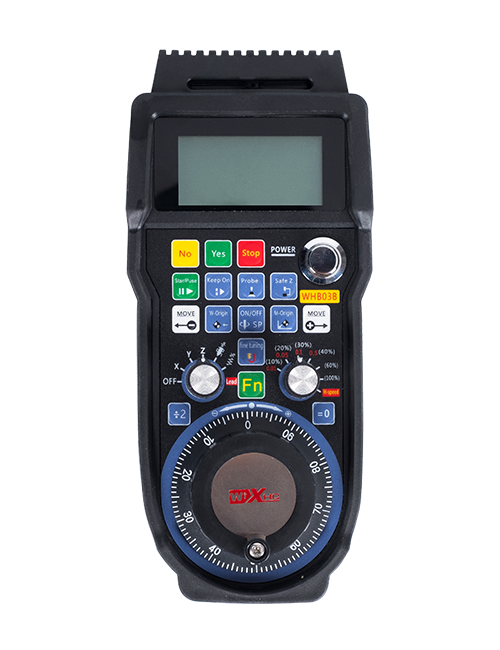
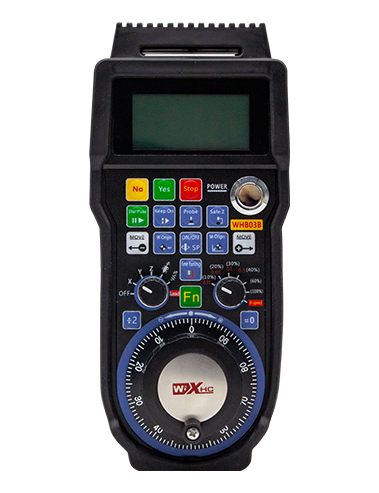
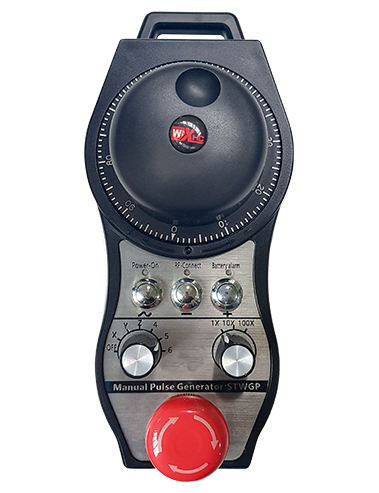
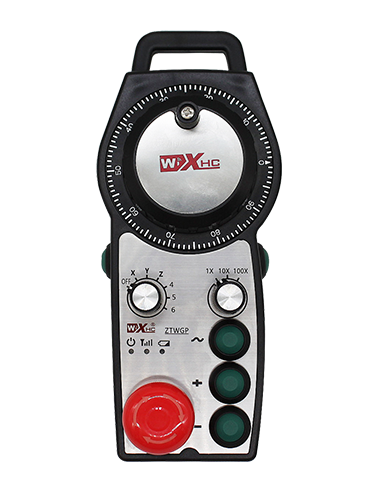
Қолдау 4 Жеке түймелер, IO сигналын ауыстырыңыз, IO-LINK протоколы арқылы жүйеге шығыс сигналы;
Жылдам қозғалыс түймесін қолдау + және түйме -, машинаны жылжыту үшін қол дөңгелегін ауыстыру үшін түймені басып тұрыңыз;
Арнайы сымсыз электронды қолмен жасалған фанук
Түсіндірме

1.Өнімді енгізу
Сымсыз электронды қолмен қолмен жұмыс істеу үшін қолданылады, Орналастыру, Құралды туралау,және CNC станоктарындағы басқа операциялар. Бұл өнім сымсыз тарату технологиясын қабылдады, Көктемгі дәстүрлі сым байланысын жою, Кабельдерден туындаған жабдықтың ақауларын азайту, кабельді сүйрету және май дақтарының кемшіліктерін жою, және жұмысты ыңғайлы етеді. Сымсыз электронды тұтқаның бұл үлгісі Fanuc жүйесіне арналған арнайы руль болып табылады. Fanuc жүйесінің координаттары IO-LINK протоколы арқылы қол дөңгелегі экранында нақты уақыт режимінде көрсетіледі., және ось таңдау,үлкейту, және түйме сигналдары IO-LINK протоколы арқылы жүйеге тікелей қосылады, сымдарды азайту.
2. Өнімнің ерекшеліктері
1. 433MHZ сымсыз байланыс технологиясын қабылдаңыз, Сымсыз байланыс қашықтығы болып табылады 40 Есептегіштер;
2. Автоматты жиілікті секіру функциясын қолданыңыз, қолдану 32 бір уақытта бір-біріне әсер етпестен сымсыз қашықтан басқару құралдарының жиынтығы;
3. Тоқтатуды тоқтату түймесін басыңыз, IO сигналын шығаруды ауыстырыңыз, жүйеге IO сымдары арқылы қосылған;
4. Қолдау 4 Жеке түймелер, IO сигналын ауыстырыңыз, IO-LINK протоколы арқылы жүйеге шығыс сигналы;
5. Жылдам қозғалыс түймесін қолдау + және түйме -, машинаны жылжыту үшін қол дөңгелегін ауыстыру үшін түймені басып тұрыңыз;
6. Қолдау 6 осьтік бақылау, IO сигналын ауыстырыңыз, IO-LINK протоколы арқылы жүйеге шығыс сигналы;
7. 1X қолдауы,10х, 100X басқару . Қолдау қосқышы l0 сигналы, және сигналдарды IO-LINK протоколы арқылы жүйеге шығарады;
8. Қосу түймесі функциясын қолдау, жүйеге IO сымдары арқылы қосылыңыз, және басқару кодері бір уақытта қосылады;
9. Импульстік кодтаушы қолдау, 100 импульстар/шеңбер, AB кодтау сигналын шығару арқылы жүйенің MPG қол дөңгелегі интерфейсіне қол жеткізіңіз;
3.Өнімнің техникалық сипаттамалары

4.Өнім ерекшеліктері

ЕСталдар:
①Emergency stop button:
Төтенше тоқтату түймесін басыңыз, ресивердегі екі апаттық тоқтату IO шығысы ажыратылған, және рульдің барлық функциялары жарамсыз. Төтенше тоқтату босатылғаннан кейін, ресивердегі авариялық тоқтату IO шығысы жабылады және руль дөңгелегі барлық функциялары қалпына келтірілді.
②Screen display:

③Custom Buttons:
4 Жеке түймелер, әрбір түйме ресивердегі IO шығыс нүктесіне сәйкес келеді, жүйеге IOLINK арқылы қосылған. Жалпы, ~ түймесі жоғары жылдамдықты түйме ретінде орнатылады.
④Axis selection switch:
Осьті таңдау қосқышын ауыстыру тұтқамен басқарылатын қозғалмалы осьті ауыстыра алады.
⑤Shortcut buttons:
Press the shortcut button “+ ”to move the machine forward, and press the short cut button “-” to move the machine negatively. Бұл машинаны жылжыту үшін қол дөңгелегін бұруды алмастыра алады.
⑥Enable button:
Тиімді болу үшін екі жағындағы қосу түймелерінің кез келгенін басып ұстап тұрыңыз және импульстік кодтағышты шайқаңыз. Ал ресивердегі қосылатын IO шығыстарының екі тобы қосылады. Қосу түймесін босатыңыз және қосу IO шығысы ажыратылады.
⑦Ratio switch:
Ұлғайту қосқышын ауыстыру қол дөңгелегі басқаруының үлкейтуін ауыстыра алады.
⑧Pulse encoder:
Қосу түймесін басып тұрыңыз да, импульсті жіберу үшін импульстік кодтағышты шайқаңыз
Машина осінің қозғалысын бақылау үшін сигнал.
⑨Power switch:
Руль дөңгелегі қуат түймесі.
5.Өнімге арналған керек-жарақтар диаграммасы

6.Өнімді орнату бойынша нұсқаулық
6.1 Өнімді орнату қадамдары
1. Ресиверді төрт бұрыштағы бұранда саңылаулары арқылы электр шкафына орнатыңыз.
2.Біздің ресивердің сымының диаграммасына жүгініңіз, Оны жергілікті жабдықпен салыстырыңыз, және қосу
Сабақтар арқылы ресиверге арналған жабдық.
3. Ресивер бекітілгеннен кейін, Антенна қабылдағышпен жабдықталған болуы керек,
және антеннаның сыртқы ұшы электр шкафының сыртына немесе орналастырылуы керек.
Үздік сигналдың ең жақсы әсері үшін оны электр шкафының жоғарғы жағына орналастыру ұсынылады. Ол
антеннаны қосылмай қалдыруға немесе антеннаны электр шкафының ішіне қоюға тыйым салынады.,
бұл сигналдың жарамсыз болуы мүмкін.
4.Соңында, Тұтқалы қуат қосқышын қосыңыз, сонда сіз машинаны басқара аласыз
Тұтқалы қашықтан басқару.
6.2 Қабылдағыштарды орнату Өлшемдері

6.3 Ресивердің сымдары туралы анықтамалық диаграмма

7. Техникалық қызмет көрсету және күту
1. Ұзарту үшін оны қалыпты температура мен қысымы бар құрғақ ортада пайдаланыңыз
қызмет ету мерзімі;
2. Ұзарту үшін оны жаңбыр мен су көпіршіктері сияқты әдеттен тыс орталарда қолданбаңыз
Қызмет көрсету мерзімі;
3. Қызмет мерзімін ұзарту үшін қол дөңгелегі сыртқы түрін таза ұстаңыз;
4. Сығымдаудан аулақ болыңыз, құлау, ұру, т.б. дәл бөлшектердің зақымдалуын болдырмау үшін
руль дөңгелегі ішінде немесе дәлдік қателерін тудырады;
5. Егер ұзақ уақыт пайдаланылмаса, Қолды таза және қауіпсіз жерде сақтаңыз;
6. Сақтау және тасымалдау кезінде ылғал мен соққыға назар аударыңыз.
8. Қауіпсіздік туралы ақпарат
1. Пайдалану алдында нұсқаулықты мұқият оқып шығыңыз. Кәсіби емес мамандарға тыйым салынады
жұмыс жасау.
2. Қателерді болдырмау үшін батареяны заряды тым аз болған кезде ауыстырыңыз
жеткіліксіз қуат тұтқаның жұмыс істей алмайтындығына әкеледі.
3. Егер жөндеу қажет болса, Өндірушіге хабарласыңыз. Егер шығын өзін-өзі жөндеуден туындаса,
Өндіруші кепілдік бермейді.