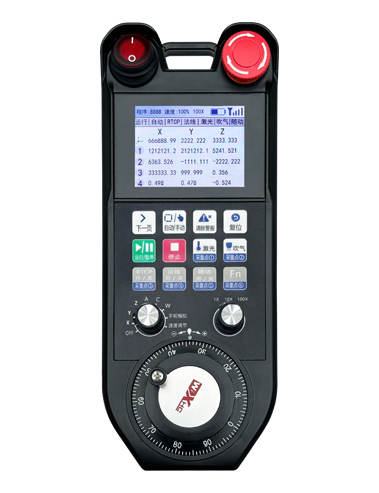
1. 12 버튼, 6 of which support I/O signals.
2. Supports 2.8-inch color screen display.
3. Supports one 9-level axis selector switch, supporting up to 6-axis output.
4. Supports one 3-level multiplier switch.

1.제품소개
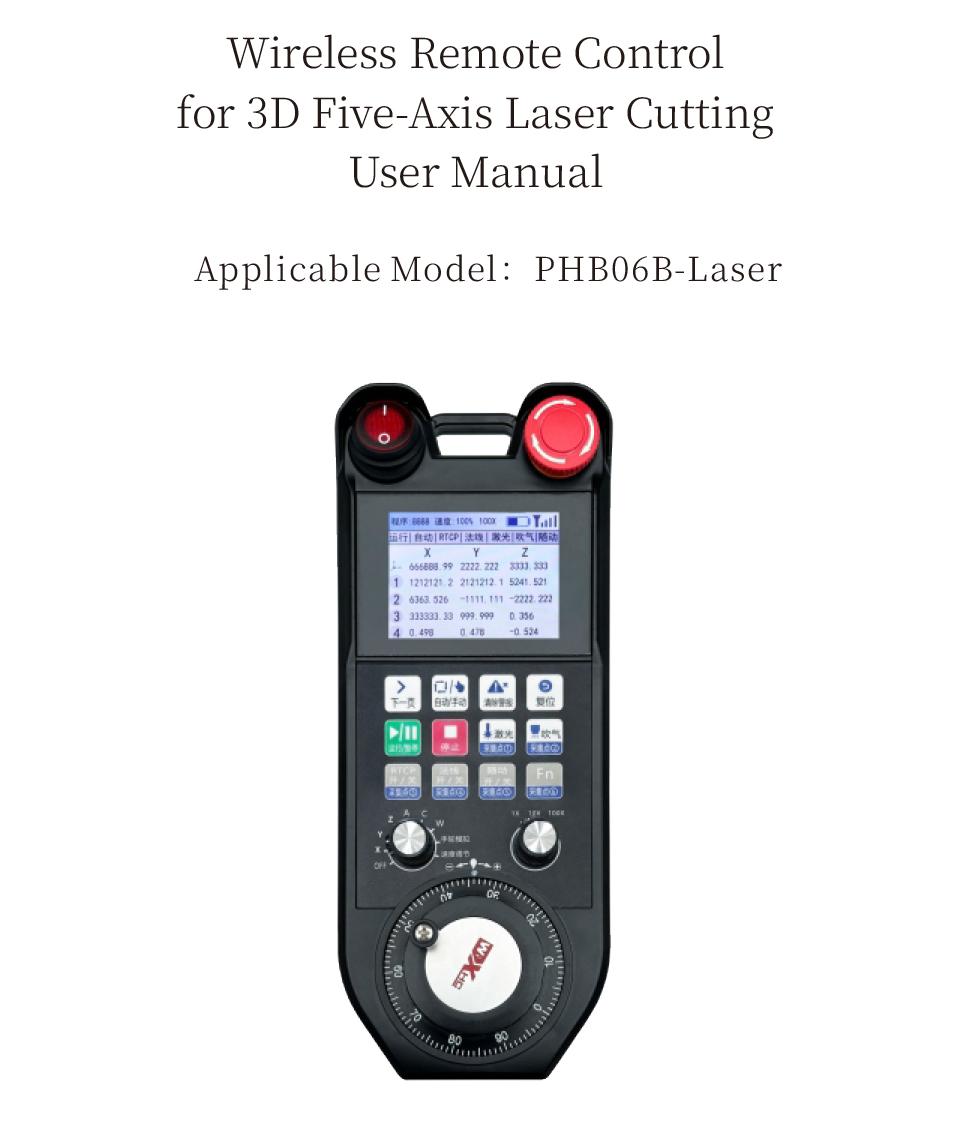
The PHB06B-Laser enables wireless remote control operation of the CNC system via the Modbus TCP protocol, 지원하다 12 버튼, and supports real-time display of system coordinates and status.
2.제품특징
3.작동 원리
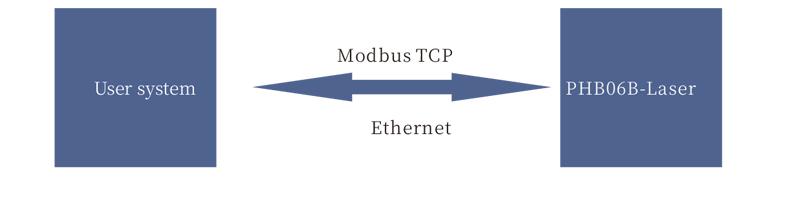
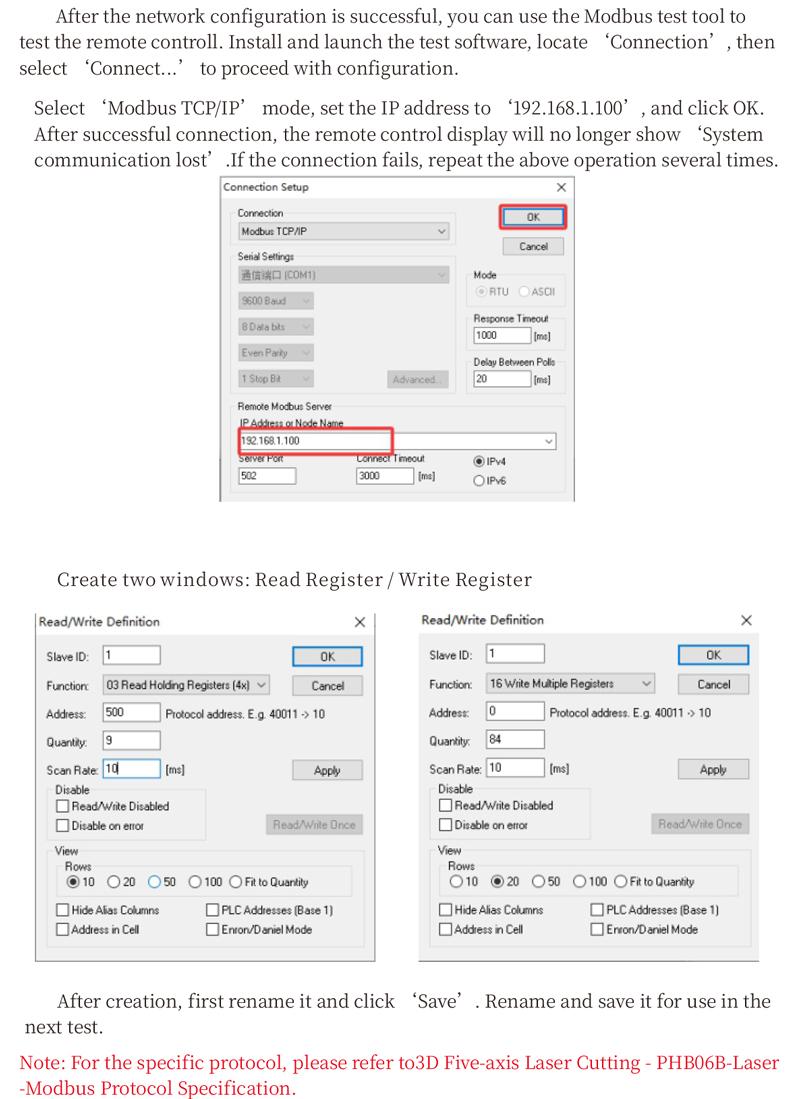
메모: For the specific protocol, please refer to the “3D 5-axis Laser Cutting – PHB06B – Laser – Modbus Protocol Description”.
| 수신기 전원 전압 | DC5V-DC24V |
| Button lifespan | 1,000,000 타임스 |
| Operating Temperature |
-25℃ < 엑스 < 55℃
|
| Safe drop height | 1 중 |
| Receiver port | 이더넷 |
| Number of buttons |
12
|
| 디스플레이 화면 |
2.8-inch color screen
|
| wireless communication frequency | 433MHz band |
| Receiver sensitivity |
-100dBm
|
| Handheld transmit power |
15dBm
|
| 무선통신거리 | 100 meters barrier-free range |
| Rechargeable Battery Specification | Rechargeable Battery Specification |
| Charging base power supply voltage | DC24V/1A |
|
Wired Charging Specification
|
Type-C charging port, DC 5V/2A |
5.제품 기능 소개
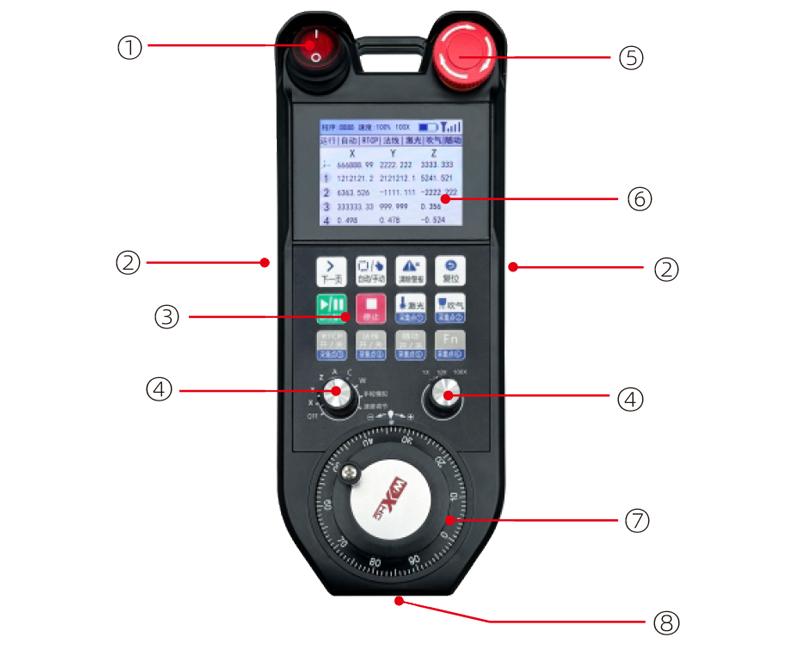
② Enable buttons on both sides
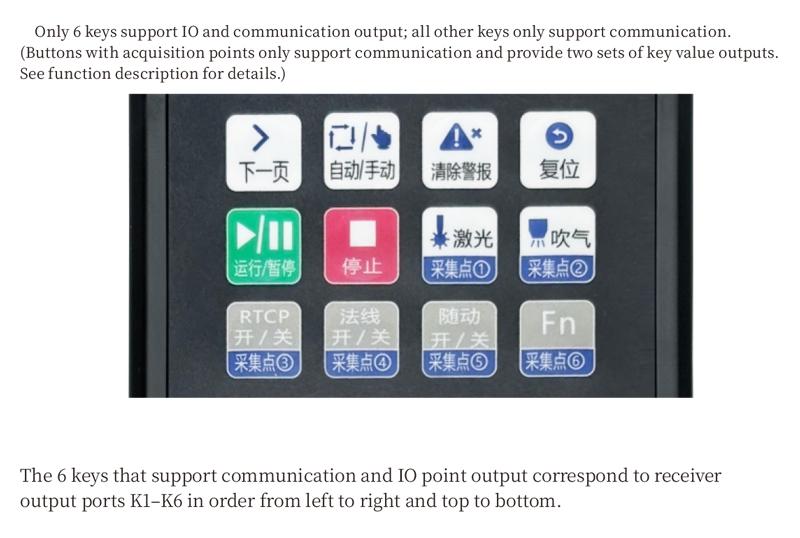
③Button area
One 9-gear axis selection switch; one 3-gear magnification switch.
It can display coordinates, status and other information.
One electronic pulse encoder with 100 회전당 펄스.
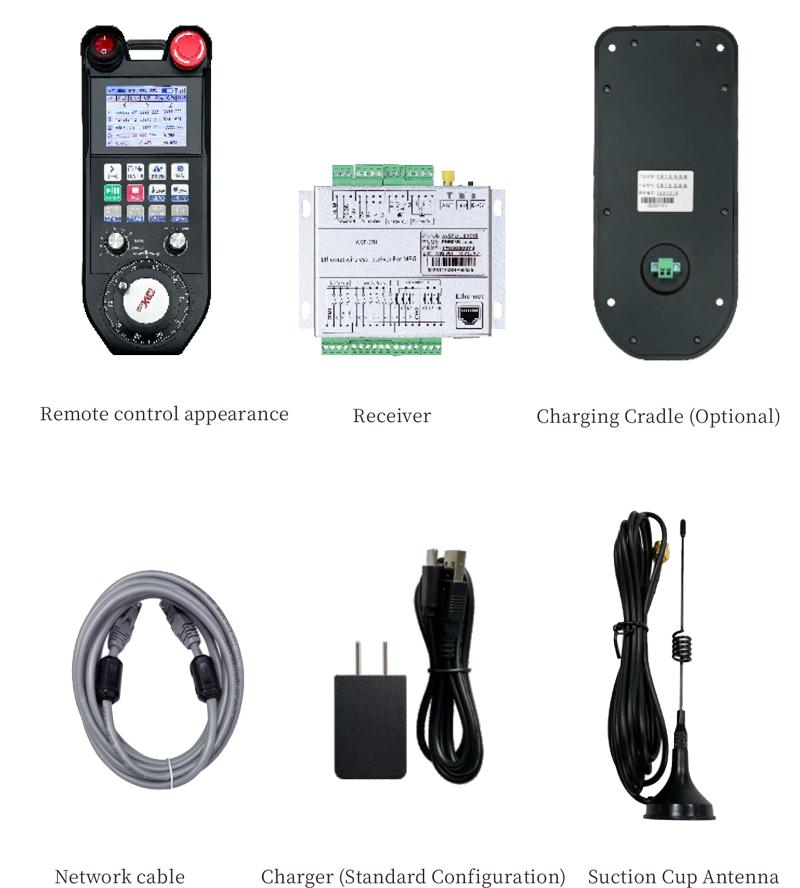
It is used for connection between the charger and the remote control.
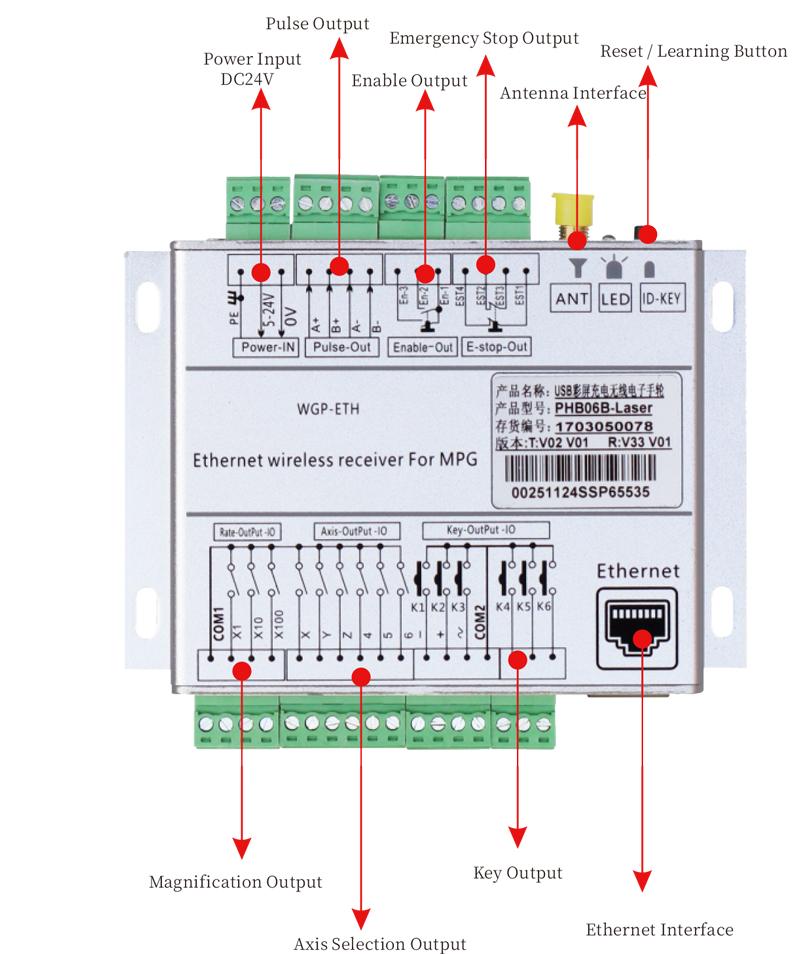
7. Receiver and Wiring Ports
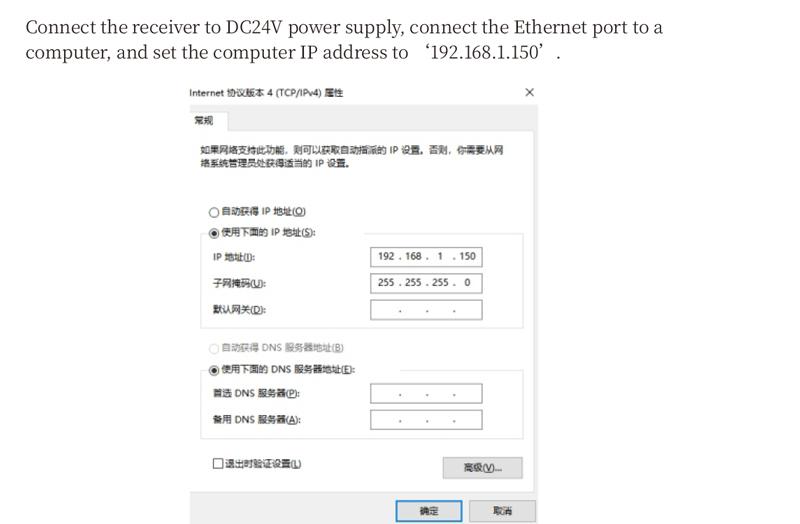
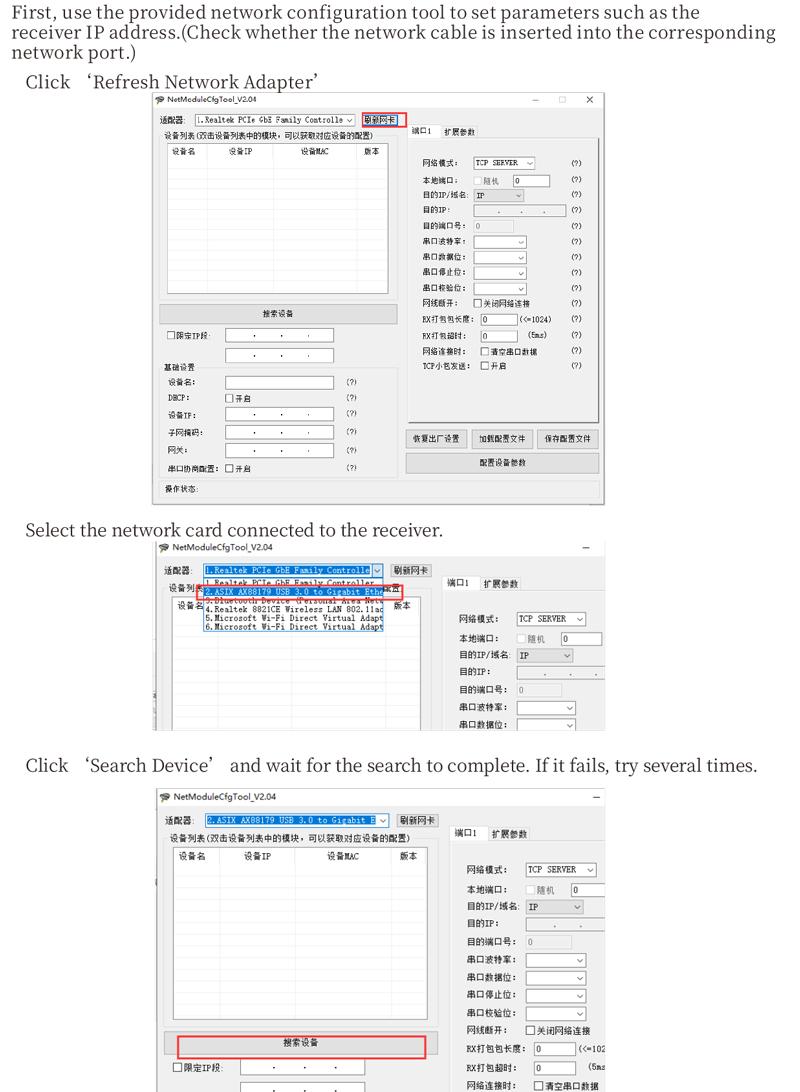
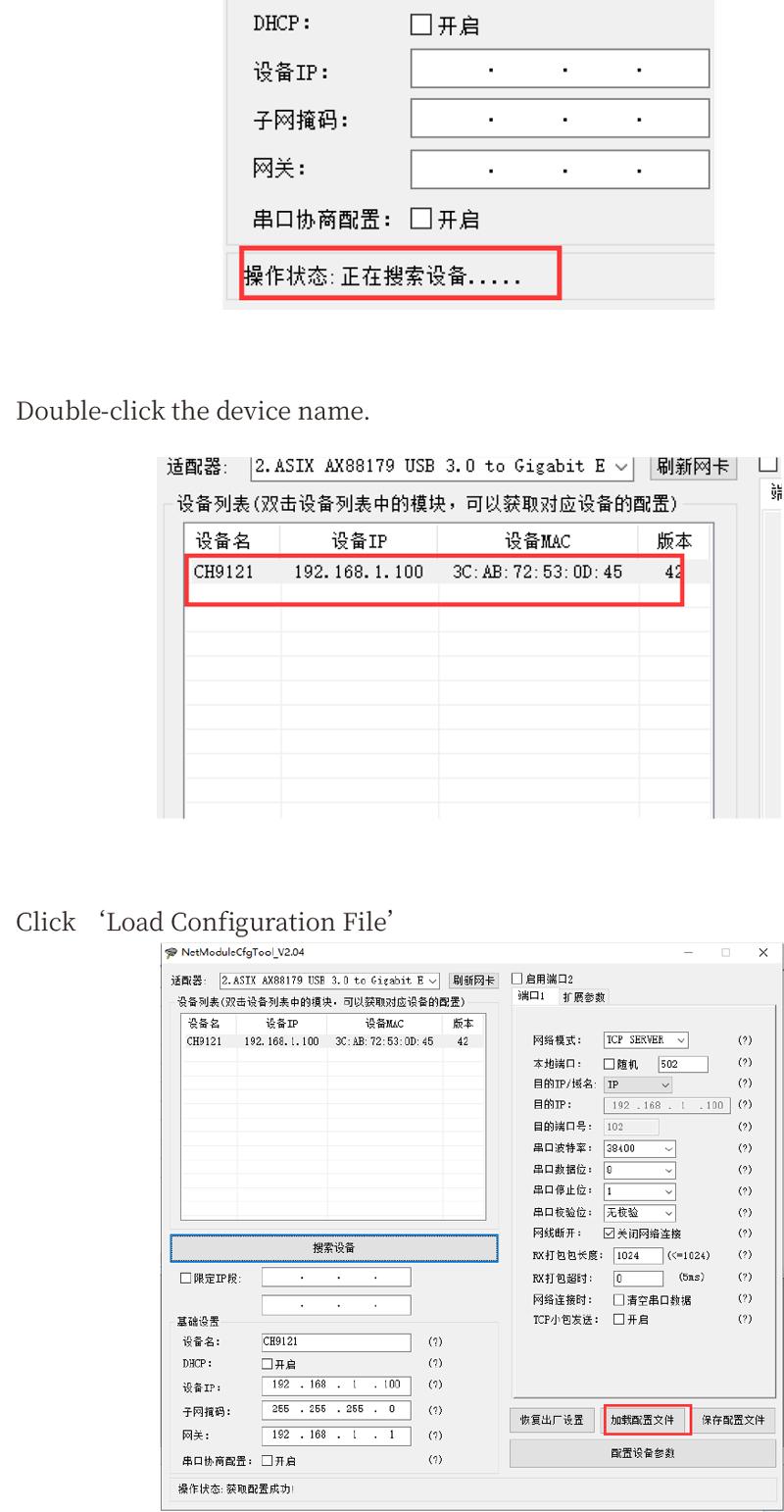
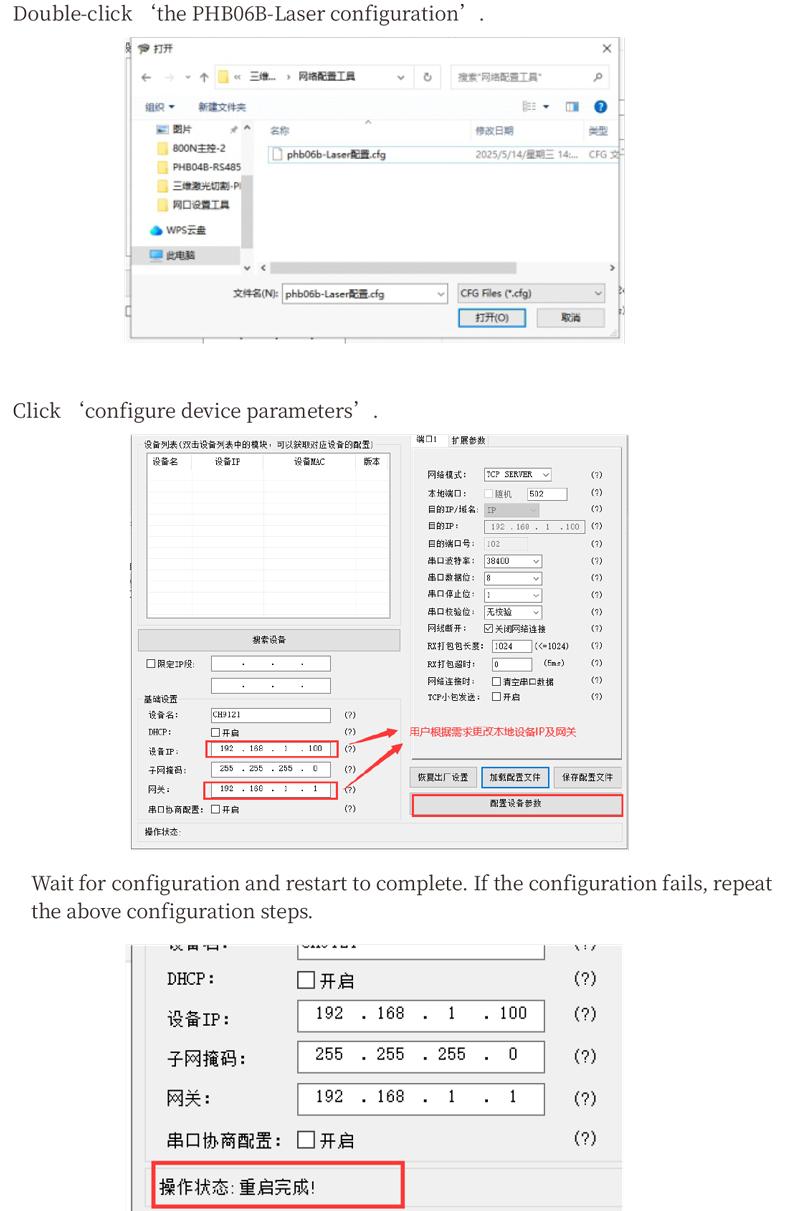
10. Installation dimensions
 11.Maintenance and upkeep
5. Avoid moisture and shock during storage and transportation.