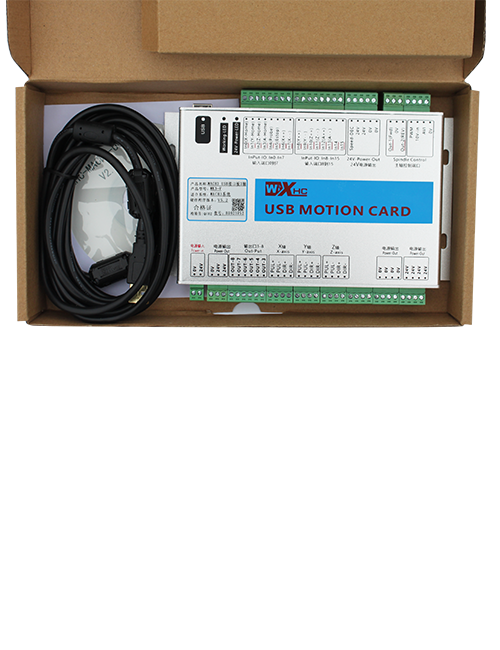
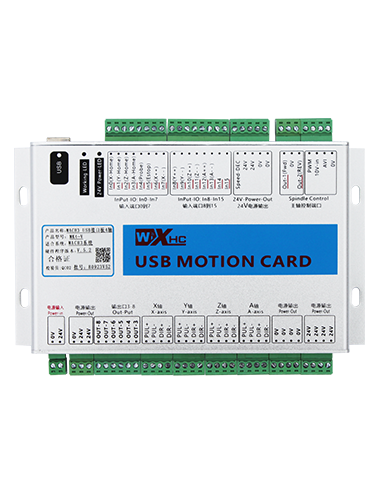
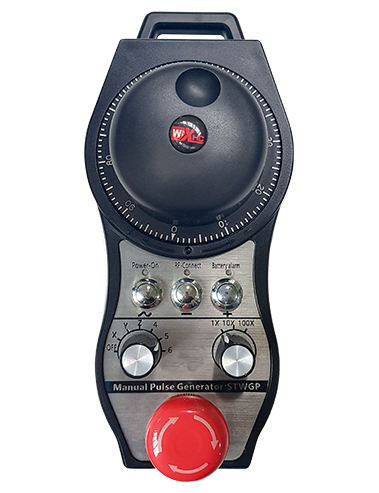
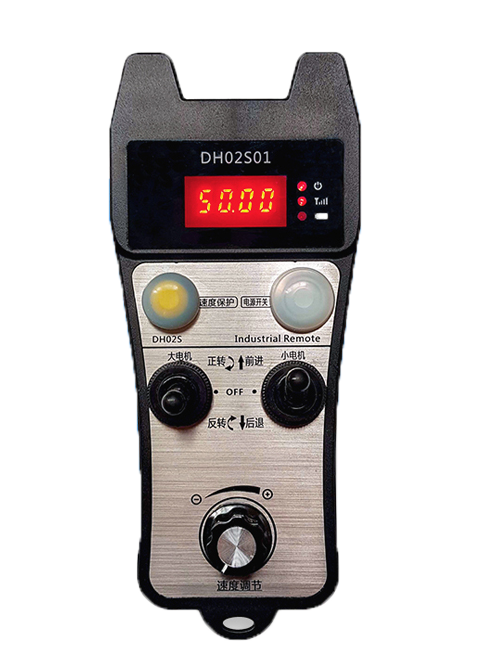
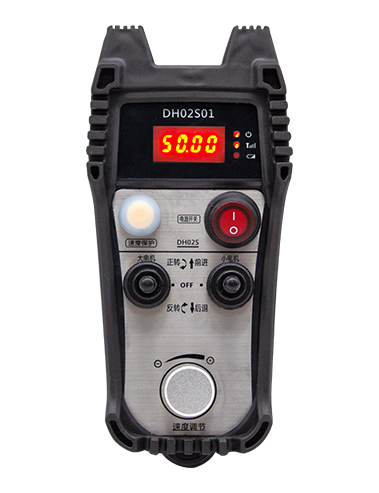
설명

1.제품소개
Wireless Remote Control is used for manual guidance, 포지셔닝, tool setting and other operations of CNC machine tools. 이 제품은 무선 전송 기술을 채택합니다., 기존 스프링 와이어 연결 제거, 케이블로 인한 장비 고장 감소, 케이블 끌기의 단점 제거, 기름 얼룩, 등., and is more convenient to operate.It is widely applicable to CNC machine tools such as gantry machining centers, gantry vertical lathes, and CNC gear processing machines, and is compatible with various mainstream CNC system brands on the market, including Siemens, 미쓰비시, fanuc, Syntec and more.
2.제품특징
1. 무선 작동 거리가 433MHz인 무선 통신 기술을 채택했습니다. 20 미터.
2.적응형 주파수 호핑; 32 무선 리모콘 세트는 간섭 없이 동시에 사용할 수 있습니다..
3.Supports the emergency stop button, and the emergency stop button remains effective even after the remote control is powered off.
4.지원합니다 3 스위칭 IO 신호 출력이 있는 사용자 정의 버튼.
5.6축 제어 지원, 그리고 7 12축 제어까지 사용자 정의 가능.
6. 3단 배율 제어 지원, 4단 배율 조절도 맞춤 가능.
7.활성화 버튼 기능을 지원합니다, 스위칭 IO 신호를 출력할 수 있는, 또한 축 선택을 제어합니다., 배율 및 인코더.
8.소프트웨어를 통해 축 선택 및 확대의 인코딩 유형 수정 지원.
9. Supports pulse encoder with specification of 100 회전당 펄스.
10. Supports standard Type-C charging with 5V-2A charging specification; built-in battery
specification: 14500 / 1100mAh.
| Working Voltage and Current of Handheld Terminal |
3.7V/20.0mA |
| Charging Battery Specification |
3.7V/14500/1100mAh
|
| Low Voltage Alarm Range of Handheld Terminal |
<3.35다섯 |
| Receiver Power Supply Voltage |
DC5V-24V/1A |
| Receiver Emergency Stop Output Load Range |
AC125V-1A/DC30V-2A |
| Receiver Enable Output Load Range |
AC125V-1A/DC30V-2A |
| Receiver Custom Button Output Load Range |
DC24V/50mA
|
| Receiver Axis Selection Output Load Range |
DC24V/50mA |
| Receiver magnification Output Load Range |
DC24V/50mA |
| Handheld Terminal Transmit Power |
15dBm
|
| 수신기 수신 감도 |
-100dBm |
| 무선통신 주파수 |
433MHz 주파수 대역
|
| Wireless Communication Distance |
20 meters barrier-free distance
|
| Operating Temperature |
-25℃<엑스<55℃ |
| Safe drop height |
1 중
|
| Number of Custom Buttons |
3
|
| Product Weight |
546.86(g) |
| Product Dimensions |
200*87*72(mm) |
4. 제품 기능 소개

메모:
① Emergency Stop Button:
비상정지 버튼을 눌러주세요, the two groups of emergency stop IO outputs on the receiver will disconnect, and all remote control functions will be invalidated.Release the emergency stop button, the emergency stop IO outputs on the receiver will be closed, and all remote control functions will be restored. 게다가, even if the remote control is powered off, pressing the emergency stop button can still activate the emergency stop IO output of the receiver.
② Enable Button:
Press either enable button on both sides, the two sets of enable IO outputs on the receiver will conduct. Release the enable button, and the enable IO outputs will disconnect. It is necessary to press and hold the enable button before toggling axis selection, magnification or rotating the remote control for the operation to take effect.This function can be canceled through the configuration software.
③ Axis Selection Switch (Power Switch):
활성화 버튼을 길게 누르세요., then toggling the axis selection switch can control the movement of axis .Press and hold the enable button, then toggle the axis selection switch to switch the motion axis controlled by the remote control. Toggle the switch from the OFF position to any axis position, and the remote control will power on automatically.
④ Pulse Encoder:
Press and hold the enable button and rotate the pulse encoder, it will output pulse signals to control the movement of the machine axis.
⑤ LCD Display Screen:

5. Product Accessories Diagram

6. 제품 설치 가이드
6.1 제품 설치 단계
1. Install the receiver in the electrical cabinet via the buckle on its back, or mount it inside the electrical cabinet through the screw holes at the four corners of the receiver.
2. 수신기 배선 다이어그램을 참조하십시오., 현장 장비와 비교해 보세요., and connect the equipment to the receiver with cables.
3. After the receiver is fixed in place, install the supporting antenna of the receiver properly. Mount or place the outer end of the antenna outside the electrical cabinet. It is recommended to place it on the top of the electrical cabinet for optimal signal performance. Do not leave the antenna uninstalled or place it inside the electrical cabinet; 그렇지 않으면, signal failure may occur.
4. 마지막으로, turn on the remote control power switch, then you can remotely operate the machine via the remote control.
6.2 Receiver Installation Dimensions

7. 제품 작동 지침
1. 기기와 수신기의 전원을 켜세요.. The receiver operation indicator flashes. After the wireless electronic remote control is fully charged, toggle it from the OFF gear to the X-axis gear, and the remote control display lights up.
2. Select the axis : 활성화 버튼을 길게 누르세요., toggle the axis selection switch to select the axis to be operated.
3. Select the magnification: 활성화 버튼을 길게 누르세요., toggle the magnification switch to select the required magnification gear.
4. Axis movement: 활성화 버튼을 길게 누르세요., select the axis selection switch and the magnification switch, then rotate the pulse encoder. Rotate clockwise to move the axis in the positive direction, and rotate counterclockwise to move the axis in the negative direction.
5. 사용자 정의 버튼을 길게 누르세요., the corresponding button IO output of the receiver will turn on; release the button, and the output will turn off.
6. 비상정지 버튼을 눌러주세요, the corresponding emergency stop IO output of the receiver disconnects and the remote control function becomes invalid. Release the emergency stop button, the emergency stop IO output closes and the remote control function is restored.
7. If the wireless remote control is not operated for a period of time, 전력 소비를 줄이기 위해 자동으로 절전 모드로 전환됩니다.. It can be used normally again by pressing the enable button again.
8.If the wireless remote control is not used for a long time, turn the axis switch to OFF to turn off the power and extend battery life
①:UWGP stands for appearance style.
②:Pulse Output Parameters:
01: 펄스 출력 신호가 A임을 나타냅니다., 비; 펄스 전압 5V; 펄스량 100PPR.
02: 펄스 출력 신호가 A임을 나타냅니다., 비; 펄스 전압 12V; pulse quantity 25PPR.
03: 펄스 출력 신호가 A임을 나타냅니다., 비, 에이 -, 비 -; 펄스 전압 5V; 펄스량 100PPR.
04: 낮은 수준의 NPN 개방 회로 출력을 나타냅니다., A와 B의 펄스 출력 신호 포함; The number of pulses is 100PPR.
05: 하이 레벨 PNP 소스 출력을 나타냅니다., A와 B의 펄스 출력 신호 포함; 펄스 수는 100PPR입니다..
③:Represents the axis selection switch quantity; 6 stands for 6 축, 7 stands for 7 축, and so on.
④: Represents the signal type of the axis selection switch.A stands for point-to-point output signal, and B stands for encoder output signal.
⑤: Represents the signal type of the magnification switch.A stands for point-to-point output signal, and B stands for encoder output signal.
⑥: 사용자 정의 버튼의 수를 나타냅니다.; 3 corresponds to 6 맞춤 버튼.
⑦: Represents the power supply for the system remote control. 05 stands for 5V power supply, 그리고 24 stands for 24V power supply.
⑧: Represents the contact charging mode. It starts charging automatically when placed back on the charging base.
9. 제품 문제 해결

10. Maintenance and upkeep
1. 서비스 수명을 연장하려면 실온 및 압력의 건조한 환경에서 사용하십시오..
2. Please avoid using in abnormal environments such as rain and water to extend the service life.
3. Please keep the appearance of the remote control clean to extend its service life.
4. Please avoid crushing, dropping, or bumping, 등. to prevent damage to the precision components inside the remote control or accuracy errors.
5. 장기간 사용하지 않을 경우, please store the remote control in a clean and safe place.
6. Avoid moisture and shock during storage and transportation.
11. 안전정보
1. 사용하기 전에 지침을 주의 깊게 읽고 전문가가 아닌 사람의 조작을 금지하십시오..
2. Please charge the remote control in a timely manner when the battery level is too low, to avoid malfunction and operational errors caused by insufficient power.
3. If you repair it yourself and cause damage, the warranty will be void.