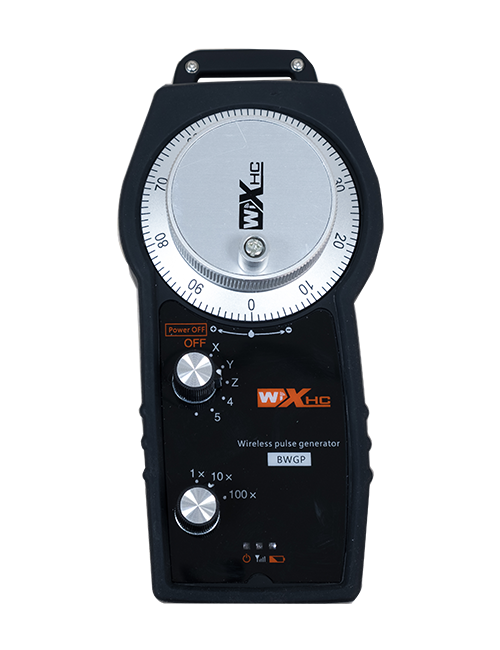
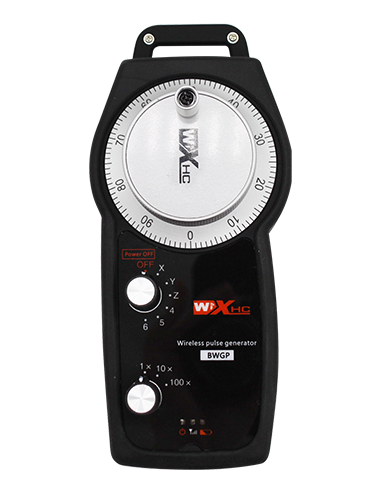
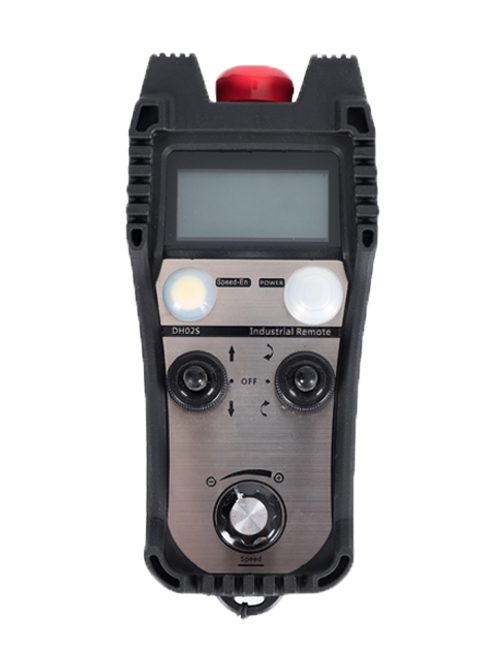
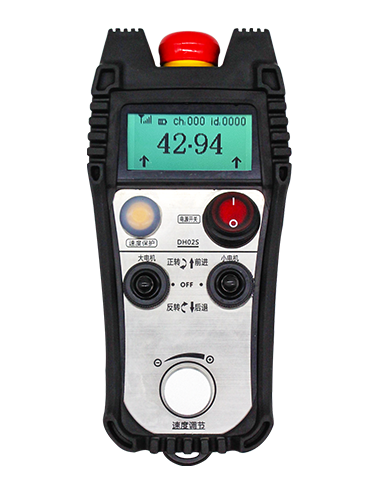
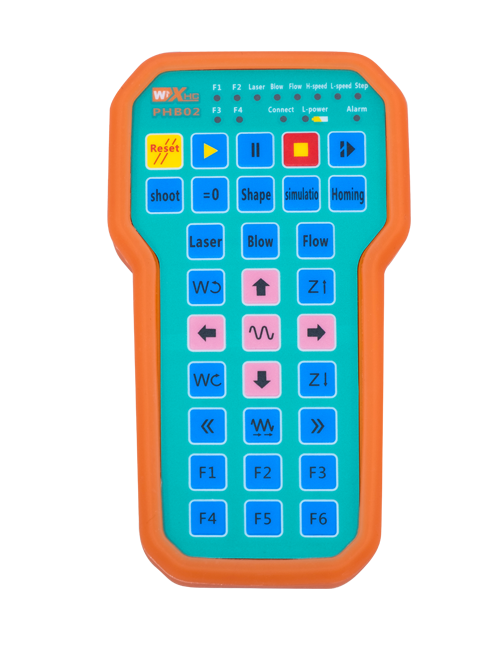
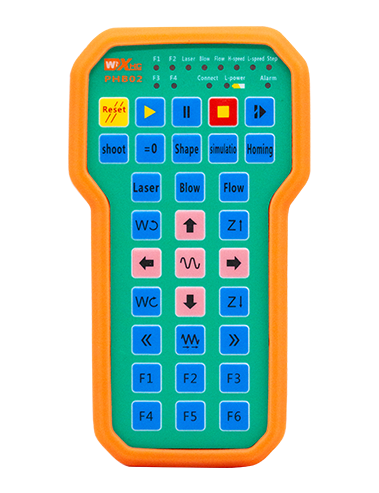
وضاحت

1.پيداوار جو تعارف
Wireless Remote Control is used for manual guidance, پوزيشننگ, tool setting and other operations of CNC machine tools. هي پراڊڪٽ وائرلیس ٽرانسميشن ٽيڪنالاجي کي اختيار ڪري ٿي, روايتي بهار جي تار ڪنيڪشن کي ختم ڪرڻ, ڪيبل جي ڪري پيدا ٿيندڙ سامان جي ناڪامين کي گهٽائڻ, ڪيبل ڇڪڻ جي نقصانن کي ختم ڪرڻ, تيل جا داغ, وغيره., and is more convenient to operate.It is widely applicable to CNC machine tools such as gantry machining centers, gantry vertical lathes, and CNC gear processing machines, and is compatible with various mainstream CNC system brands on the market, including Siemens, مٽسبيشي, فينڪ, Syntec and more.
2.پيداوار خاصيتون
1. جي وائرليس آپريٽنگ فاصلي سان 433MHz وائرليس ڪميونيڪيشن ٽيڪنالاجي کي اپنائڻ 20 وارا.
2.موافقت واري تعدد ڇڪڻ; 32 وائرليس ريموٽ ڪنٽرول جا سيٽ هڪ ئي وقت بغير مداخلت جي استعمال ڪري سگھجن ٿا.
3.Supports the emergency stop button, and the emergency stop button remains effective even after the remote control is powered off.
4.مددگار سععلي ڪري ٿو 3 IO سگنل آئوٽ کي سوئچ ڪرڻ سان ڪسٽم بٽڻ.
5.6-محور ڪنٽرول کي سپورٽ ڪري ٿو, ۽ 7 12-محور ڪنٽرول کي حسب ضرورت آهي.
6. 3-رفتار ميگنائيزيشن ڪنٽرول کي سپورٽ ڪري ٿو, ۽ 4-رفتار ميگنائيزيشن ڪنٽرول حسب ضرورت آهي.
7.فعال بٽڻ جي فنڪشن کي سپورٽ ڪري ٿو, جيڪو آئوٽ سوئچنگ IO سگنلز ڪري سگھي ٿو, ۽ محور جي چونڊ کي پڻ سنڀاليو, واڌارو ۽ انڪوڊر.
8.انڪوڊنگ قسم جي محور جي چونڊ کي تبديل ڪرڻ ۽ سافٽ ويئر جي ذريعي واڌاري کي سپورٽ ڪري ٿو.
9. Supports pulse encoder with specification of 100 في انقلاب.
10. Supports standard Type-C charging with 5V-2A charging specification; built-in battery
specification: 14500 / 1100mAh.
| Working Voltage and Current of Handheld Terminal |
3.7V/20.0mA |
| Charging Battery Specification |
3.7V/14500/1100mAh
|
| Low Voltage Alarm Range of Handheld Terminal |
<3.35V |
| Receiver Power Supply Voltage |
DC5V-24V/1A |
| Receiver Emergency Stop Output Load Range |
AC125VV-1A / DC30V- 2A |
| Receiver Enable Output Load Range |
AC125VV-1A / DC30V- 2A |
| Receiver Custom Button Output Load Range |
DC24V / 50MA
|
| Receiver Axis Selection Output Load Range |
DC24V / 50MA |
| Receiver magnification Output Load Range |
DC24V / 50MA |
| Handheld Terminal Transmit Power |
15ڊي بي سي
|
| وصول ڪندڙ حساسيت حاصل ڪرڻ |
-100ڊي بي سي |
| وائرلیس مواصلات فريڪوئنسي |
433ايم ايڇز فريڪوئنسي بينڊ
|
| Wireless Communication Distance |
20 meters barrier-free distance
|
| Operating Temperature |
-25℃<ايڪس<55℃ |
| Safe drop height |
1 مان
|
| Number of Custom Buttons |
3
|
| Product Weight |
546.86(g) |
| Product Dimensions |
200*87*72(mm) |
4. مصنوعات جي فنڪشن تعارف

نوٽ:
① Emergency Stop Button:
ايمرجنسي اسٽاپ بٽڻ کي دٻايو, the two groups of emergency stop IO outputs on the receiver will disconnect, and all remote control functions will be invalidated.Release the emergency stop button, the emergency stop IO outputs on the receiver will be closed, and all remote control functions will be restored. ان کان علاوه, even if the remote control is powered off, pressing the emergency stop button can still activate the emergency stop IO output of the receiver.
② Enable Button:
Press either enable button on both sides, the two sets of enable IO outputs on the receiver will conduct. Release the enable button, and the enable IO outputs will disconnect. It is necessary to press and hold the enable button before toggling axis selection, magnification or rotating the remote control for the operation to take effect.This function can be canceled through the configuration software.
③ Axis Selection Switch (Power Switch):
پريس ڪريو بٽڻ دٻايو ۽ دٻايو, then toggling the axis selection switch can control the movement of axis .Press and hold the enable button, then toggle the axis selection switch to switch the motion axis controlled by the remote control. Toggle the switch from the OFF position to any axis position, and the remote control will power on automatically.
④ Pulse Encoder:
Press and hold the enable button and rotate the pulse encoder, it will output pulse signals to control the movement of the machine axis.
⑤ LCD Display Screen:

5. Product Accessories Diagram

6. پروڊڪٽ انسٽاليشن گائيڊ
6.1 پروڊڪٽ انسٽاليشن جا قدم
1. Install the receiver in the electrical cabinet via the buckle on its back, or mount it inside the electrical cabinet through the screw holes at the four corners of the receiver.
2. اسان جي رسيور وائرنگ ڊاگرم جو حوالو ڏيو, ان جي مقابلي ۾ توهان جي سائيٽ تي موجود سامان سان, and connect the equipment to the receiver with cables.
3. After the receiver is fixed in place, install the supporting antenna of the receiver properly. Mount or place the outer end of the antenna outside the electrical cabinet. It is recommended to place it on the top of the electrical cabinet for optimal signal performance. Do not leave the antenna uninstalled or place it inside the electrical cabinet; ٻي صورت ۾, signal failure may occur.
4. آخرڪار, turn on the remote control power switch, then you can remotely operate the machine via the remote control.
6.2 Receiver Installation Dimensions

6.3 وصول ڪندڙ وائرنگ ريفرنس ڊاگرام
7. پيداوار جي آپريشن جون هدايتون
1. مشين ۽ وصول ڪندڙ تي طاقت. The receiver operation indicator flashes. After the wireless electronic remote control is fully charged, toggle it from the OFF gear to the X-axis gear, and the remote control display lights up.
2. Select the axis : پريس ڪريو بٽڻ دٻايو ۽ دٻايو, toggle the axis selection switch to select the axis to be operated.
3. Select the magnification: پريس ڪريو بٽڻ دٻايو ۽ دٻايو, toggle the magnification switch to select the required magnification gear.
4. Axis movement: پريس ڪريو بٽڻ دٻايو ۽ دٻايو, select the axis selection switch and the magnification switch, then rotate the pulse encoder. Rotate clockwise to move the axis in the positive direction, and rotate counterclockwise to move the axis in the negative direction.
5. ڪنهن به ڪسٽم بٽڻ کي دٻايو ۽ دٻايو, the corresponding button IO output of the receiver will turn on; release the button, and the output will turn off.
6. ايمرجنسي اسٽاپ بٽڻ کي دٻايو, the corresponding emergency stop IO output of the receiver disconnects and the remote control function becomes invalid. Release the emergency stop button, the emergency stop IO output closes and the remote control function is restored.
7. If the wireless remote control is not operated for a period of time, اهو خودڪار طريقي سان بجلي جي استعمال کي گهٽائڻ لاء سمهڻ واري طريقي ۾ داخل ٿيندو. It can be used normally again by pressing the enable button again.
8.If the wireless remote control is not used for a long time, turn the axis switch to OFF to turn off the power and extend battery life
①:UWGP stands for appearance style.
②:Pulse Output Parameters:
01: ظاهر ڪري ٿو ته نبض جي آئوٽ سگنل هڪ آهي, بھو; نبض وولٽ 5v; پلس مقدار 100ppr.
02: ظاهر ڪري ٿو ته نبض جي آئوٽ سگنل هڪ آهي, بھو; نبض وولٽ 12v; pulse quantity 25PPR.
03: ظاهر ڪري ٿو ته نبض جي آئوٽ سگنل هڪ آهي, بھو, هڪ -, بھو -; نبض وولٽ 5v; پلس مقدار 100ppr.
04: هڪ گهٽ ليول اين پي اين اوپن سرڪٽ آئوٽ کي ظاهر ڪري ٿو, اي ۽ بي جي نبض جي آئوٽ اشارن سان; The number of pulses is 100PPR.
05: اعلي سطح تي پي اين پي جو ذريعو نتيجو ڏيکاري ٿو, اي ۽ بي جي نبض جي آئوٽ اشارن سان; نبضن جو تعداد 100ppr آهي.
③:Represents the axis selection switch quantity; 6 stands for 6 محور, 7 stands for 7 محور, and so on.
④: Represents the signal type of the axis selection switch.A stands for point-to-point output signal, and B stands for encoder output signal.
⑤: Represents the signal type of the magnification switch.A stands for point-to-point output signal, and B stands for encoder output signal.
⑥: ڪسٽم بٽن جو تعداد ظاهر ڪري ٿو; 3 corresponds to 6 ڪسٽم بٽڻ.
⑦: Represents the power supply for the system remote control. 05 stands for 5V power supply, ۽ 24 stands for 24V power supply.
⑧: Represents the contact charging mode. It starts charging automatically when placed back on the charging base.
9. پيداوار جي تڪليف

10. Maintenance and upkeep
1. مهرباني ڪري ڪمري جي حرارت تي ان کي ڪمري جي حرارت تي ۽ دٻاء جي زندگي کي وڌائڻ لاء خشڪ ماحول ۾ استعمال ڪريو.
2. Please avoid using in abnormal environments such as rain and water to extend the service life.
3. Please keep the appearance of the remote control clean to extend its service life.
4. Please avoid crushing, dropping, or bumping, وغيره. to prevent damage to the precision components inside the remote control or accuracy errors.
5. جيڪڏهن گهڻو وقت لاء استعمال نه ڪيو ويو آهي, please store the remote control in a clean and safe place.
6. Avoid moisture and shock during storage and transportation.
11. حفاظت جي موڪليل جي معلومات
1. مهرباني ڪري هدايتن کي استعمال ڪرڻ کان پهريان هدايتن کي استعمال ڪرڻ کان پهريان استعمال ڪيو ۽ منع ڪرڻ کان اڳ.
2. Please charge the remote control in a timely manner when the battery level is too low, to avoid malfunction and operational errors caused by insufficient power.
3. If you repair it yourself and cause damage, the warranty will be void.