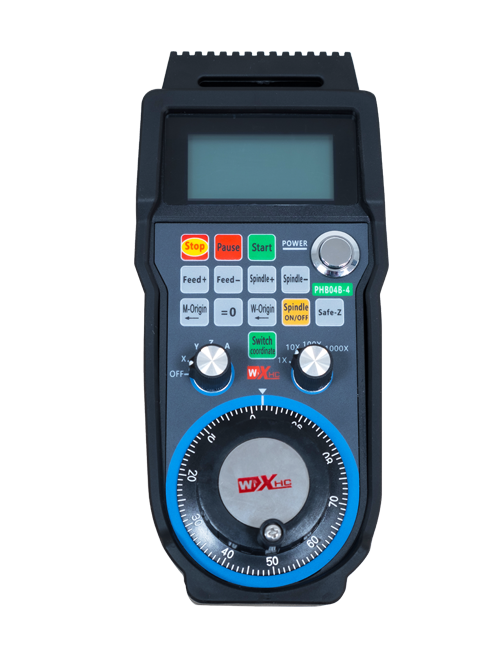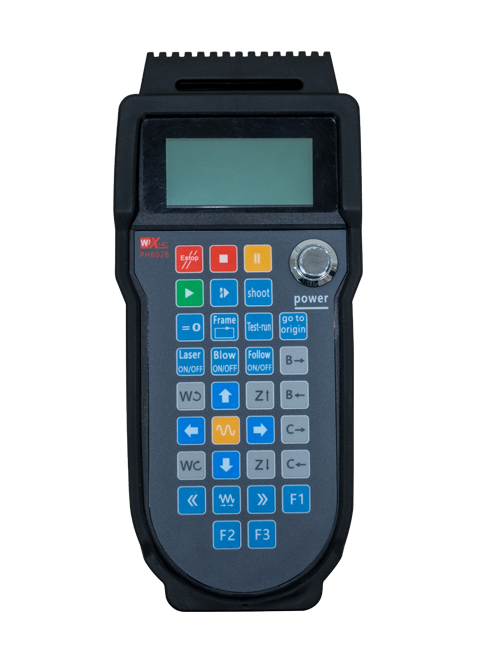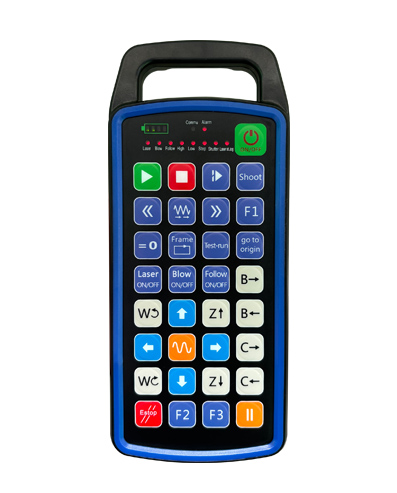
Podporovať 32 vlastné programovanie tlačidiel
Podporovať 9 vlastné programovanie LED svetelného displeja
Využíva bezdrôtovú komunikačnú technológiu 433 MHz, bezdrôtová prevádzka
vzdialenosť je 80 meracie výrobky

£300.00
Podporovať 32 vlastné programovanie tlačidiel
Podporovať 9 vlastné programovanie LED svetelného displeja
Využíva bezdrôtovú komunikačnú technológiu 433 MHz, bezdrôtová prevádzka
vzdialenosť je 80 meracie výrobky
1.Úvod výrobkov
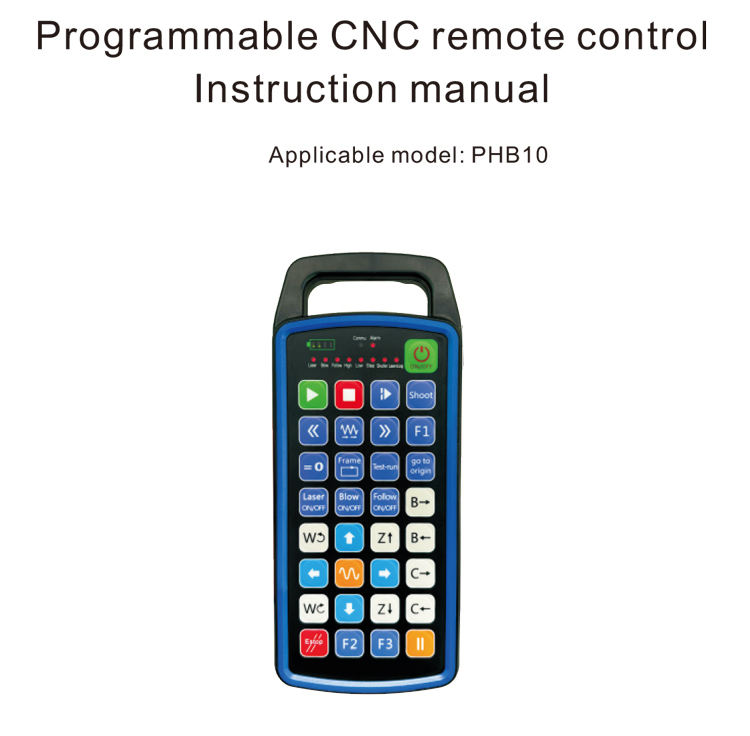
Programovateľné CNC diaľkové ovládanie PHB10 je vhodné pre bezdrôtové pripojenie
diaľkové ovládanie rôznych CNC systémov. Podporuje užívateľom definované
programovanie na vývoj funkcií tlačidiel, a realizovať diaľkové ovládanie rôznych
funkcie na CNC systéme; podporuje užívateľsky definované programovanie na vývoj
LED svetlá na rozsvietenie a vypnutie, a realizovať dynamické zobrazenie stavu systému;
diaľkové ovládanie sa dodáva s nabíjateľnou batériou a podporuje typ C
nabíjanie rozhrania.
2.Vlastnosti produktu
1. Využíva bezdrôtovú komunikačnú technológiu 433 MHz, bezdrôtová prevádzka
vzdialenosť je 80 meracie výrobky;
2.Použitie funkcie automatického preskakovania frekvencie, 32 sady bezdrôtových diaľkových ovládačov
ovládače je možné používať súčasne bez toho, aby sa navzájom ovplyvňovali;
3.Podporovať 32 vlastné programovanie tlačidiel;
4.Podporovať 9 vlastné programovanie LED svetelného displeja;
5.Podpora vodotesnosti IP67;
6.Podpora štandardného nabíjania rozhrania Type-C; 5Špecifikácia nabíjania V-2A;
1100 mAh veľkokapacitná batéria, s funkciou automatického pohotovostného režimu spánku; uvedomiť si
ultra dlhý pohotovostný režim s nízkou spotrebou energie;
7.Podpora zobrazenia výkonu v reálnom čase.
3.Pracovný princíp
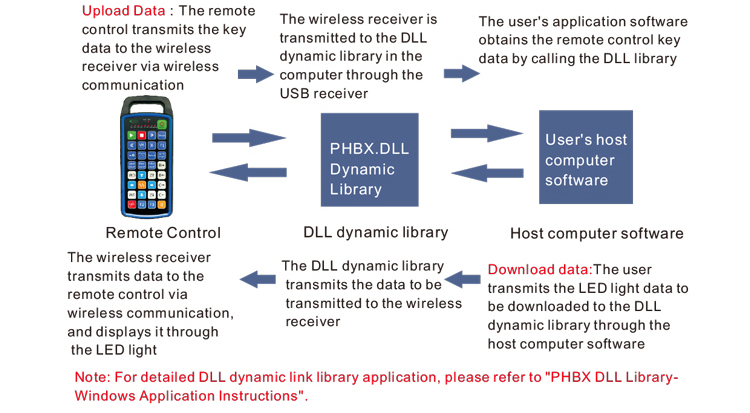
4. Špecifikácia produktu
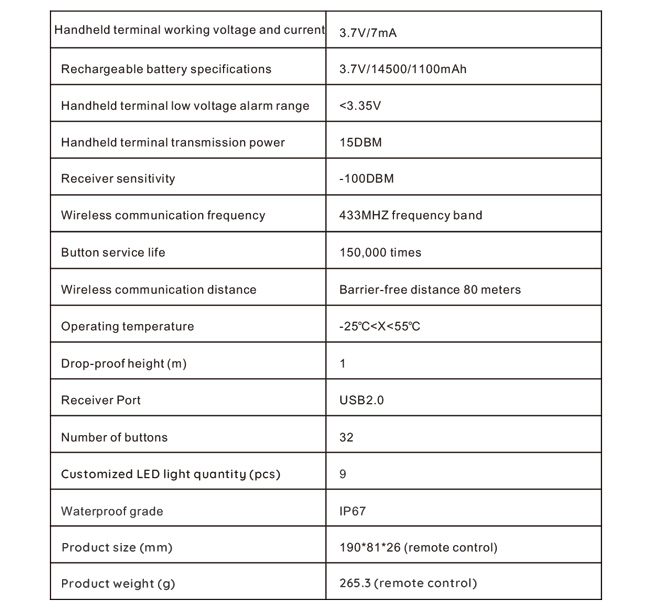
5.Funkcia produktu Úvod
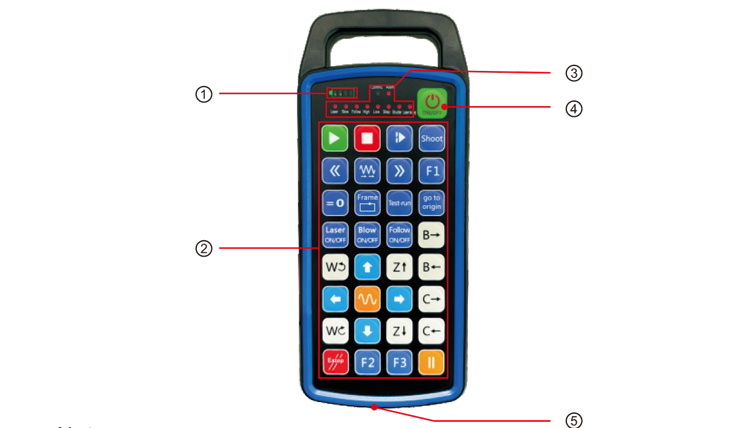
Poznámky:
①Zobrazenie úrovne nabitia batérie:
Rozsvieti sa po zapnutí, po vypnutí sa vypne;
Ak je indikátor batérie iba jeden pruh a stále bliká, znamená to
batéria je príliš slabá. Vymeňte batériu;
Ak všetky kontrolky batérie svietia a ostatné kontrolky LED znova blikajú a
ďalej, znamená to, že batéria je veľmi slabá. Vymeňte batériu;
Ak sa indikátor batérie nerozsvieti alebo nezhasne, a zariadenie nemôže byť
spustíte stlačením a podržaním tlačidla napájania, Vymeňte batériu;
② Oblasť tlačidiel:32 tlačidlá usporiadané v 4X8, užívateľsky definované programovanie;
③ LED stavu:
COMMU: Kontrolka tlačidla, rozsvieti sa po stlačení tlačidla a zhasne
von, keď sa tlačidlo uvoľní; ostatné svetlá sú vlastné displeje;
④ Vypínač:
Dlho stlačte pre 3 sekúnd na zapnutie, dlho stlačte pre 3 sekúnd na vypnutie;
⑤Nabíjací port:
Na nabíjanie použite nabíjačku typu C, nabíjacie napätie 5V, prúd 1A-2A; nabíjanie
čas 3-5 hodiny;
Pri nabíjaní, indikátor napájania bliká, indikuje, že sa nabíja. Kedy
plne nabitá, indikátor napájania zobrazí plný pruh bez blikania.
6.Diagram príslušenstva výrobkov
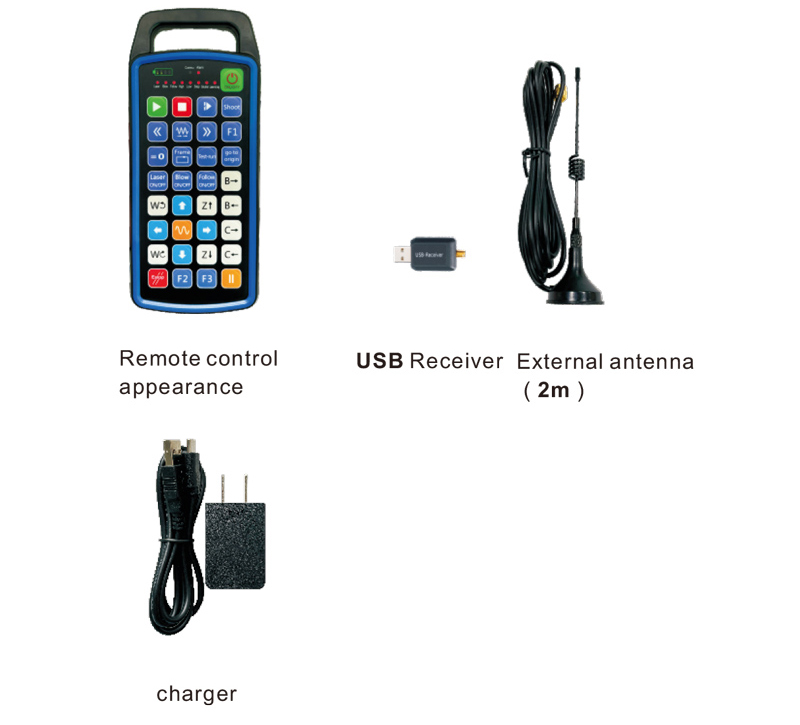
7.Sprievodca inštaláciou produktu
1 . Vložil som USB prijímač do počítača, počítač automaticky
rozpoznajte a nainštalujte ovládač zariadenia USB bez manuálu
2. Vložte diaľkový ovládač do nabíjačky. Po úplnom nabití batérie, stlačte tlačidlo
a podržte tlačidlo napájania 3 sekúnd. Diaľkové ovládanie sa zapne a napájanie
indikátor sa rozsvieti, čo znamená, že zapnutie bolo úspešné.
3. Po zapnutí, môžete vykonať ľubovoľnú operáciu tlačidla. Diaľkové ovládanie
môže súčasne podporovať prevádzku dvoch tlačidiel. Keď stlačíte akékoľvek tlačidlo, na
Na diaľkovom ovládači sa rozsvieti kontrolka COMMU, čo znamená, že toto tlačidlo je platné.
8.Návod na obsluhu produktu
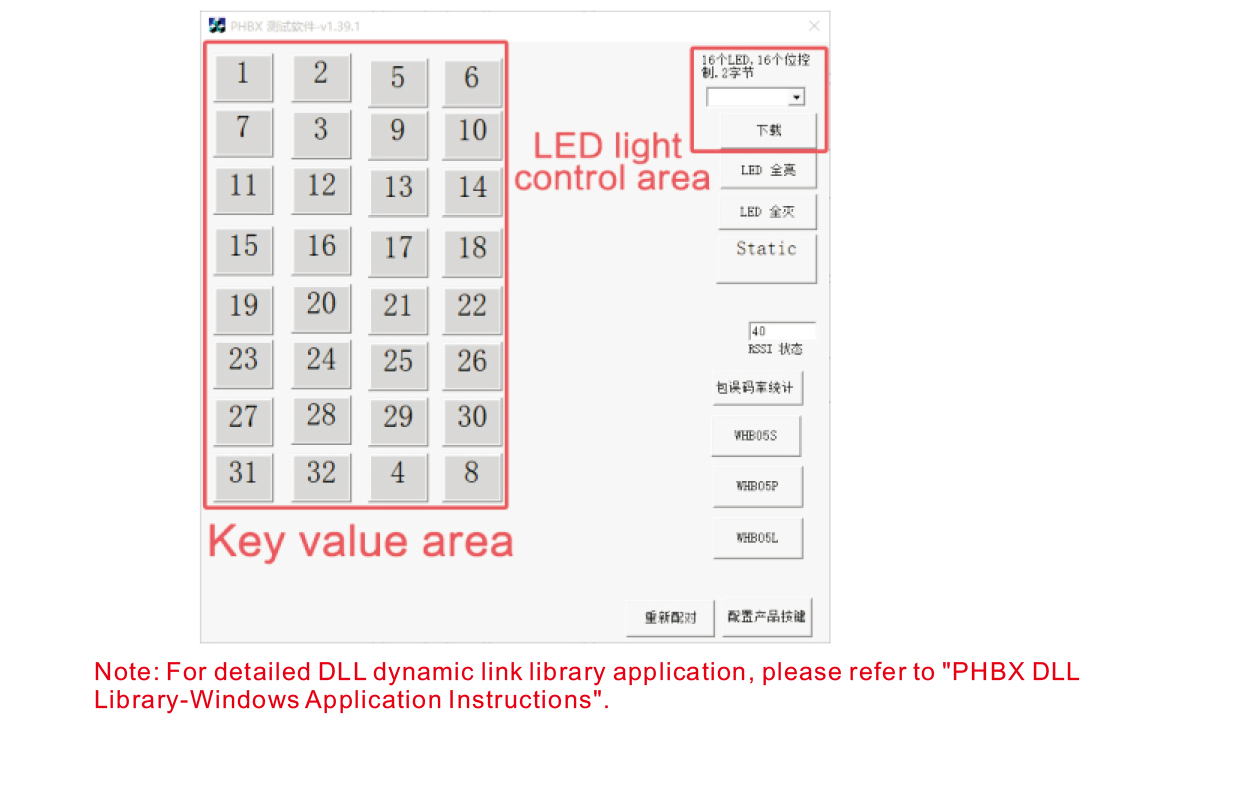
Pred vývojom a používaním produktu, môžete použiť demo softvér, ktorý poskytujeme
otestujte tlačidlá na diaľkovom ovládači a kontrolku LED na diaľkovom ovládači. Môžete
tiež použite demo ako referenčnú rutinu pre budúci vývoj programovania.
Pred použitím Demo softvéru, zapojte USB prijímač do počítača,
skontrolujte, či má diaľkový ovládač dostatočný výkon, stlačením a podržaním tlačidla napájania t
zapnite to, a potom ho použiť;
Po stlačení ľubovoľného tlačidla na diaľkovom ovládači, zobrazí sa ukážka testovacieho softvéru
zodpovedajúcu kľúčovú hodnotu. Po vydaní, zobrazenie kľúčovej hodnoty zmizne,
čo znamená, že odovzdanie kľúča je normálne;
Číslo LED svetla si môžete vybrať aj v ukážke testovacieho softvéru, kliknite na stiahnutie,
a na diaľkovom ovládači sa rozsvieti príslušné číslo kontrolky, čo naznačuje, že
LED svetlo sa sťahuje normálne.
9.Riešenie problémov s produktom
10. Údržba a starostlivosť
1. Používajte ho v suchom prostredí s normálnou teplotou a tlakom
životnosť;
2. Nedotýkajte sa oblasti kľúča ostrými predmetmi, aby ste predĺžili životnosť kľúča;
3. Udržujte oblasť kľúča čistú, aby ste znížili opotrebovanie kľúča;
4. Vyhnite sa stláčaniu a pádu, aby ste nepoškodili diaľkový ovládač;
5. Ak sa nepoužíva dlho, vyberte batériu a uložte diaľkový ovládač
a batériu na čistom a bezpečnom mieste;
6. Pri skladovaní a preprave dbajte na odolnosť proti vlhkosti.
11.Bezpečnostné informácie
1. Pred použitím si pozorne prečítajte pokyny. Neprofesionálom je zakázané
prevádzkové.
2. Použite prosím originálnu nabíjačku alebo nabíjačku od bežného výrobcu
rovnaké špecifikácie.
3. Nabite, prosím, včas, aby ste predišli nesprávnej prevádzke v dôsledku nedostatočného napájania
aby diaľkové ovládanie nereagovalo.
4. Ak sa vyžaduje oprava, Kontaktujte výrobcu. Ak je poškodenie spôsobené svojpomocnou opravou,
Výrobca nebude poskytovať záruku.