Sifo

1.Hordhaca Waxsoosaarka
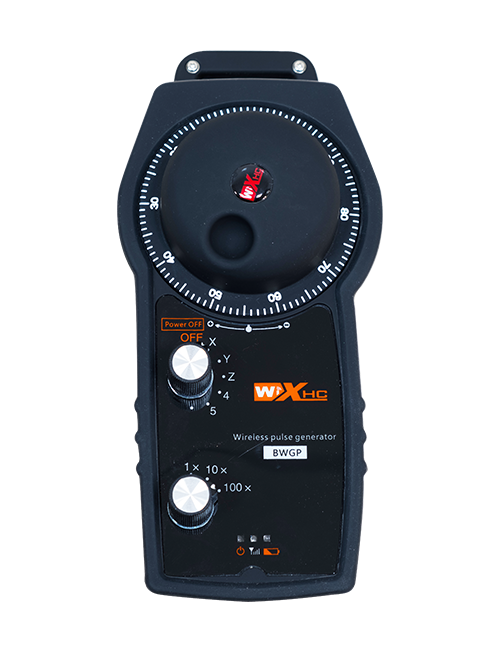
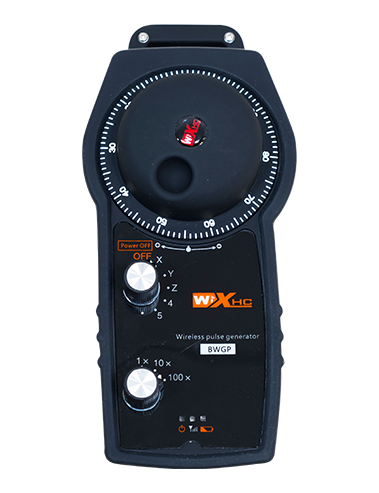
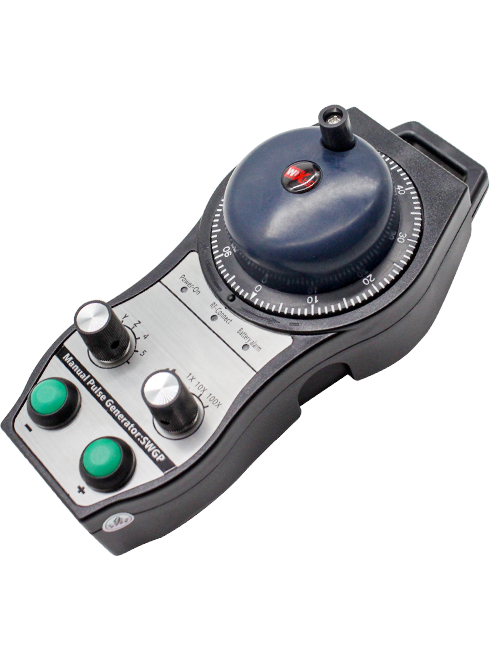
Wireless Remote Control is used for manual guidance, boos u dhigasho, tool setting and other operations of CNC machine tools. Alaabtaani waxay qaadanaysaa tikniyoolajiyadda gudbinta wireless, Ciribtirka isku xirka siligga ee dhaqanka, Yaraynta khaladaadka qalabka oo ay sababaan fiilooyinka, baabi'inta faa'iido darrada fiilooyinka jiidista, wasakh saliid, iwm., and is more convenient to operate.It is widely applicable to CNC machine tools such as gantry machining centers, gantry vertical lathes, and CNC gear processing machines, and is compatible with various mainstream CNC system brands on the market, including Siemens, Mitsubishi, Fanac, Syntec and more.
2.Astaamaha wax soo saarka
1. Wuxuu qaataa 433 MHz tignoolajiyada isgaarsiinta wirelesska oo leh masaafada hawlgalka ee wireless 20 mitir.
2.Soo noqnoqoshada la qabsiga; 32 qalabyada kontaroolada fog-fog ee bilaa-waayirka ah ayaa isku mar la istcimaali karaa faragelin la'aan.
3.Supports the emergency stop button, and the emergency stop button remains effective even after the remote control is powered off.
4.Taageero 3 badhamada gaarka ah ee leh beddelka soo saarista calaamadda IO.
5.Waxay taageertaa xakamaynta dhidibka 6, iyo 7 kontoroolka dhidibka 12 waa la beddeli karo.
6. Waxay taageertaa xakamaynta weynaynta 3-xawaaraha, iyo 4-xawaaraha weyneynta kontoroolka waa la beddeli karo.
7.waxay taageertaa shaqada badhanka karti, Kaas oo soo saari kara calaamadaha beddelka IO, iyo sidoo kale xakamaynta xulashada dhidibka, weynaynta iyo cod-bixiyaha.
8.Waxay taageertaa wax ka beddelka nooca codaynta ee xulashada dhidibka iyo weynaynta iyada oo loo marayo software.
9. Supports pulse encoder with specification of 100 garaaca kacaankiiba.
10. Supports standard Type-C charging with 5V-2A charging specification; built-in battery
specification: 14500 / 1100mAh.
| Working Voltage and Current of Handheld Terminal |
3.7V/20.0mA |
| Charging Battery Specification |
3.7V/14500/1100mAh
|
| Low Voltage Alarm Range of Handheld Terminal |
<3.35V |
| Receiver Power Supply Voltage |
DC5V-24V/1A |
| Receiver Emergency Stop Output Load Range |
AC125V-1A/DC30V-2A |
| Receiver Enable Output Load Range |
AC125V-1A/DC30V-2A |
| Receiver Custom Button Output Load Range |
DC24V/50mA
|
| Receiver Axis Selection Output Load Range |
DC24V/50mA |
| Receiver magnification Output Load Range |
DC24V/50mA |
| Handheld Terminal Transmit Power |
15dBm
|
| Qaataha helaya dareenka |
-100dBm |
| Inta jeer ee isgaarsiinta wireless |
433band soo noqnoqda MHz
|
| Wireless Communication Distance |
20 meters barrier-free distance
|
| Operating Temperature |
-25℃<X<55℃ |
| Safe drop height |
1 m
|
| Number of Custom Buttons |
3
|
| Product Weight |
546.86(g) |
| Product Dimensions |
200*87*72(mm) |
4. Hordhac Shaqada Wax soo saarka

Qoraalada:
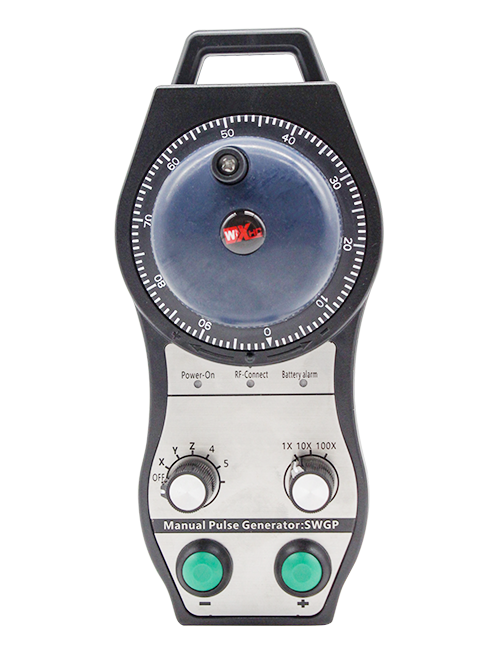
① Emergency Stop Button:
Riix batoonka joogtada ah ee joogsiga, the two groups of emergency stop IO outputs on the receiver will disconnect, and all remote control functions will be invalidated.Release the emergency stop button, the emergency stop IO outputs on the receiver will be closed, and all remote control functions will be restored. Intaa waxaa dheer, even if the remote control is powered off, pressing the emergency stop button can still activate the emergency stop IO output of the receiver.
② Enable Button:
Press either enable button on both sides, the two sets of enable IO outputs on the receiver will conduct. Release the enable button, and the enable IO outputs will disconnect. It is necessary to press and hold the enable button before toggling axis selection, magnification or rotating the remote control for the operation to take effect.This function can be canceled through the configuration software.
③ Axis Selection Switch (Power Switch):
Riix oo hay badhanka suuxinta, then toggling the axis selection switch can control the movement of axis .Press and hold the enable button, then toggle the axis selection switch to switch the motion axis controlled by the remote control. Toggle the switch from the OFF position to any axis position, and the remote control will power on automatically.
④ Pulse Encoder:
Press and hold the enable button and rotate the pulse encoder, it will output pulse signals to control the movement of the machine axis.
⑤ LCD Display Screen:

5. Product Accessories Diagram

6. Tilmaanta Rakibaadda Waxsoosaarka Waxqabadka
6.1 Talaabooyinka rakibaadda wax soo saarka
1. Install the receiver in the electrical cabinet via the buckle on its back, or mount it inside the electrical cabinet through the screw holes at the four corners of the receiver.
2. Tixraac jaantuskayaga soo-jeedinta, isbarbar dhig qalabkaaga goobta, and connect the equipment to the receiver with cables.
3. After the receiver is fixed in place, install the supporting antenna of the receiver properly. Mount or place the outer end of the antenna outside the electrical cabinet. It is recommended to place it on the top of the electrical cabinet for optimal signal performance. Do not leave the antenna uninstalled or place it inside the electrical cabinet; haddii kale, signal failure may occur.
4. Ugu dhambayntii, turn on the remote control power switch, then you can remotely operate the machine via the remote control.
6.2 Receiver Installation Dimensions

6.3 Qiyaasta tixraaca ee qaataha
7. Tilmaamaha Howlgalka Wax Soo Saarka
1. Ku shub mishiinka iyo qaataha. The receiver operation indicator flashes. After the wireless electronic remote control is fully charged, toggle it from the OFF gear to the X-axis gear, and the remote control display lights up.
2. Select the axis : Riix oo hay badhanka suuxinta, toggle the axis selection switch to select the axis to be operated.
3. Select the magnification: Riix oo hay badhanka suuxinta, toggle the magnification switch to select the required magnification gear.
4. Axis movement: Riix oo hay badhanka suuxinta, select the axis selection switch and the magnification switch, then rotate the pulse encoder. Rotate clockwise to move the axis in the positive direction, and rotate counterclockwise to move the axis in the negative direction.
5. Riix oo hayso badhanka caadada ah, the corresponding button IO output of the receiver will turn on; release the button, and the output will turn off.
6. Riix batoonka joogtada ah ee joogsiga, the corresponding emergency stop IO output of the receiver disconnects and the remote control function becomes invalid. Release the emergency stop button, the emergency stop IO output closes and the remote control function is restored.
7. If the wireless remote control is not operated for a period of time, waxay si toos ah u gali doontaa qaabka hurdada si loo yareeyo isticmaalka tamarta. It can be used normally again by pressing the enable button again.
8.If the wireless remote control is not used for a long time, turn the axis switch to OFF to turn off the power and extend battery life
8. Sharraxaadda Moodeelka Qaabka
①:UWGP stands for appearance style.
②:Pulse Output Parameters:
01: Waxay muujinaysaa in calaamada soo saarista garaaca wadnaha ay tahay A, B; Danab garaaca wadnaha 5V; tirada garaaca wadnaha 100PPR.
02: Waxay muujinaysaa in calaamada soo saarista garaaca wadnaha ay tahay A, B; Danab garaaca wadnaha 12V; pulse quantity 25PPR.
03: Waxay muujinaysaa in calaamada soo saarista garaaca wadnaha ay tahay A, B, A -, B -; Danab garaaca wadnaha 5V; tirada garaaca wadnaha 100PPR.
04: Waxay muujinaysaa wax soo saarka wareegga furan ee NPN oo hooseeya, oo leh calaamadaha wax soo saarka garaaca wadnaha ee A iyo B; The number of pulses is 100PPR.
05: Waxay tuseysaa wax soo saarka isha PNP oo heer sare ah, oo leh calaamadaha wax soo saarka garaaca wadnaha ee A iyo B; Tirada garaaca wadnaha waa 100PPR.
③:Represents the axis selection switch quantity; 6 stands for 6 faaliyad, 7 stands for 7 faaliyad, and so on.
④: Represents the signal type of the axis selection switch.A stands for point-to-point output signal, and B stands for encoder output signal.
⑤: Represents the signal type of the magnification switch.A stands for point-to-point output signal, and B stands for encoder output signal.
⑥: Waxay ka dhigan tahay tirada badhamada gaarka ah; 3 corresponds to 6 badhamada caadiga ah.
⑦: Represents the power supply for the system remote control. 05 stands for 5V power supply, iyo 24 stands for 24V power supply.
⑧: Represents the contact charging mode. It starts charging automatically when placed back on the charging base.
9. Dhibaatooyinka wax soo saarka

10. Maintenance and upkeep
1. Fadlan u isticmaal jawi qalalan heerkulka qolka iyo cadaadiska si aad u ballaariso nolosha adeegga.
2. Please avoid using in abnormal environments such as rain and water to extend the service life.
3. Please keep the appearance of the remote control clean to extend its service life.
4. Please avoid crushing, dropping, or bumping, itc. to prevent damage to the precision components inside the remote control or accuracy errors.
5. Haddii aan la isticmaalin muddo dheer, please store the remote control in a clean and safe place.
6. Avoid moisture and shock during storage and transportation.
11. Macluumaadka badbaadada
1. Fadlan si taxaddar leh u aqri tilmaamaha si taxaddar leh ka hor intaadan isticmaalin oo ka mamnuuc aqoonyahanada ka shaqeynta.
2. Please charge the remote control in a timely manner when the battery level is too low, to avoid malfunction and operational errors caused by insufficient power.
3. If you repair it yourself and cause damage, the warranty will be void.