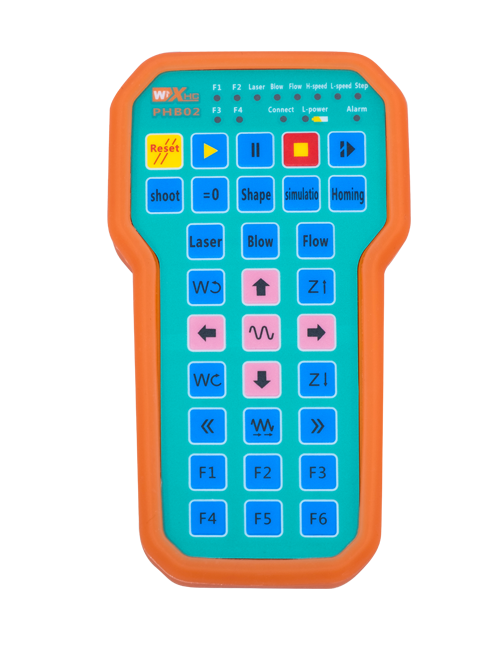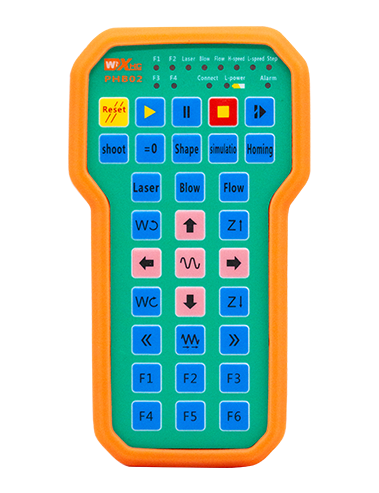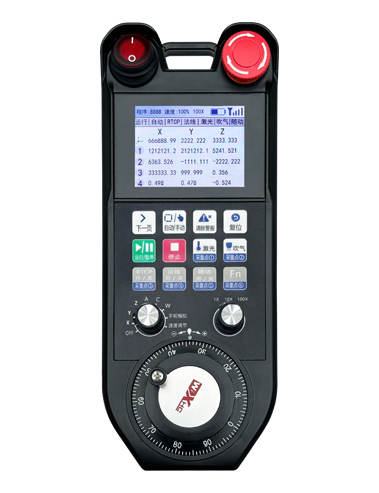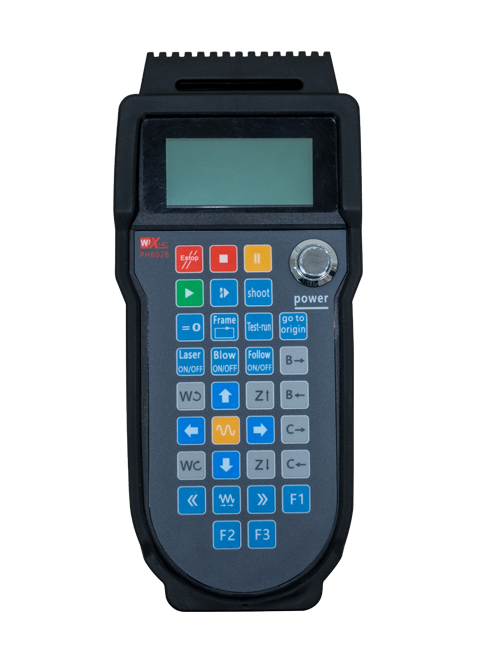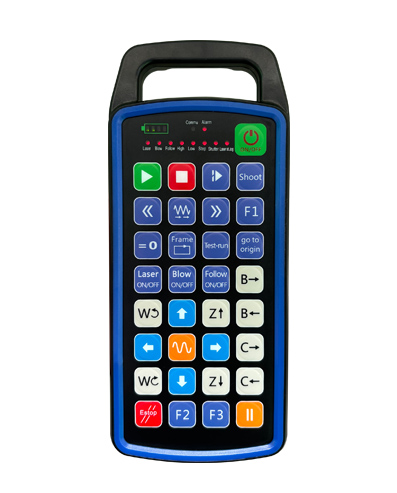
Подршка 32 програмирање дугмади по мери
Подршка 9 прилагођено програмирање ЛЕД светлосног дисплеја
Користећи технологију бежичне комуникације од 433 МХз, бежични рад
удаљеност је 80 метар

£300.00
Подршка 32 програмирање дугмади по мери
Подршка 9 прилагођено програмирање ЛЕД светлосног дисплеја
Користећи технологију бежичне комуникације од 433 МХз, бежични рад
удаљеност је 80 метар
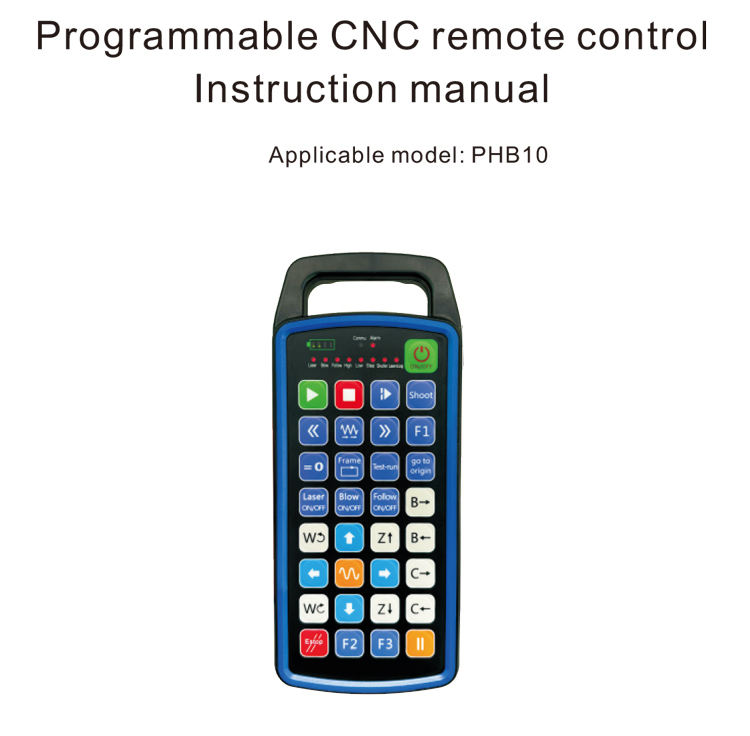
1.Увод производа
Програмабилни ЦНЦ даљински управљач ПХБ10 је погодан за бежичну везу
даљинско управљање радом разних ЦНЦ система. Подржава кориснички дефинисане
програмирање за развој функција дугмади, и реализују даљинско управљање разним
функције на ЦНЦ систему; подржава кориснички дефинисано програмирање за развој
ЛЕД светла за паљење и искључивање, и реализују динамички приказ статуса система;
даљински управљач долази са пуњивом батеријом и подржава Типе-Ц
пуњење интерфејса.
2.Функције производа
1. Користећи технологију бежичне комуникације од 433 МХз, бежични рад
удаљеност је 80 метар;
2.Коришћење функције аутоматског скока фреквенције, 32 комплети бежичних даљинских управљача
контролери се могу користити истовремено без утицаја једни на друге;
3.Подршка 32 програмирање дугмади по мери;
4.Подршка 9 прилагођено програмирање ЛЕД светлосног дисплеја;
5.Подржава ниво водоотпорности ИП67;
6.Подржава стандардно пуњење Типе-Ц интерфејса; 5В-2А спецификација пуњења;
1100 мАх батерија великог капацитета, са аутоматском функцијом мировања; реализовати
ултра-дуго стање приправности ниске снаге;
7.Подржава приказ снаге у реалном времену.
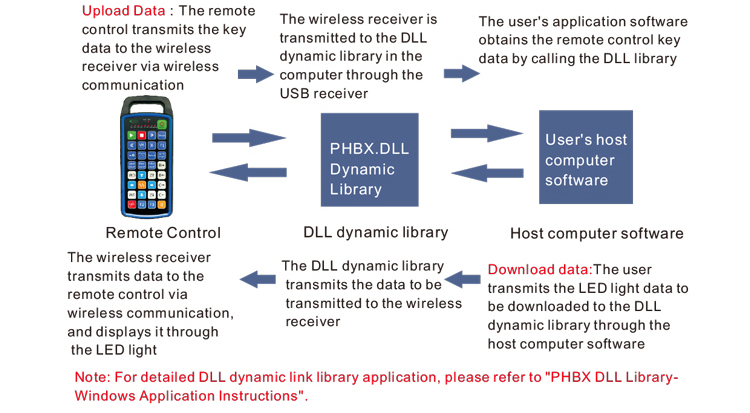
3.Принцип рада
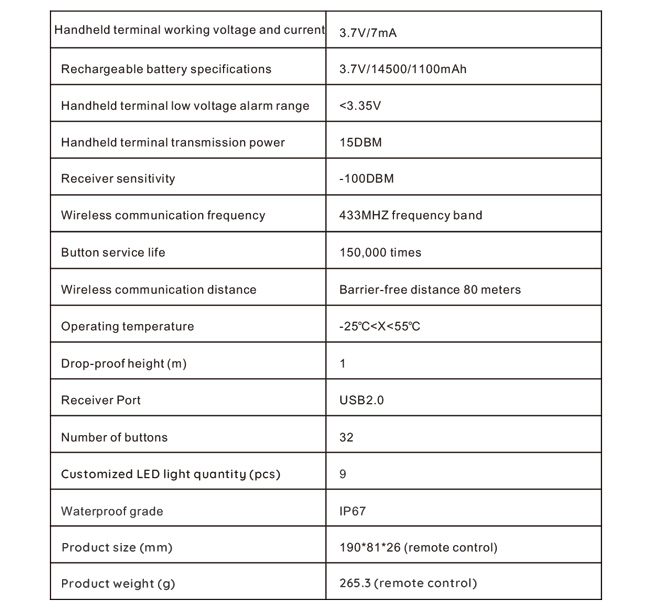
4. Спецификације производа
5.Функција производа Увод
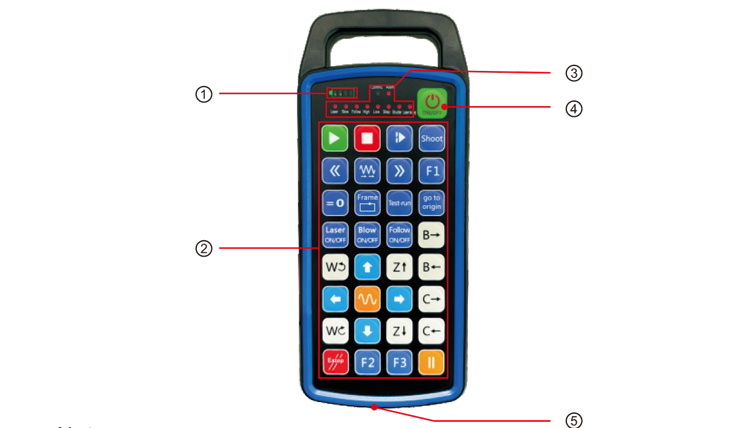
Белешке:
①Battery level display:
Светли након укључивања, искључује се након искључивања;
Ако је индикатор батерије само једна трака и стално трепери, то значи да
батерија је прениска. Замените батерију;
Ако су све лампице индикатора батерије укључене, а друга ЛЕД светла трепћу и
напред, то значи да је батерија веома слаба. Замените батерију;
Ако индикатор батерије не светли или се не гаси, а уређај не може бити
покренут притиском и држањем дугмета за напајање, Молимо замените батерију;
②Button area:32 дугмад распоређена у 4Кс8, кориснички дефинисано програмирање;
③Status LED:
ЦОММУ: Светло индикатора дугмета, светли када се дугме притисне и нестаје
када се дугме отпусти; остала светла су прилагођени дисплеји;
④Power switch:
Дуго притисните за 3 секунди да се укључи, дуго притисните за 3 секунди да се искључи;
⑤Charging port:
За пуњење користите пуњач типа Ц, напон пуњења 5В, струја 1А-2А; пуњење
време 3-5 сати;
Приликом пуњења, индикатор напајања трепери, што показује да се пуни. Када
потпуно напуњен, индикатор напајања ће показати пуну траку без трептања.
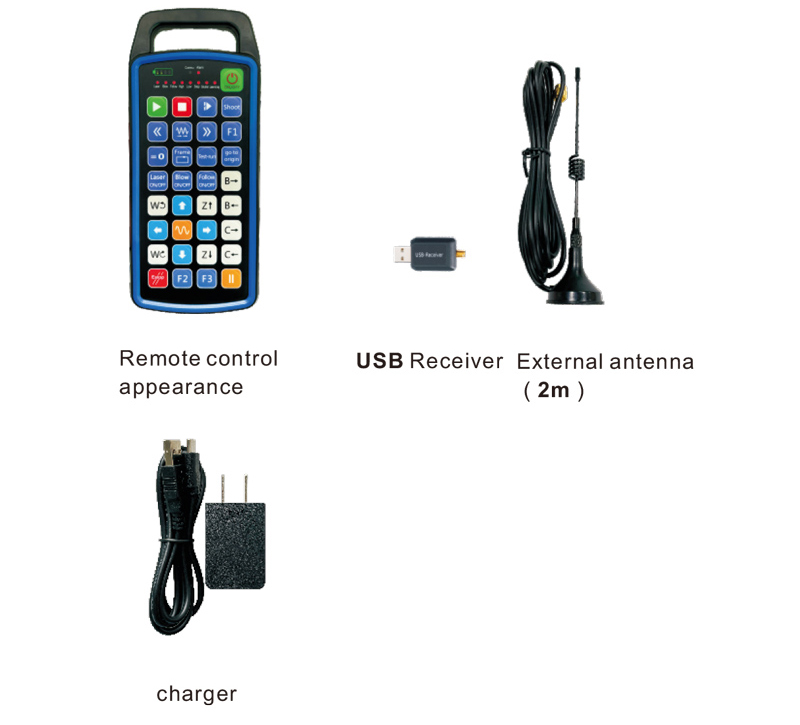
6.Дијаграм додатака за производ
7.Водич за инсталацију производа
1 . Убацујем УСБ пријемник у рачунар, рачунар ће аутоматски
препознати и инсталирати управљачки програм УСБ уређаја без упутства
2. Убаците даљински управљач у пуњач. Након што је батерија потпуно напуњена, притисните
и држите дугме за напајање за 3 секунди. Даљински управљач ће се укључити и напајање
индикатор ће засветлети, означава да је укључење успешно.
3. Након укључивања, можете извршити било коју операцију дугмета. Даљински управљач
може истовремено подржавати рад са два дугмета. Када притиснете било које дугме, тхе
Лампица ЦОММУ на даљинском управљачу ће се упалити, означавајући да је ово дугме важеће.
8.Упутство за употребу производа
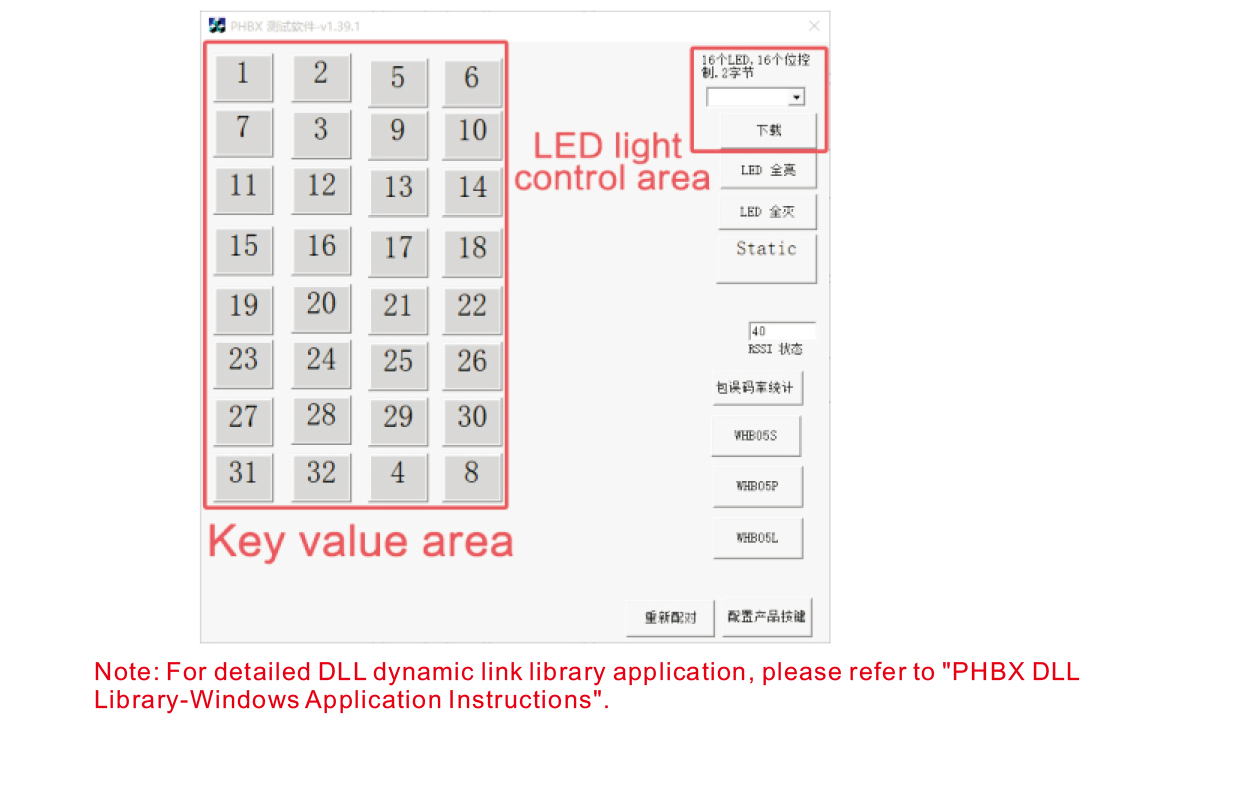
Пре развоја и употребе производа, можете користити демо софтвер који нудимо
тестирајте дугмад на даљинском управљачу и ЛЕД светло на даљинском управљачу. Можеш
такође користите демо као референтну рутину за будући развој програмирања.
Пре употребе Демо софтвера, укључите УСБ пријемник у рачунар,
проверите да ли даљински управљач има довољно снаге, притисните и држите дугме за напајање да т
урн ит он, а затим га искористи;
Када се притисне било које дугме на даљинском управљачу, приказаће се демо тест софтвера
одговарајућу вредност кључа. Након пуштања, приказ вредности кључа нестаје,
што показује да је учитавање кључа нормално;
Такође можете да изаберете број ЛЕД светла на демо тест софтвера, кликните на преузимање,
и упалиће се одговарајући број лампице на даљинском управљачу, указујући да је
ЛЕД светло се нормално преузима.
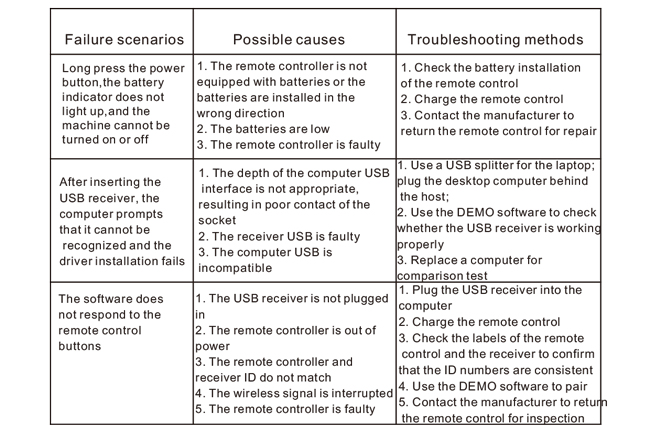
9.Решавање проблема са производом
10. Одржавање и нега
1. Користите га у сувом окружењу са нормалном температуром и притиском за продужење
век трајања;
2. Немојте користити оштре предмете да додирнете област кључа да бисте продужили век трајања кључа;
3. Одржавајте подручје кључева чистим да бисте смањили хабање кључева;
4. Избегавајте стискање и падове да бисте оштетили даљински управљач;
5. Ако се не користи дуже време, извадите батерију и сачувајте даљински управљач
и батерију на чистом и безбедном месту;
6. Обратите пажњу на отпорност на влагу током складиштења и транспорта.
11.Информације о безбедности
1. Пажљиво прочитајте упутства пре употребе. Непрофесионалцима је забрањено
оперативни.
2. Користите оригинални пуњач или пуњач који је произвео уобичајени произвођач са
исте спецификације.
3. Напуните на време да бисте избегли неправилан рад због недовољне снаге која узрокује
даљински управљач не реагује.
4. Ако је потребно поправљање, Молимо контактирајте произвођача. Ако је оштећење проузроковано самопоправком,
Произвођач неће пружити гаранцију.