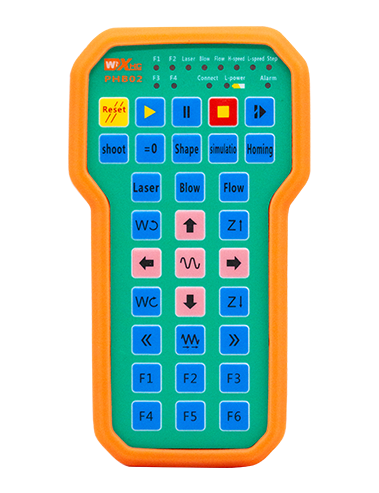
Isapejuwe

1.Ifihan ọja
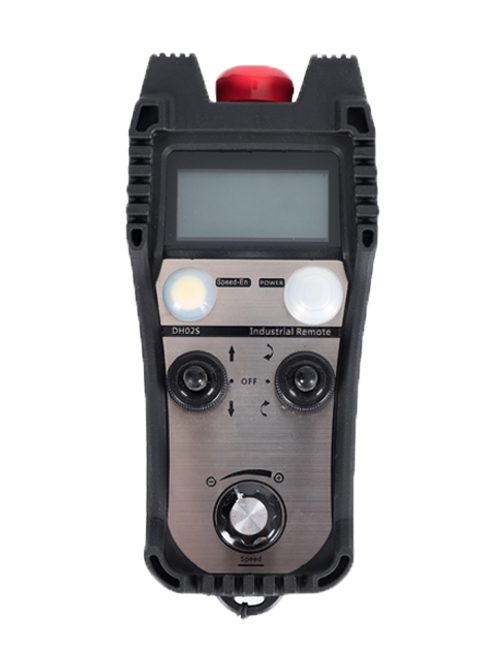
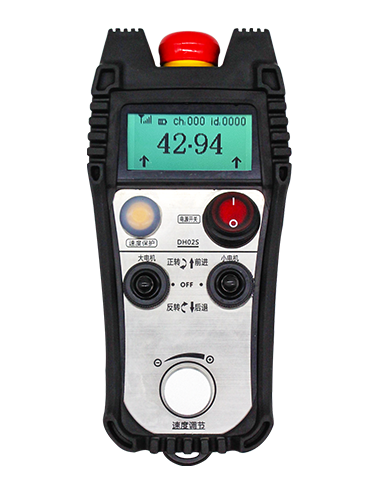
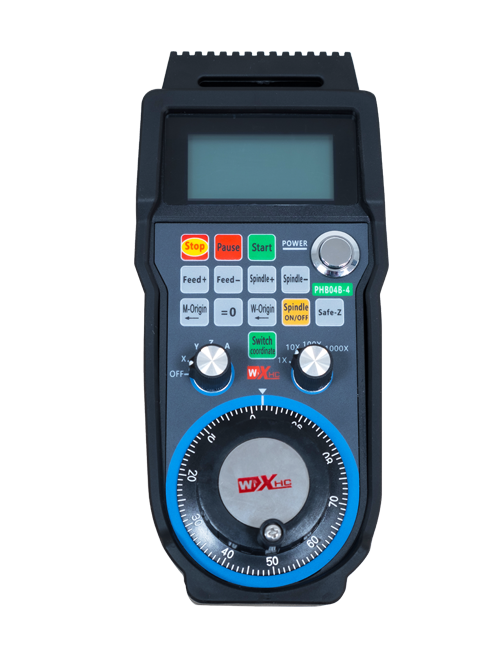
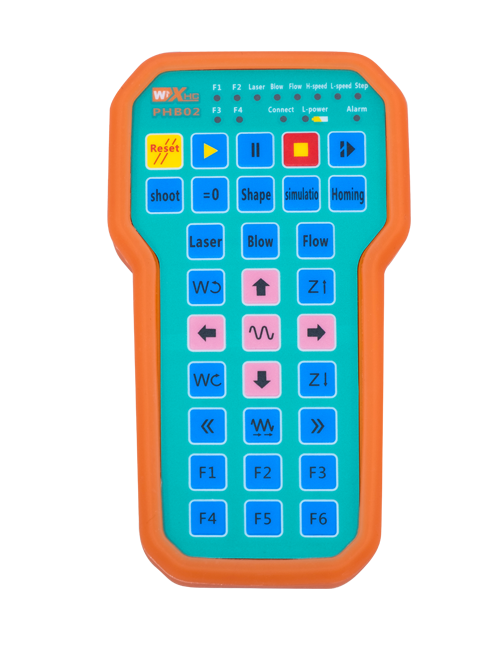
Wireless Remote Control is used for manual guidance, ipo, tool setting and other operations of CNC machine tools. Ọja yii tẹsiwaju ni imọ-ẹrọ ti ko le sọ alailowaya, imukuro asopọ okun waya ti ibi-giga, Awọn ikuna ẹrọ ti o fa nipasẹ awọn kebulu, Imukuro awọn aila-nla ti okun ti n fa, Awọn abawọn epo, patako ati bẹbẹ, and is more convenient to operate.It is widely applicable to CNC machine tools such as gantry machining centers, gantry vertical lathes, and CNC gear processing machines, and is compatible with various mainstream CNC system brands on the market, including Siemens, Metsubishi, Fatunu, Syntec and more.
2.Awọn ẹya ọja
1. Gba imọ-ẹrọ ibaraẹnisọrọ alailowaya 433MHz pẹlu ijinna iṣẹ alailowaya ti 20 igun.
2.Aṣamubadọgba hopping igbohunsafẹfẹ; 32 awọn eto isakoṣo latọna jijin alailowaya le ṣee lo nigbakanna laisi kikọlu.
3.Supports the emergency stop button, and the emergency stop button remains effective even after the remote control is powered off.
4.Atilẹyin 3 aṣa awọn bọtini pẹlu yi pada IO ifihan o wu.
5.Ṣe atilẹyin iṣakoso 6-axis, ati 7 to 12-apa Iṣakoso jẹ asefara.
6. Ṣe atilẹyin iṣakoso iwọn-iyara 3, ati 4-iyara magnification Iṣakoso jẹ asefara.
7.ṣe atilẹyin iṣẹ bọtini mu ṣiṣẹ, eyi ti o le jade awọn ifihan agbara IO yipada, ati tun ṣakoso aṣayan asulu, magnification ati kooduopo.
8.Ṣe atilẹyin iyipada iru fifi ẹnọ kọ nkan ti yiyan axis ati igbega nipasẹ sọfitiwia.
9. Supports pulse encoder with specification of 100 awọn pulses fun iṣọtẹ.
10. Supports standard Type-C charging with 5V-2A charging specification; built-in battery
specification: 14500 / 1100mah.
| Working Voltage and Current of Handheld Terminal |
3.7V/20.0mA |
| Charging Battery Specification |
3.7V/14500/1100mAh
|
| Low Voltage Alarm Range of Handheld Terminal |
<3.35V |
| Receiver Power Supply Voltage |
DC5V-24V/1A |
| Receiver Emergency Stop Output Load Range |
Ac125V-1A / DC30V-2A |
| Receiver Enable Output Load Range |
Ac125V-1A / DC30V-2A |
| Receiver Custom Button Output Load Range |
DC24V / 50MA
|
| Receiver Axis Selection Output Load Range |
DC24V / 50MA |
| Receiver magnification Output Load Range |
DC24V / 50MA |
| Handheld Terminal Transmit Power |
15dbm
|
| Olugba ngba ifamọra |
-100dbm |
| Irọrun Ibaraẹnisọrọ alailowaya |
433Anshz ẹgbẹ igbohunsafẹfẹ
|
| Wireless Communication Distance |
20 meters barrier-free distance
|
| Operating Temperature |
-25℃<X<55℃ |
| Safe drop height |
1 m
|
| Number of Custom Buttons |
3
|
| Product Weight |
546.86(g) |
| Product Dimensions |
200*87*72(mm) |
4. Ifihan iṣẹ ọja

Awọn akọsilẹ:
① Emergency Stop Button:
Tẹ bọtini iduro pajawiri, the two groups of emergency stop IO outputs on the receiver will disconnect, and all remote control functions will be invalidated.Release the emergency stop button, the emergency stop IO outputs on the receiver will be closed, and all remote control functions will be restored. Ni afikun, even if the remote control is powered off, pressing the emergency stop button can still activate the emergency stop IO output of the receiver.
② Enable Button:
Press either enable button on both sides, the two sets of enable IO outputs on the receiver will conduct. Release the enable button, and the enable IO outputs will disconnect. It is necessary to press and hold the enable button before toggling axis selection, magnification or rotating the remote control for the operation to take effect.This function can be canceled through the configuration software.
③ Axis Selection Switch (Power Switch):
Tẹ ki o mu bọtini ṣiṣẹ, then toggling the axis selection switch can control the movement of axis .Press and hold the enable button, then toggle the axis selection switch to switch the motion axis controlled by the remote control. Toggle the switch from the OFF position to any axis position, and the remote control will power on automatically.
④ Pulse Encoder:
Press and hold the enable button and rotate the pulse encoder, it will output pulse signals to control the movement of the machine axis.
⑤ LCD Display Screen:

5. Product Accessories Diagram

6. Itọsọna fifi sori ọja ọja
6.1 Awọn igbesẹ Ami ọja
1. Install the receiver in the electrical cabinet via the buckle on its back, or mount it inside the electrical cabinet through the screw holes at the four corners of the receiver.
2. Tọkasi si Aworan Wirgram Wiring Wa, Ṣe afiwe rẹ pẹlu ohun elo lori-aaye rẹ, and connect the equipment to the receiver with cables.
3. After the receiver is fixed in place, install the supporting antenna of the receiver properly. Mount or place the outer end of the antenna outside the electrical cabinet. It is recommended to place it on the top of the electrical cabinet for optimal signal performance. Do not leave the antenna uninstalled or place it inside the electrical cabinet; bibẹkọ ti, signal failure may occur.
4. L'akotan, turn on the remote control power switch, then you can remotely operate the machine via the remote control.
6.2 Receiver Installation Dimensions

6.3 Olugba Wirgram Itọkasi Pipe
7. Awọn ilana isẹ ọja
1. Agbara lori ẹrọ ati olugba. The receiver operation indicator flashes. After the wireless electronic remote control is fully charged, toggle it from the OFF gear to the X-axis gear, and the remote control display lights up.
2. Select the axis : Tẹ ki o mu bọtini ṣiṣẹ, toggle the axis selection switch to select the axis to be operated.
3. Select the magnification: Tẹ ki o mu bọtini ṣiṣẹ, toggle the magnification switch to select the required magnification gear.
4. Axis movement: Tẹ ki o mu bọtini ṣiṣẹ, select the axis selection switch and the magnification switch, then rotate the pulse encoder. Rotate clockwise to move the axis in the positive direction, and rotate counterclockwise to move the axis in the negative direction.
5. Tẹ ki o mu eyikeyi bọtini aṣa, the corresponding button IO output of the receiver will turn on; release the button, and the output will turn off.
6. Tẹ bọtini iduro pajawiri, the corresponding emergency stop IO output of the receiver disconnects and the remote control function becomes invalid. Release the emergency stop button, the emergency stop IO output closes and the remote control function is restored.
7. If the wireless remote control is not operated for a period of time, O yoo sọ ipo oorun lati dinku agbara agbara. It can be used normally again by pressing the enable button again.
8.If the wireless remote control is not used for a long time, turn the axis switch to OFF to turn off the power and extend battery life
①:UWGP stands for appearance style.
②:Pulse Output Parameters:
01: Tọkasi pe ifihan ti o ni itọsi jẹ kan, B; Pulsiot 30; puse opoiye 100pp.
02: Tọkasi pe ifihan ti o ni itọsi jẹ kan, B; Pulse folti 12V; pulse quantity 25PPR.
03: Tọkasi pe ifihan ti o ni itọsi jẹ kan, B, A -, B -; Pulsiot 30; puse opoiye 100pp.
04: Tọkasi awọn iwọn Circuit kekere, pẹlu awọn ifihan agbara iyọ ti a ati b; The number of pulses is 100PPR.
05: Tọkasi orisun orisun orisun PNP giga-giga, pẹlu awọn ifihan agbara iyọ ti a ati b; Nọmba ti awọn pulses ni 100pp.
③:Represents the axis selection switch quantity; 6 stands for 6 ala, 7 stands for 7 ala, and so on.
④: Represents the signal type of the axis selection switch.A stands for point-to-point output signal, and B stands for encoder output signal.
⑤: Represents the signal type of the magnification switch.A stands for point-to-point output signal, and B stands for encoder output signal.
⑥: Duro aṣoju awọn bọtini aṣa; 3 corresponds to 6 Awọn bọtini aṣa.
⑦: Represents the power supply for the system remote control. 05 stands for 5V power supply, ati 24 stands for 24V power supply.
⑧: Represents the contact charging mode. It starts charging automatically when placed back on the charging base.
9. Pelusisita ọja

10. Maintenance and upkeep
1. Jọwọ lo o ni agbegbe gbigbẹ ni iwọn otutu yara ati titẹ lati fa igbesi aye iṣẹ rẹ gbooro.
2. Please avoid using in abnormal environments such as rain and water to extend the service life.
3. Please keep the appearance of the remote control clean to extend its service life.
4. Please avoid crushing, dropping, or bumping, patako ati bẹbẹ. to prevent damage to the precision components inside the remote control or accuracy errors.
5. Ti ko ba lo fun igba pipẹ, please store the remote control in a clean and safe place.
6. Avoid moisture and shock during storage and transportation.
11. Alaye Aabo
1. Jọwọ ka awọn itọsọna naa ni pẹkipẹki ṣaaju lilo ati idiwọ ti kii ṣe awọn akosemose lati iṣiṣẹ.
2. Please charge the remote control in a timely manner when the battery level is too low, to avoid malfunction and operational errors caused by insufficient power.
3. If you repair it yourself and cause damage, the warranty will be void.