აღწერილობა

1.პროდუქტის შესავალი
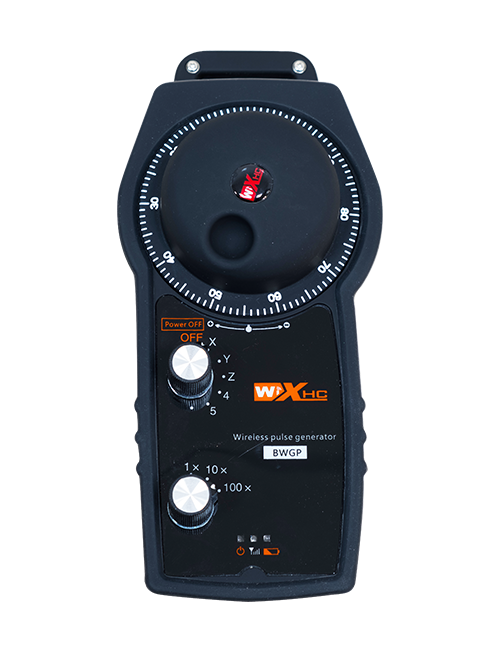
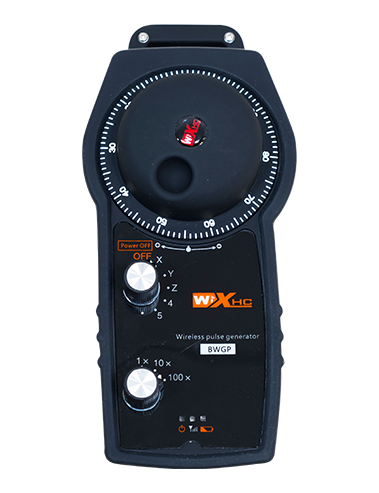
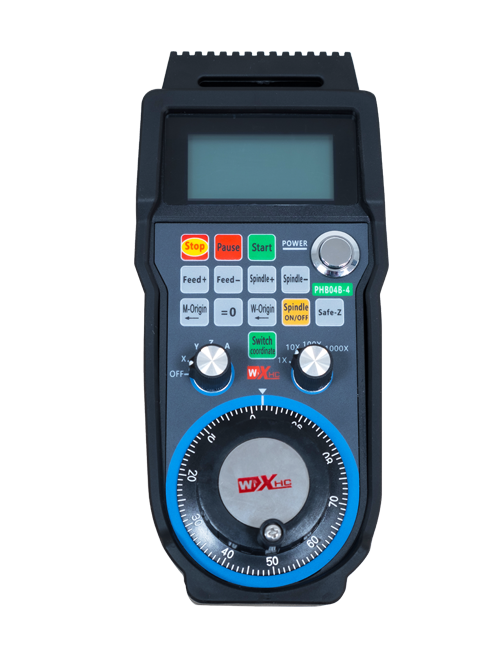
Wireless Remote Control is used for manual guidance, პოზიციონირება, tool setting and other operations of CNC machine tools. ეს პროდუქტი იყენებს უკაბელო გადაცემის ტექნოლოგიას, ტრადიციული ზამბარის მავთულის კავშირის აღმოფხვრა, კაბელებით გამოწვეული აღჭურვილობის უკმარისობის შემცირება, კაბელის გადაყვანის უარყოფითი მხარეების აღმოფხვრა, ზეთის ლაქები, და ა.შ., and is more convenient to operate.It is widely applicable to CNC machine tools such as gantry machining centers, gantry vertical lathes, and CNC gear processing machines, and is compatible with various mainstream CNC system brands on the market, including Siemens, მიცუბში, ფანუსი, Syntec and more.
2.პროდუქტის მახასიათებლები
1. Adopts 433MHz wireless communication technology with a wireless operating distance of 20 მეტრი.
2.Adaptive frequency hopping; 32 sets of wireless remote controls can be used simultaneously without interference.
3.Supports the emergency stop button, and the emergency stop button remains effective even after the remote control is powered off.
4.მხარდაჭერა 3 custom buttons with switching IO signal output.
5.Supports 6-axis control, და 7 to 12-axis control is customizable.
6. Supports 3-speed magnification control, and 4-speed magnification control is customizable.
7.supports the enable button function, which can output switching IO signals, and also control axis selection, magnification and encoder.
8.Supports modifying the encoding type of axis selection and magnification via software.
9. Supports pulse encoder with specification of 100 პულსი თითო რევოლუციაზე.
10. Supports standard Type-C charging with 5V-2A charging specification; built-in battery
specification: 14500 / 1100mAh.
3. პროდუქტის სპეციფიკაციები
| Working Voltage and Current of Handheld Terminal |
3.7V/20.0mA |
| Charging Battery Specification |
3.7V/14500/1100mAh
|
| Low Voltage Alarm Range of Handheld Terminal |
<3.35ვ |
| Receiver Power Supply Voltage |
DC5V-24V/1A |
| Receiver Emergency Stop Output Load Range |
AC125V-1A/DC30V-2A |
| Receiver Enable Output Load Range |
AC125V-1A/DC30V-2A |
| Receiver Custom Button Output Load Range |
DC24V/50mA
|
| Receiver Axis Selection Output Load Range |
DC24V/50mA |
| Receiver magnification Output Load Range |
DC24V/50mA |
| Handheld Terminal Transmit Power |
15დბმ
|
| მიმღების მიღების მგრძნობელობა |
-100დბმ |
| უკაბელო კომუნიკაციის სიხშირე |
433MHz სიხშირის დიაპაზონი
|
| Wireless Communication Distance |
20 meters barrier-free distance
|
| Operating Temperature |
-25℃<X<55℃ |
| Safe drop height |
1 მ
|
| Number of Custom Buttons |
3
|
| Product Weight |
546.86(g) |
| Product Dimensions |
200*87*72(მმ) |
4. პროდუქტის ფუნქციის შესავალი

შენიშვნები:
① Emergency Stop Button:
დააჭირეთ გადაუდებელი გაჩერების ღილაკს, the two groups of emergency stop IO outputs on the receiver will disconnect, and all remote control functions will be invalidated.Release the emergency stop button, the emergency stop IO outputs on the receiver will be closed, and all remote control functions will be restored. გარდა ამისა, even if the remote control is powered off, pressing the emergency stop button can still activate the emergency stop IO output of the receiver.
② Enable Button:
Press either enable button on both sides, the two sets of enable IO outputs on the receiver will conduct. Release the enable button, and the enable IO outputs will disconnect. It is necessary to press and hold the enable button before toggling axis selection, magnification or rotating the remote control for the operation to take effect.This function can be canceled through the configuration software.
③ Axis Selection Switch (Power Switch):
ხანგრძლივად დააჭირეთ ჩართვის ღილაკს, then toggling the axis selection switch can control the movement of axis .Press and hold the enable button, then toggle the axis selection switch to switch the motion axis controlled by the remote control. Toggle the switch from the OFF position to any axis position, and the remote control will power on automatically.
④ Pulse Encoder:
Press and hold the enable button and rotate the pulse encoder, it will output pulse signals to control the movement of the machine axis.
⑤ LCD Display Screen:

5. Product Accessories Diagram

6. პროდუქტის ინსტალაციის სახელმძღვანელო
6.1 პროდუქტის ინსტალაციის ეტაპები
1. Install the receiver in the electrical cabinet via the buckle on its back, or mount it inside the electrical cabinet through the screw holes at the four corners of the receiver.
2. იხილეთ ჩვენი მიმღების გაყვანილობის დიაგრამა, შეადარეთ იგი თქვენს ადგილზე არსებულ აღჭურვილობას, and connect the equipment to the receiver with cables.
3. After the receiver is fixed in place, install the supporting antenna of the receiver properly. Mount or place the outer end of the antenna outside the electrical cabinet. It is recommended to place it on the top of the electrical cabinet for optimal signal performance. Do not leave the antenna uninstalled or place it inside the electrical cabinet; წინააღმდეგ შემთხვევაში, signal failure may occur.
4. ბოლოს და ბოლოს, turn on the remote control power switch, then you can remotely operate the machine via the remote control.
6.2 Receiver Installation Dimensions

6.3 მიმღების გაყვანილობის საცნობარო დიაგრამა
7. პროდუქტის ოპერაციის ინსტრუქციები
1. ჩართეთ მანქანა და მიმღები. The receiver operation indicator flashes. After the wireless electronic remote control is fully charged, toggle it from the OFF gear to the X-axis gear, and the remote control display lights up.
2. Select the axis : ხანგრძლივად დააჭირეთ ჩართვის ღილაკს, toggle the axis selection switch to select the axis to be operated.
3. Select the magnification: ხანგრძლივად დააჭირეთ ჩართვის ღილაკს, toggle the magnification switch to select the required magnification gear.
4. Axis movement: ხანგრძლივად დააჭირეთ ჩართვის ღილაკს, select the axis selection switch and the magnification switch, then rotate the pulse encoder. Rotate clockwise to move the axis in the positive direction, and rotate counterclockwise to move the axis in the negative direction.
5. ხანგრძლივად დააჭირეთ ნებისმიერ მორგებულ ღილაკს, the corresponding button IO output of the receiver will turn on; release the button, and the output will turn off.
6. დააჭირეთ გადაუდებელი გაჩერების ღილაკს, the corresponding emergency stop IO output of the receiver disconnects and the remote control function becomes invalid. Release the emergency stop button, the emergency stop IO output closes and the remote control function is restored.
7. If the wireless remote control is not operated for a period of time, ის ავტომატურად შევა ძილის რეჟიმში ენერგიის მოხმარების შესამცირებლად. It can be used normally again by pressing the enable button again.
8.If the wireless remote control is not used for a long time, turn the axis switch to OFF to turn off the power and extend battery life
8. პროდუქტის მოდელის აღწერა
①:UWGP stands for appearance style.
②:Pulse Output Parameters:
01: მიუთითებს, რომ პულსის გამომავალი სიგნალი არის A, ბ; პულსის ძაბვა 5V; პულსის რაოდენობა 100PPR.
02: მიუთითებს, რომ პულსის გამომავალი სიგნალი არის A, ბ; პულსის ძაბვა 12 ვ; pulse quantity 25PPR.
03: მიუთითებს, რომ პულსის გამომავალი სიგნალი არის A, ბ, ა -, ბ -; პულსის ძაბვა 5V; პულსის რაოდენობა 100PPR.
04: მიუთითებს დაბალი დონის NPN ღია წრის გამომავალზე, A და B პულსის გამომავალი სიგნალებით; The number of pulses is 100PPR.
05: მიუთითებს მაღალი დონის PNP წყაროს გამომავალს, A და B პულსის გამომავალი სიგნალებით; იმპულსების რაოდენობაა 100 PPR.
③:Represents the axis selection switch quantity; 6 stands for 6 ცულები, 7 stands for 7 ცულები, and so on.
④: Represents the signal type of the axis selection switch.A stands for point-to-point output signal, and B stands for encoder output signal.
⑤: Represents the signal type of the magnification switch.A stands for point-to-point output signal, and B stands for encoder output signal.
⑥: წარმოადგენს მორგებული ღილაკების რაოდენობას; 3 corresponds to 6 პერსონალური ღილაკები.
⑦: Represents the power supply for the system remote control. 05 stands for 5V power supply, და 24 stands for 24V power supply.
⑧: Represents the contact charging mode. It starts charging automatically when placed back on the charging base.
9. პროდუქტის პრობლემების მოგვარება

10. Maintenance and upkeep
1. გთხოვთ, გამოიყენოთ იგი მშრალ გარემოში ოთახის ტემპერატურაზე და წნევაზე, რომ გაახანგრძლივოს მისი მომსახურების ვადა.
2. Please avoid using in abnormal environments such as rain and water to extend the service life.
3. Please keep the appearance of the remote control clean to extend its service life.
4. Please avoid crushing, dropping, or bumping, და ა.შ.. to prevent damage to the precision components inside the remote control or accuracy errors.
5. თუ დიდხანს არ გამოიყენება, please store the remote control in a clean and safe place.
6. Avoid moisture and shock during storage and transportation.
11. უსაფრთხოების ინფორმაცია
1. გთხოვთ, ყურადღებით წაიკითხოთ ინსტრუქციები გამოყენებამდე და აუკრძალოთ არაპროფესიონალებს მუშაობა.
2. Please charge the remote control in a timely manner when the battery level is too low, to avoid malfunction and operational errors caused by insufficient power.
3. If you repair it yourself and cause damage, the warranty will be void.