Apraksts

1.Produkta ievads
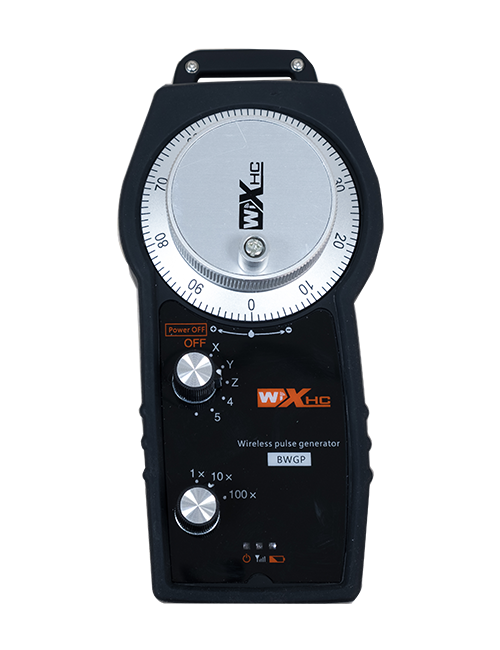
Wireless Remote Control is used for manual guidance, pozicionēšana, tool setting and other operations of CNC machine tools. Šis produkts izmanto bezvadu pārraides tehnoloģiju, tradicionālā pavasara stieples savienojuma novēršana, Iekārtu samazināšanas kļūmes, ko izraisa kabeļi, Kabeļu vilkšanas trūkumu novēršana, eļļas traips, utc, and is more convenient to operate.It is widely applicable to CNC machine tools such as gantry machining centers, gantry vertical lathes, and CNC gear processing machines, and is compatible with various mainstream CNC system brands on the market, including Siemens, Mitsubishi, Fanuc, Syntec and more.
2.Produkta īpašības
1. Pieņem 433MHz bezvadu sakaru tehnoloģiju ar bezvadu darbības attālumu 20 metri.
2.Adaptīvā frekvences lēciena; 32 bezvadu tālvadības pulšu komplektus var izmantot vienlaikus bez traucējumiem.
3.Supports the emergency stop button, and the emergency stop button remains effective even after the remote control is powered off.
4.Atbalsts 3 pielāgotas pogas ar pārslēgšanas IO signāla izvadi.
5.Atbalsta 6 asu vadību, un 7 līdz 12 asu vadība ir pielāgojama.
6. Atbalsta 3 ātrumu palielinājuma vadību, un 4 ātrumu palielinājuma vadība ir pielāgojama.
7.atbalsta iespējošanas pogas funkciju, kas var izvadīt pārslēgšanas IO signālus, kā arī kontrolēt asu izvēli, palielinājums un kodētājs.
8.Atbalsta kodēšanas veida mainīšanu asu atlasei un palielināšanai, izmantojot programmatūru.
9. Supports pulse encoder with specification of 100 impulsi vienā apgriezienā.
10. Supports standard Type-C charging with 5V-2A charging specification; built-in battery
specification: 14500 / 1100mah.
3. Produkta specifikācijas
| Working Voltage and Current of Handheld Terminal |
3.7V/20.0mA |
| Charging Battery Specification |
3.7V/14500/1100mAh
|
| Low Voltage Alarm Range of Handheld Terminal |
<3.35V |
| Receiver Power Supply Voltage |
DC5V-24V/1A |
| Receiver Emergency Stop Output Load Range |
AC125V-1A/DC30V-2A |
| Receiver Enable Output Load Range |
AC125V-1A/DC30V-2A |
| Receiver Custom Button Output Load Range |
DC24V/50mA
|
| Receiver Axis Selection Output Load Range |
DC24V/50mA |
| Receiver magnification Output Load Range |
DC24V/50mA |
| Handheld Terminal Transmit Power |
15dBm
|
| Uztvērēja uztveršanas jutība |
-100dBm |
| Bezvadu sakaru frekvence |
433MHz frekvenču josla
|
| Wireless Communication Distance |
20 meters barrier-free distance
|
| Operating Temperature |
-25℃<Netraucēts<55℃ |
| Safe drop height |
1 m
|
| Number of Custom Buttons |
3
|
| Product Weight |
546.86(g) |
| Product Dimensions |
200*87*72(mm) |
4. Produkta funkcijas ievads

Piezīmes:
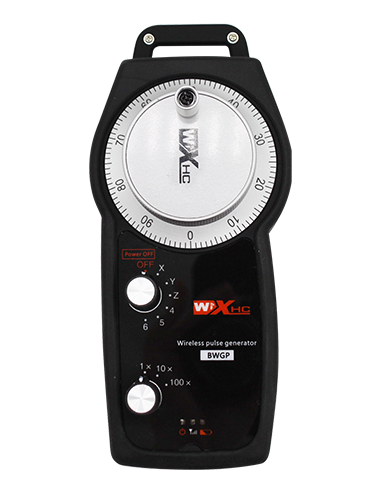
① Emergency Stop Button:
Nospiediet avārijas apturēšanas pogu, the two groups of emergency stop IO outputs on the receiver will disconnect, and all remote control functions will be invalidated.Release the emergency stop button, the emergency stop IO outputs on the receiver will be closed, and all remote control functions will be restored. Papildus, even if the remote control is powered off, pressing the emergency stop button can still activate the emergency stop IO output of the receiver.
② Enable Button:
Press either enable button on both sides, the two sets of enable IO outputs on the receiver will conduct. Release the enable button, and the enable IO outputs will disconnect. It is necessary to press and hold the enable button before toggling axis selection, magnification or rotating the remote control for the operation to take effect.This function can be canceled through the configuration software.
③ Axis Selection Switch (Power Switch):
Nospiediet un turiet pogu Iespējot, then toggling the axis selection switch can control the movement of axis .Press and hold the enable button, then toggle the axis selection switch to switch the motion axis controlled by the remote control. Toggle the switch from the OFF position to any axis position, and the remote control will power on automatically.
④ Pulse Encoder:
Press and hold the enable button and rotate the pulse encoder, it will output pulse signals to control the movement of the machine axis.
⑤ LCD Display Screen:

5. Product Accessories Diagram

6. Produktu uzstādīšanas rokasgrāmata
6.1 Produkta uzstādīšanas darbības
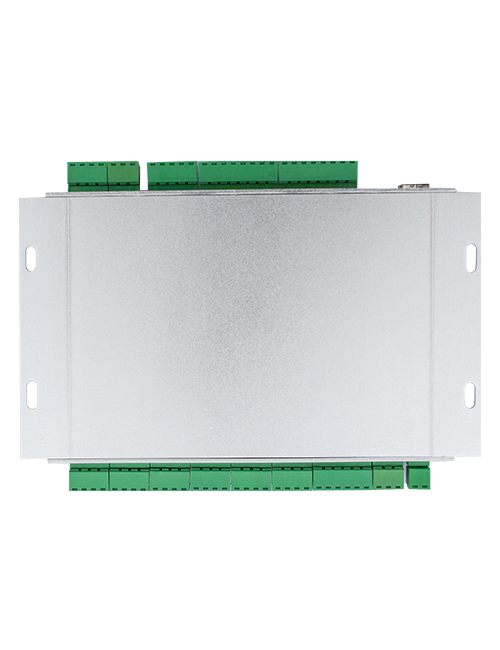
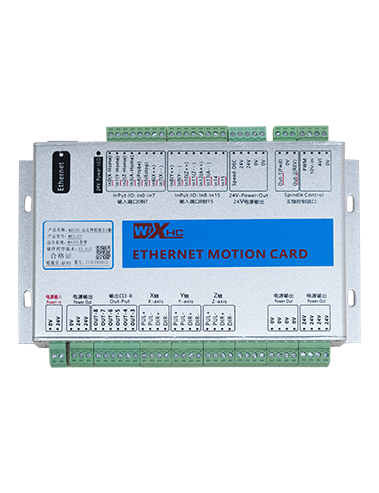
1. Install the receiver in the electrical cabinet via the buckle on its back, or mount it inside the electrical cabinet through the screw holes at the four corners of the receiver.
2. Skatiet mūsu uztvērēja elektroinstalācijas shēmu, Salīdziniet to ar savu aprīkojumu uz vietas, and connect the equipment to the receiver with cables.
3. After the receiver is fixed in place, install the supporting antenna of the receiver properly. Mount or place the outer end of the antenna outside the electrical cabinet. It is recommended to place it on the top of the electrical cabinet for optimal signal performance. Do not leave the antenna uninstalled or place it inside the electrical cabinet; citādi, signal failure may occur.
4. Beidzot, turn on the remote control power switch, then you can remotely operate the machine via the remote control.
6.2 Receiver Installation Dimensions

6.3 Uztvērēja elektroinstalācijas atsauces diagramma
7. Produkta darbības instrukcijas
1. Ieslēdziet iekārtu un uztvērēju. The receiver operation indicator flashes. After the wireless electronic remote control is fully charged, toggle it from the OFF gear to the X-axis gear, and the remote control display lights up.
2. Select the axis : Nospiediet un turiet pogu Iespējot, toggle the axis selection switch to select the axis to be operated.
3. Select the magnification: Nospiediet un turiet pogu Iespējot, toggle the magnification switch to select the required magnification gear.
4. Axis movement: Nospiediet un turiet pogu Iespējot, select the axis selection switch and the magnification switch, then rotate the pulse encoder. Rotate clockwise to move the axis in the positive direction, and rotate counterclockwise to move the axis in the negative direction.
5. Nospiediet un turiet jebkuru pielāgotu pogu, the corresponding button IO output of the receiver will turn on; release the button, and the output will turn off.
6. Nospiediet avārijas apturēšanas pogu, the corresponding emergency stop IO output of the receiver disconnects and the remote control function becomes invalid. Release the emergency stop button, the emergency stop IO output closes and the remote control function is restored.
7. If the wireless remote control is not operated for a period of time, tas automātiski pāries miega režīmā, lai samazinātu enerģijas patēriņu. It can be used normally again by pressing the enable button again.
8.If the wireless remote control is not used for a long time, turn the axis switch to OFF to turn off the power and extend battery life
8. Produkta modeļa apraksts
①:UWGP stands for appearance style.
②:Pulse Output Parameters:
01: Norāda, ka impulsa izejas signāls ir A, B; Impulsa spriegums 5V; impulsu daudzums 100PPR.
02: Norāda, ka impulsa izejas signāls ir A, B; Impulsu spriegums 12V; pulse quantity 25PPR.
03: Norāda, ka impulsa izejas signāls ir A, B, A -, B -; Impulsa spriegums 5V; impulsu daudzums 100PPR.
04: Norāda zema līmeņa NPN atvērtās shēmas izvadi, ar pulsa izejas signāliem A un B; The number of pulses is 100PPR.
05: Norāda augsta līmeņa PNP avota izvadi, ar pulsa izejas signāliem A un B; Impulsu skaits ir 100PPR.
③:Represents the axis selection switch quantity; 6 stands for 6 cirvji, 7 stands for 7 cirvji, and so on.
④: Represents the signal type of the axis selection switch.A stands for point-to-point output signal, and B stands for encoder output signal.
⑤: Represents the signal type of the magnification switch.A stands for point-to-point output signal, and B stands for encoder output signal.
⑥: Apzīmē pielāgoto pogu skaitu; 3 corresponds to 6 pielāgotas pogas.
⑦: Represents the power supply for the system remote control. 05 stands for 5V power supply, un 24 stands for 24V power supply.
⑧: Represents the contact charging mode. It starts charging automatically when placed back on the charging base.
9. Produkta problēmu novēršana

10. Maintenance and upkeep
1. Lūdzu, izmantojiet to sausā vidē istabas temperatūrā un spiedienā, lai pagarinātu tā kalpošanas laiku.
2. Please avoid using in abnormal environments such as rain and water to extend the service life.
3. Please keep the appearance of the remote control clean to extend its service life.
4. Please avoid crushing, dropping, or bumping, utt.. to prevent damage to the precision components inside the remote control or accuracy errors.
5. Ja to neizmanto ilgu laiku, please store the remote control in a clean and safe place.
6. Avoid moisture and shock during storage and transportation.
11. Informācija par drošību
1. Lūdzu, pirms lietošanas uzmanīgi izlasiet instrukcijas un aizliedz profesionāļiem darboties.
2. Please charge the remote control in a timely manner when the battery level is too low, to avoid malfunction and operational errors caused by insufficient power.
3. If you repair it yourself and cause damage, the warranty will be void.