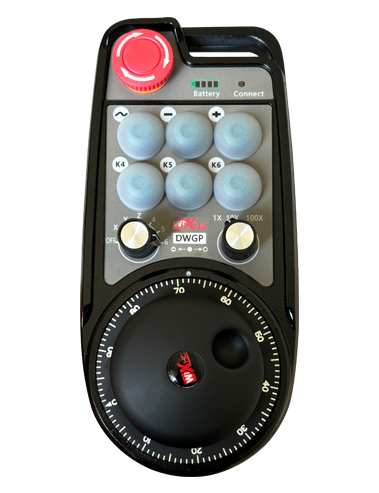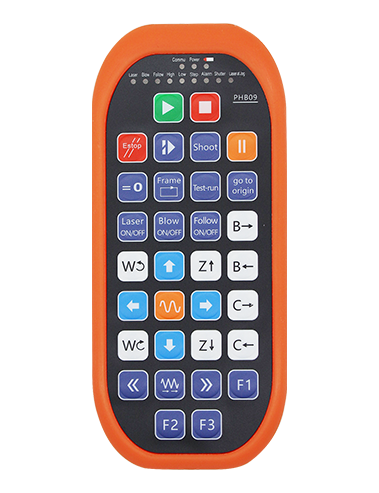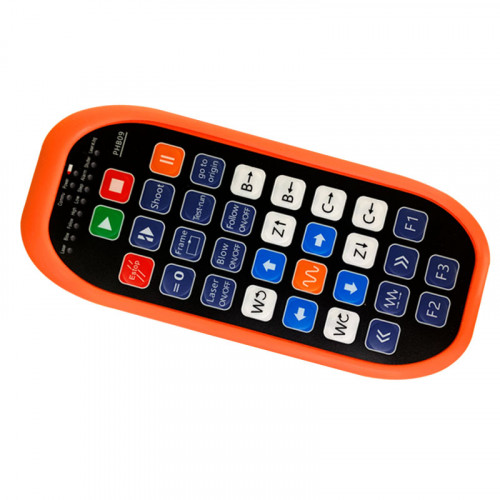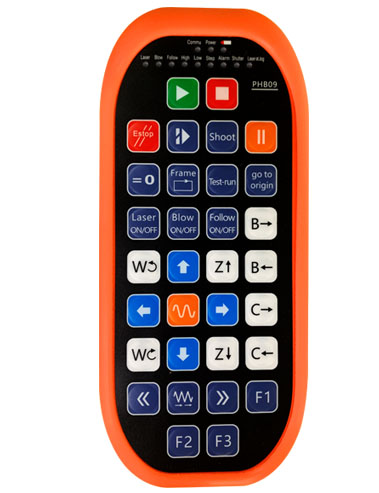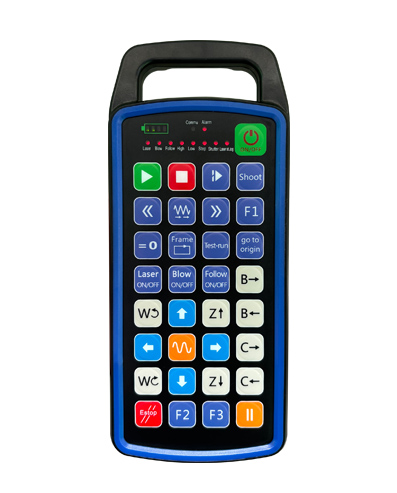
MANAMPY 32 fandaharana bokotra manokana
MANAMPY 9 fandaharana fampisehoana jiro LED mahazatra
Mampiasa teknolojian'ny fifandraisana tsy misy tariby 433MHZ, ny fiasan'ny Wireless
ny halavirana dia 80 metatra

£300.00
MANAMPY 32 fandaharana bokotra manokana
MANAMPY 9 fandaharana fampisehoana jiro LED mahazatra
Mampiasa teknolojian'ny fifandraisana tsy misy tariby 433MHZ, ny fiasan'ny Wireless
ny halavirana dia 80 metatra
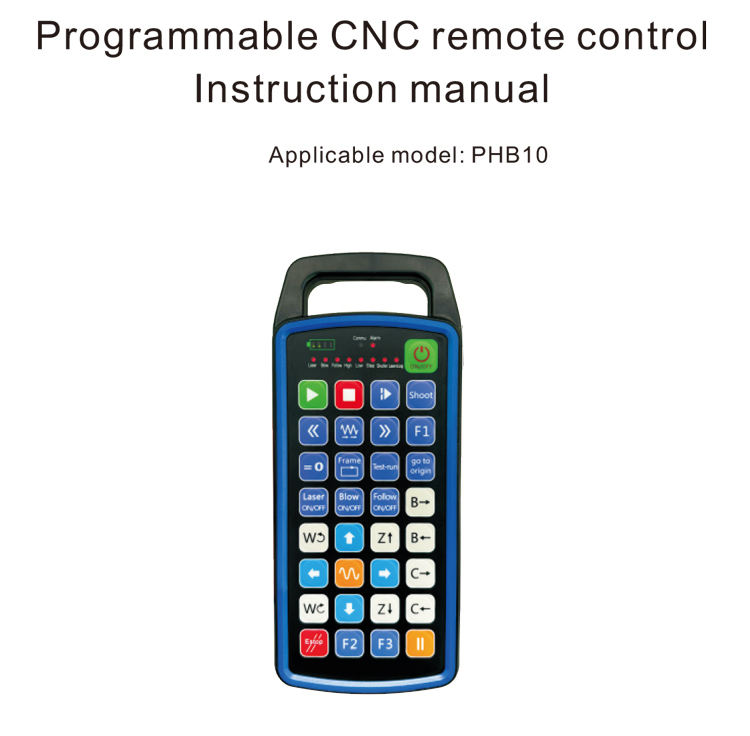
1.Fampidirana vokatra
Ny programamable CNC remote control PHB10 dia mety amin'ny Wireless
fanaraha-maso lavitra ny fiasan'ny rafitra CNC isan-karazany. Izy io dia manohana voafaritry ny mpampiasa
fandaharana mba hampivelatra ny fiasan'ny bokotra, ary fantaro ny fanaraha-maso lavitra ny isan-karazany
miasa amin'ny rafitra CNC; izy io dia manohana fandaharana voafaritra ho an'ny mpampiasa mba hivoatra
Jiro LED hamirapiratra sy hamono, ary fantaro ny fampisehoana mavitrika ny satan'ny rafitra;
ny fanaraha-maso lavitra dia miaraka amin'ny bateria azo averina ary manohana ny Type-C
fiampangana interface tsara.
2.Endri-javatra vokatra
1. Mampiasa teknolojian'ny fifandraisana tsy misy tariby 433MHZ, ny fiasan'ny Wireless
ny halavirana dia 80 metatra;
2.Mampiasa ny fampandehanana mitsambikina matetika matetika, 32 sets ny Wireless lavitra
azo ampiasaina miaraka tsy misy fiatraikany ny controllers;
3.MANAMPY 32 fandaharana bokotra manokana;
4.MANAMPY 9 fandaharana fampisehoana jiro LED mahazatra;
5.Manohana ny haavon'ny rano IP67;
6.Tohano ny fiampangana interface tsara Type-C; 5V-2a Fanapahan-kevitra momba ny famaritana;
1100 batterie mAh lehibe, miaraka amin'ny fiasan'ny torimaso mandeha ho azy; tonga saina
standby hery ambany lavitra be;
7.Tohano ny fampisehoana hery amin'ny fotoana tena izy.
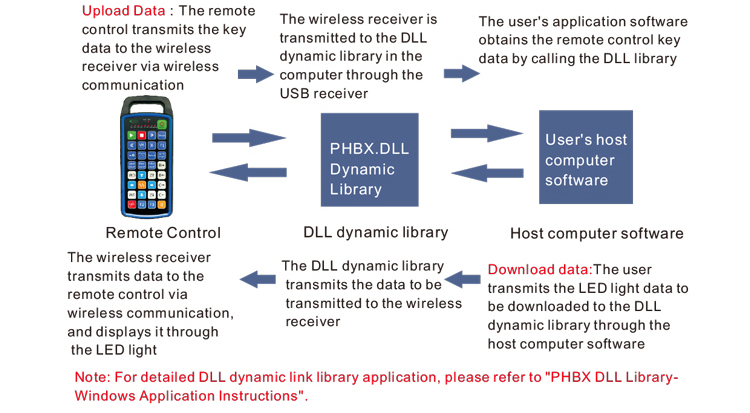
3.Fitsipika momba ny asa
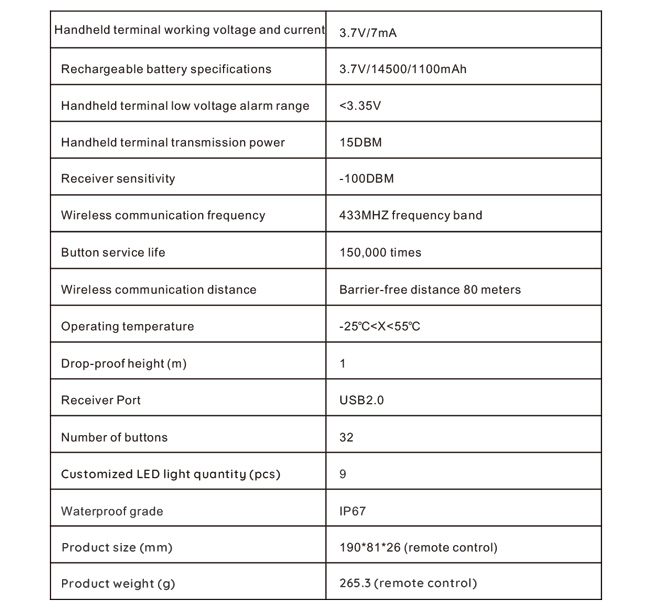
4. Famaritana momba ny vokatra
5.Fampidirana ny vokatra fampidirana
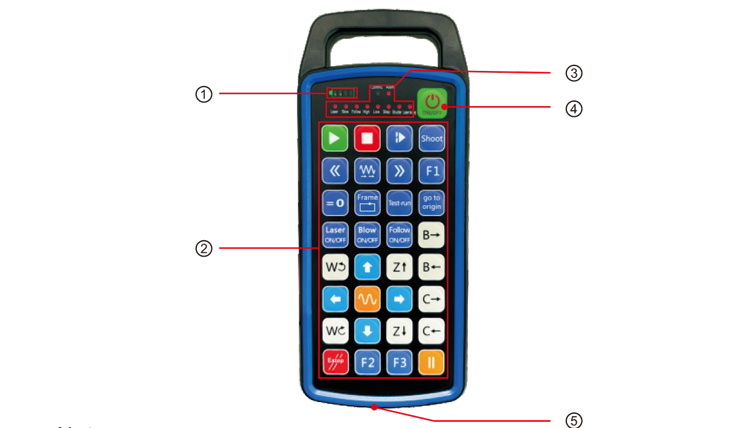
-tsoratra:
①Battery level display:
Mirehitra rehefa avy mirehitra ny jiro, maty rehefa maty ny herinaratra;
Raha bara iray ihany ny jiro famantarana ny bateria ary mamiratra hatrany, midika hoe ny
ambany loatra ny bateria. Soloy ny bateria azafady;
Raha mandeha daholo ny jiro famantarana ny bateria ary ny jiro LED hafa dia miverina ary
mivoaka, midika izany fa ambany dia ambany ny bateria. Soloy ny bateria azafady;
Raha tsy mirehitra na tsy mivoaka ny famantarana ny bateria, ary tsy azo atao ny fitaovana
natomboka tamin'ny fanindriana sy fihazonana ny bokotra herinaratra, Azafady azafady ny bateria;
②Button area:32 bokotra nalamina amin'ny 4X8, fandaharana voafaritry ny mpampiasa;
③Status LED:
COMMU: Jiro famantarana ny bokotra, mirehitra rehefa voatsindry ny bokotra ary mandeha
mivoaka rehefa mivoaka ny bokotra; jiro hafa dia fampisehoana mahazatra;
④Power switch:
Tsindrio lava ho an'ny 3 segondra hamelona, fanerena lava ho an'ny 3 segondra ho faty;
⑤Charging port:
Mampiasà charger Type-C hamenoana, Volavolan'ny fiampangana 5V, ankehitriny 1A-2A; fa mamaly ny
Time 3-5 ORA;
Rehefa manefa, mirefodrefotra ny famantarana herinaratra, milaza fa mi-charge. Rahoviana
feno, ny mari-pandrefesana dia hampiseho bar feno tsy misy tselatra.
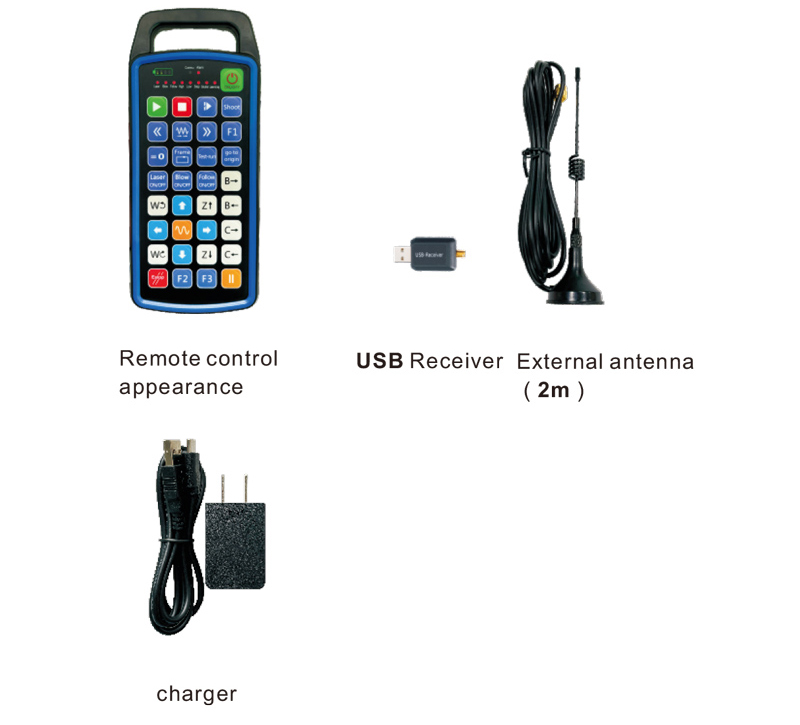
6.Ny sary miditra amin'ny vokatra
7.Guide fametrahana vokatra
1 . Ampidiro ao amin'ny ordinatera ny mpandray USB, mandeha ho azy ny solosaina
fantaro ary apetraho ny mpamily fitaovana USB tsy misy manual
2. Ampidiro ao anaty charger ny fanaraha-maso lavitra. Rehefa feno ny bateria, mpanao gazety
ary tazony ny bokotra herinaratra ho an'ny 3 segondra. Ny fanaraha-maso lavitra dia hirehitra sy ny hery
hirehitra ny famantarana, milaza fa mahomby ny famatsiana herinaratra.
3. Taorian'ny fampandehanana ny herinaratra, azonao atao ny miasa bokotra rehetra. Ny fanaraha-maso lavitra
afaka manohana bokotra roa miasa amin'ny fotoana iray ihany. Rehefa manindry bokotra ianao, ny
Hirehitra ny jiro COMMU amin'ny fanaraha-maso lavitra, milaza fa manankery io bokotra io.
8.Torolàlana momba ny asa
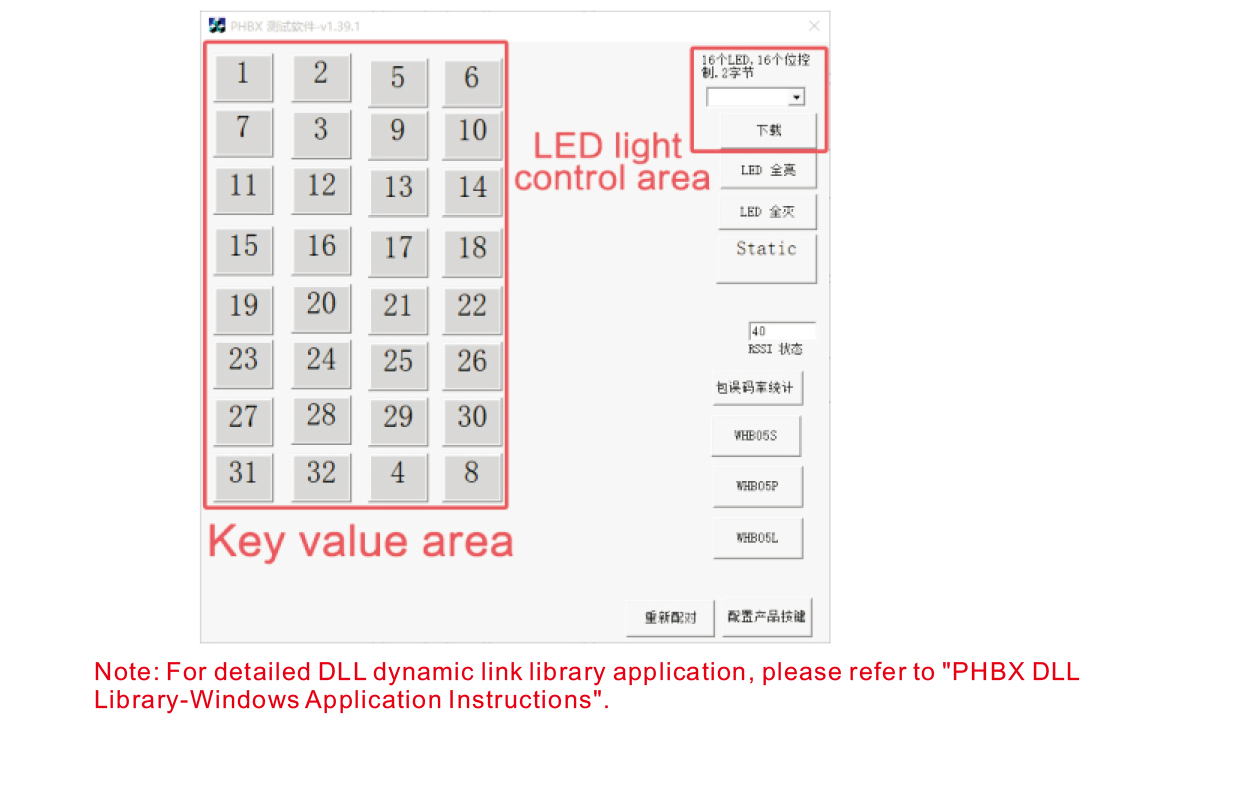
Alohan'ny famokarana sy ny fampiasana ny vokatra, azonao ampiasaina ny rindrambaiko demo omenay
andramo ny bokotra amin'ny fanaraha-maso lavitra ary ny jiro LED amin'ny fanaraha-maso lavitra. Ianao dia afaka
ampiasao ihany koa ny demo ho toy ny references ho an'ny fampandrosoana fandaharana ho avy.
Alohan'ny fampiasana ny rindrambaiko Demo, azafady ampidiro amin'ny solosaina ny mpandray USB,
ataovy azo antoka fa manana hery ampy ny fanaraha-maso lavitra, tsindrio ary mihazona ny bokotra herinaratra ho t
urn on, ary avy eo dia ampiasao izany;
Rehefa misy bokotra eo amin'ny fanaraha-maso lavitra dia tsindriana, hiseho ny demo rindrambaiko fitsapana
ny sanda fanalahidy mifanaraka amin'izany. Aorian'ny famoahana azy, tsy hita intsony ny fampirantiana sanda lehibe,
milaza fa ara-dalàna ny fampiakarana fanalahidy;
Azonao atao ihany koa ny misafidy ny laharan'ny jiro LED amin'ny demo rindrambaiko fitsapana, tsindrio ny download,
ary ny laharan-jiro mifanitsy amin'ny fanaraha-maso lavitra dia hirehitra, milaza fa ny
Ny jiro LED dia misintona ara-dalàna.
9.Famahana ny vokatra vokatra
10. Fikojakojana sy fikarakarana
1. Azafady, ampiasao izany amin'ny tontolo maina miaraka amin'ny mari-pana ara-dalàna sy ny fanerena hanitatra
Ny fiainana fanompoana;
2. Aza mampiasa zava-maranitra hikasika ny faritra manan-danja mba hanitarana ny androm-piainan'ny fanalahidy;
3. Azafady, tazomy ho madio ny faritra manan-danja mba hampihenana ny fitafy fanalahidy;
4. Fadio ny miforitra sy mianjera mba hanimba ny fanaraha-maso lavitra;
5. Raha tsy ampiasaina mandritra ny fotoana maharitra, azafady esory ny bateria ary tehirizo ny fanaraha-maso lavitra
ary ny bateria amin'ny toerana madio sy azo antoka;
6. Tandremo tsara ny hamandoana mandritra ny fitahirizana sy ny fitaterana.
11.Fampahalalana momba ny fiarovana
1. Azafady vakio tsara ny torolàlana alohan'ny hampiasana azy. Tsy misy matihanina voarara
fandidiana.
2. Ampiasao azafady ny charger voalohany na ny charger novokarin'ny mpanamboatra mahazatra miaraka amin'ny
mitovy fepetra.
3. Azafady, andramo ara-potoana mba hisorohana ny fampandehanana diso noho ny tsy fahampian'ny herinaratra mahatonga ny
fanaraha-maso lavitra ho tsy mamaly.
4. Raha ilaina ny fanamboarana, Azafady mba mifandraisa amin'ny mpanamboatra. Raha ny fahasimbana dia vokatry ny fanamboarana tena,
Ny mpanamboatra dia tsy hanome warranty.