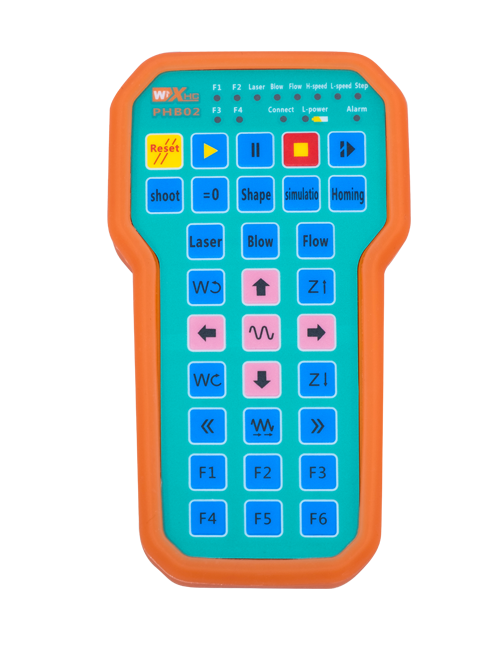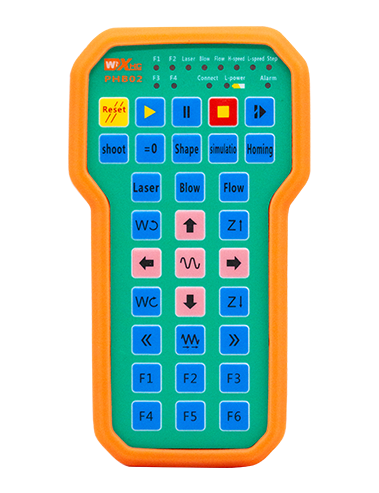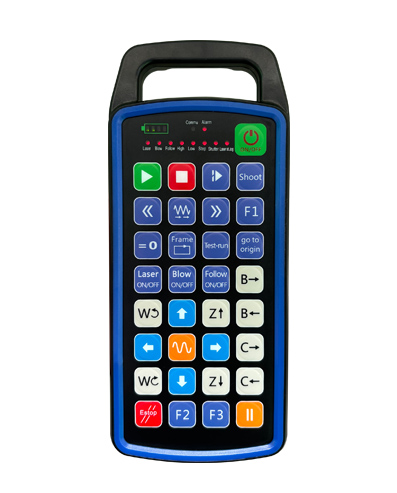
Sprijin 32 programare butoane personalizate
Sprijin 9 programare personalizată a afișajului cu LED-uri
Folosind tehnologia de comunicare fără fir de 433MHZ, operarea fără fir
distanta este 80 metri

£300.00
Sprijin 32 programare butoane personalizate
Sprijin 9 programare personalizată a afișajului cu LED-uri
Folosind tehnologia de comunicare fără fir de 433MHZ, operarea fără fir
distanta este 80 metri
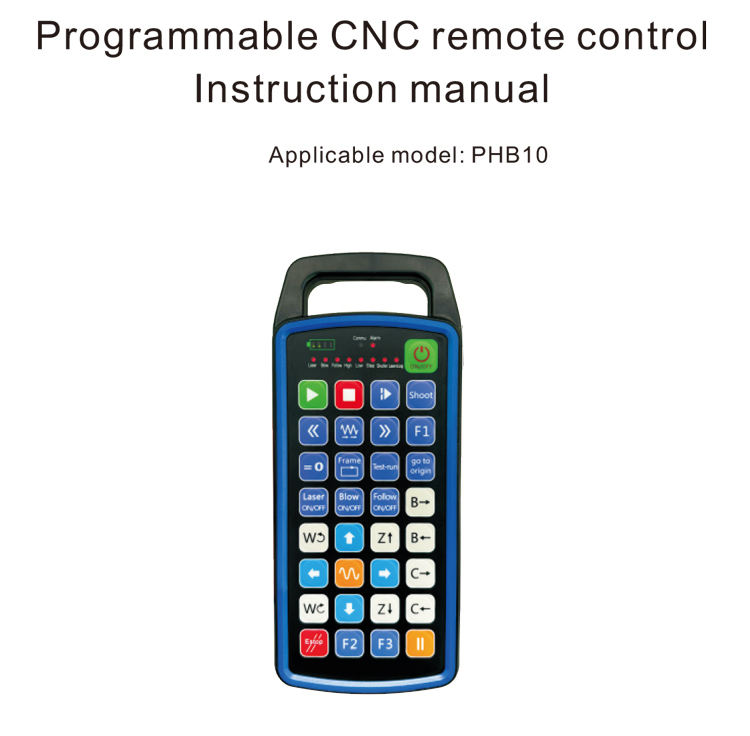
1.Introducerea produsului
Telecomanda programabilă CNC PHB10 este potrivită pentru wireless
operarea de la distanță a diferitelor sisteme CNC. Acceptă definit de utilizator
programare pentru dezvoltarea funcțiilor butoanelor, și realiza control de la distanță a diverselor
funcții pe sistemul CNC; acceptă programarea definită de utilizator pentru a dezvolta
Lumini LED pentru a se aprinde și se stinge, și realizați afișarea dinamică a stării sistemului;
telecomanda vine cu o baterie reîncărcabilă și acceptă Type-C
încărcarea interfeței.
2.Caracteristici ale produsului
1. Folosind tehnologia de comunicare fără fir de 433MHZ, operarea fără fir
distanta este 80 metri;
2.Folosind funcția automată de salt de frecvență, 32 seturi de telecomandă fără fir
controlerele pot fi utilizate în același timp fără a se afecta reciproc;
3.Sprijin 32 programare butoane personalizate;
4.Sprijin 9 programare personalizată a afișajului cu LED-uri;
5.Suportă nivel de impermeabilitate IP67;
6.Suportă încărcare standard de interfață de tip C; 5Specificație de încărcare V-2A;
1100 baterie de mare capacitate mAh, cu funcție de standby automată de somn; realiza
standby ultra-lung de putere redusă;
7.Sprijină afișarea în timp real a puterii.
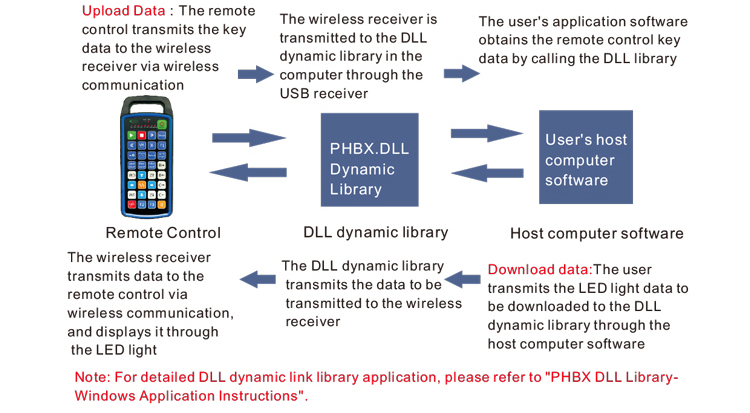
3.Principiul de lucru
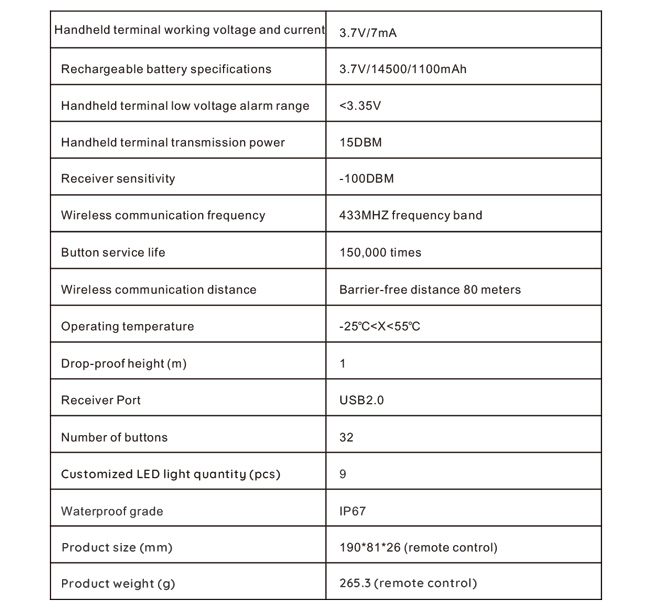
4. Specificații ale produsului
5.Prezentarea funcției produsului
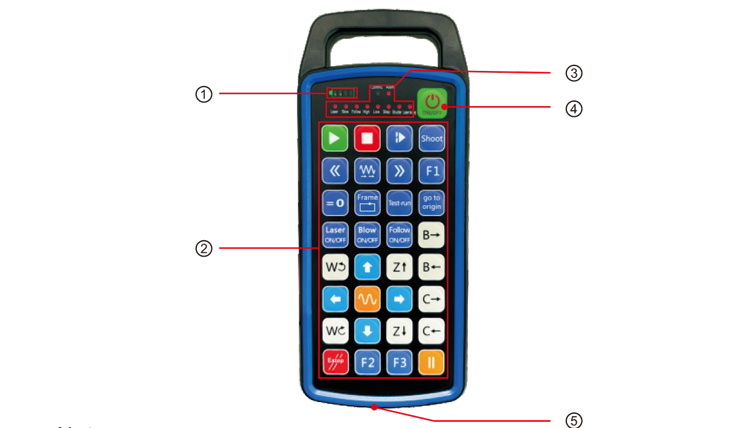
Note:
①Battery level display:
Se aprinde după pornire, se oprește după oprire;
Dacă indicatorul luminos al bateriei este doar de o bară și continuă să clipească, înseamnă
bateria este prea slabă. Vă rugăm să înlocuiți bateria;
Dacă luminile indicatoare ale bateriei sunt toate aprinse și celelalte lumini LED clipesc înapoi și
mai departe, înseamnă că bateria este foarte descărcată. Vă rugăm să înlocuiți bateria;
Dacă indicatorul bateriei nu se aprinde sau se stinge, iar dispozitivul nu poate fi
a început prin apăsarea lungă a butonului de pornire, va rog inlocuiti bateria;
②Button area:32 butoane dispuse in 4X8, programare definită de utilizator;
③Status LED:
COMMU: Indicator luminos pentru buton, se aprinde când butonul este apăsat și dispare
stinge când butonul este eliberat; alte lumini sunt afișaje personalizate;
④Power switch:
Apăsați lung pentru 3 secunde pentru a porni, apăsați lung pentru 3 secunde pentru a se opri;
⑤Charging port:
Utilizați încărcătorul de tip C pentru a încărca, tensiune de încărcare 5V, curent 1A-2A; încărcarea
timp 3-5 ore;
La încărcare, indicatorul de alimentare clipește, indicând că se încarcă. Când
complet încărcat, indicatorul de alimentare va afișa bara completă fără să clipească.
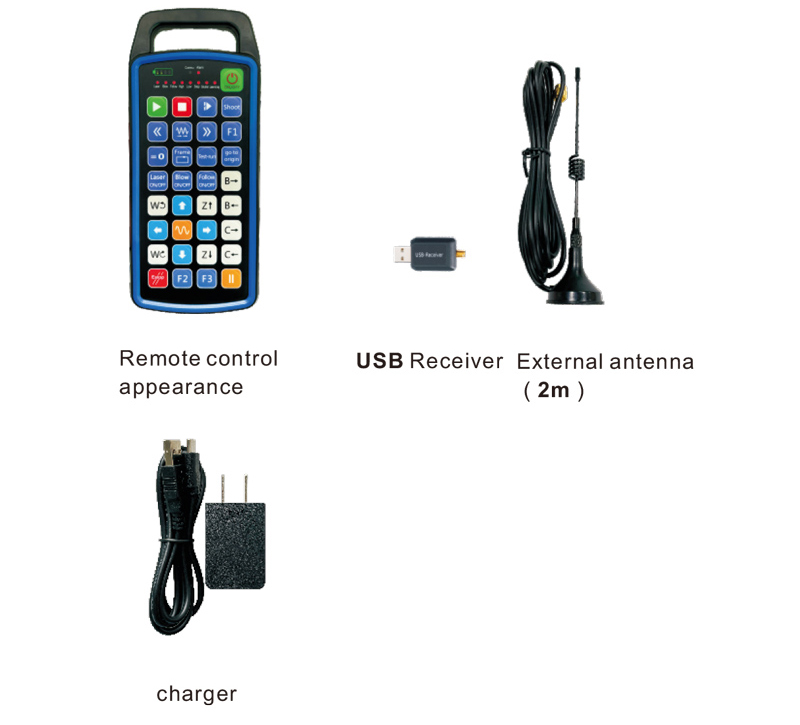
6.Diagrama de accesorii pentru produse
7.Ghid de instalare a produsului
1 . Am introdus receptorul USB în computer, computerul va fi automat
recunoașteți și instalați driverul de dispozitiv USB fără manual
2. Introduceți telecomanda în încărcător. După ce bateria este complet încărcată, presa
și țineți apăsat butonul de pornire pentru 3 secunde. Telecomanda se va porni și alimentarea
indicatorul se va aprinde, indicând faptul că pornirea a avut succes.
3. După pornire, puteți efectua orice operație de buton. Telecomanda
poate suporta operarea cu două butoane în același timp. Când apăsați orice buton, cel
Lumina COMMU de pe telecomandă se va aprinde, indicând faptul că acest buton este valid.
8.Instrucțiuni de utilizare a produsului
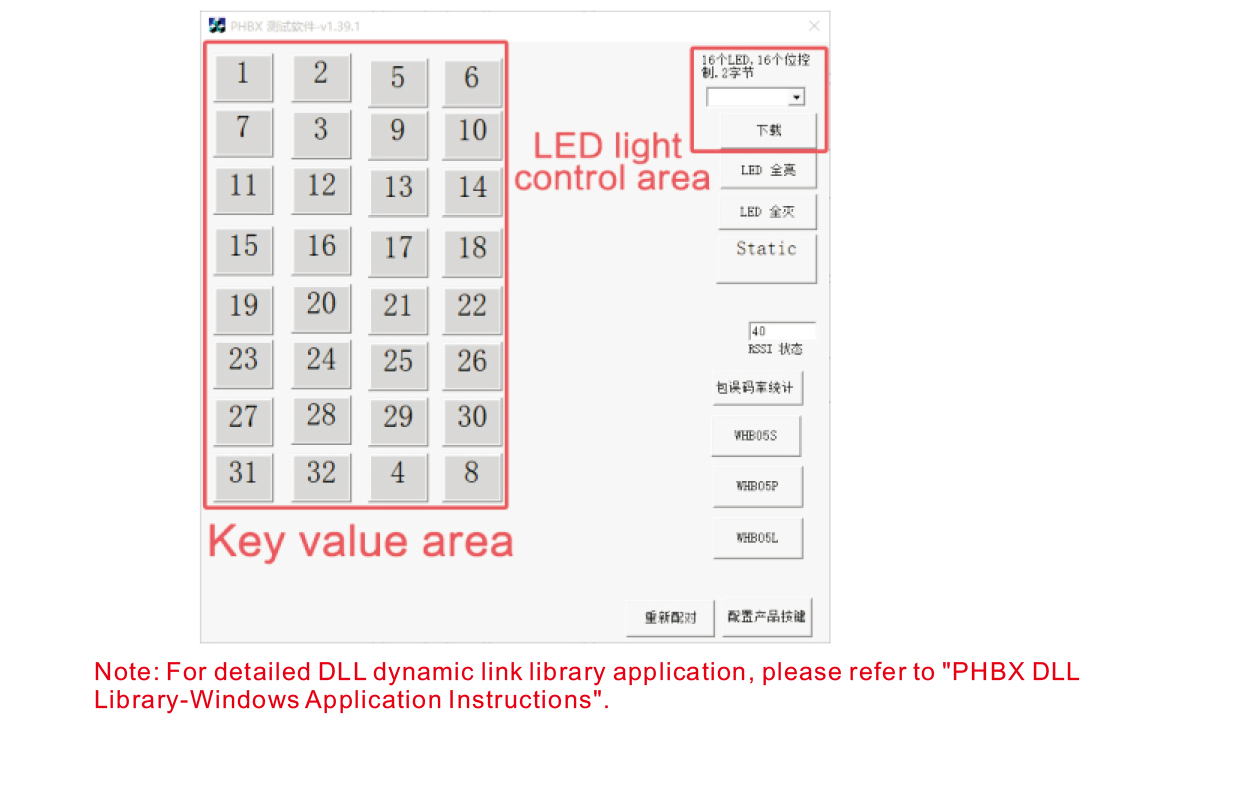
Înainte de dezvoltarea și utilizarea produsului, puteți folosi software-ul demonstrativ pe care îl oferim
testați butoanele de pe telecomandă și ledul de pe telecomandă. Puteți
utilizați, de asemenea, demonstrația ca rutină de referință pentru dezvoltarea viitoare de programare.
Înainte de a utiliza software-ul Demo, vă rugăm să conectați receptorul USB la computer,
asigurați-vă că telecomanda are suficientă putere, apăsați și mențineți apăsat butonul de pornire la t
urnează-l, și apoi folosește-l;
Când este apăsat orice buton de pe telecomandă, se va afișa demonstrația software-ului de testare
valoarea cheie corespunzătoare. După ce l-a eliberat, afișajul valorii cheie dispare,
indicând faptul că încărcarea cheii este normală;
De asemenea, puteți selecta numărul luminii LED din demonstrația software-ului de testare, faceți clic pe descărcare,
iar numărul luminos corespunzător de pe telecomandă se va aprinde, indicând faptul că
Lumina LED se descarcă normal.
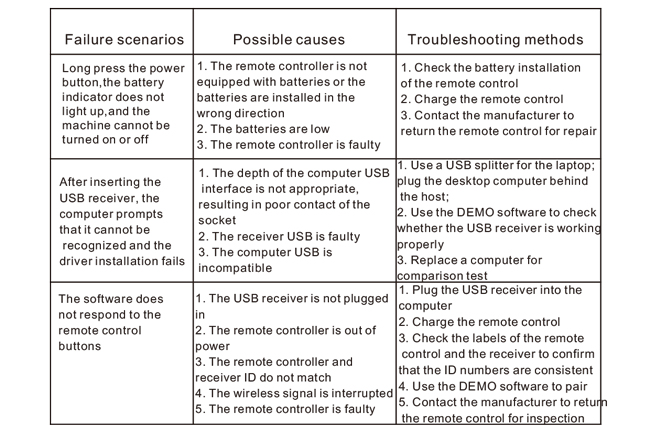
9.Depanarea produsului
10. Întreținere și îngrijire
1. Vă rugăm să-l utilizați într-un mediu uscat, cu temperatură și presiune normale pentru a se extinde
Viața serviciului;
2. Nu folosiți obiecte ascuțite pentru a atinge zona cheii pentru a prelungi durata de viață a cheii;
3. Vă rugăm să păstrați zona cheii curată pentru a reduce uzura cheii;
4. Evitați strângerea și căderea pentru a provoca deteriorarea telecomenzii;
5. Dacă nu este folosit de mult timp, vă rugăm să scoateți bateria și să păstrați telecomanda
și bateria într-un loc curat și sigur;
6. Acordați atenție rezistenței la umiditate în timpul depozitării și transportului.
11.Informații de siguranță
1. Vă rugăm să citiți cu atenție instrucțiunile înainte de utilizare. Non-profesioniștii sunt interzisați
operare.
2. Vă rugăm să utilizați încărcătorul original sau un încărcător produs de un producător obișnuit cu
aceleasi specificatii.
3. Vă rugăm să încărcați la timp pentru a evita operarea incorectă din cauza puterii insuficiente care cauzează
telecomanda să nu răspundă.
4. Dacă este necesară reparația, Vă rugăm să contactați producătorul. Dacă daunele sunt cauzate de auto-reparație,
Producătorul nu va oferi garanție.