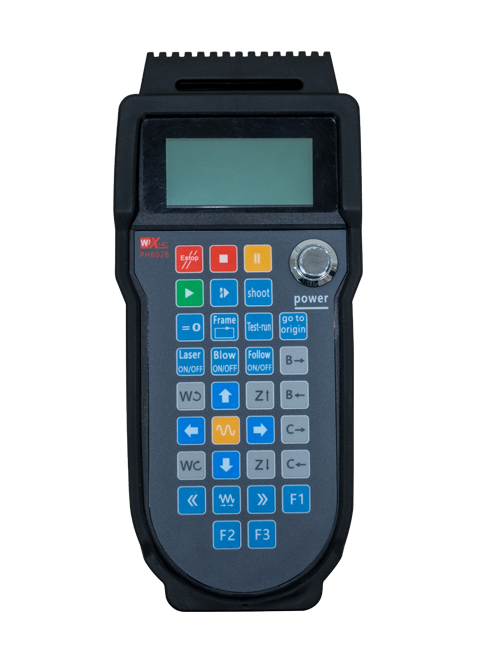
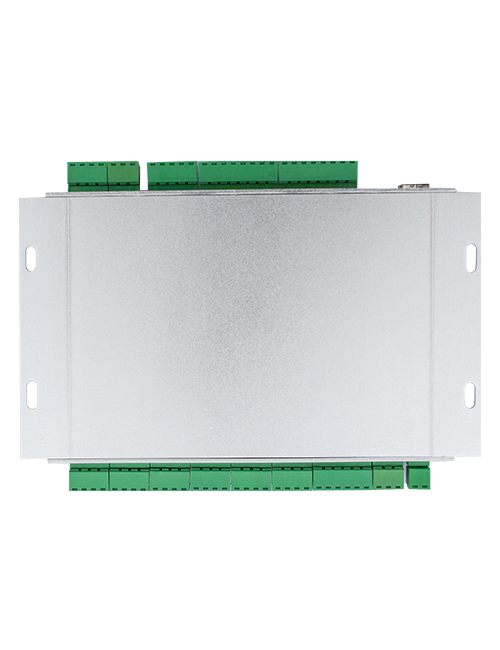
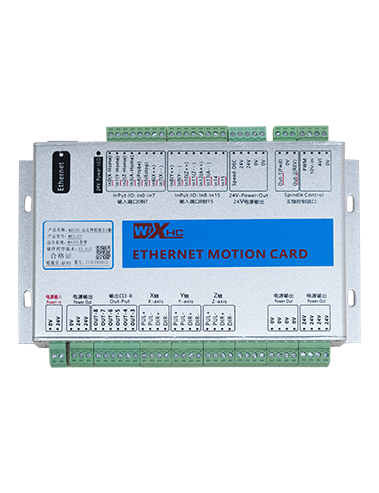
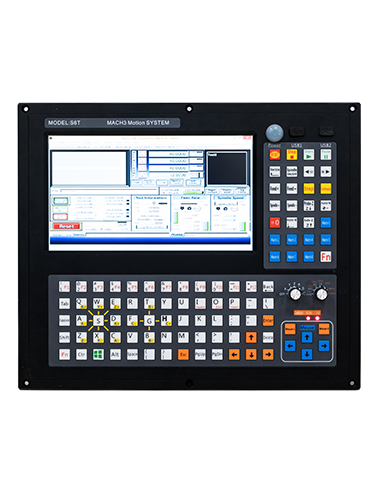
Тасвирӣ

1.Муқаддима
Wireless Remote Control is used for manual guidance, ҷойгузин, tool setting and other operations of CNC machine tools. Ин маҳсулот технологияи интиқоли бесимро қабул мекунад, аз байн бурдани сими анъанавии баҳорӣ, Кам кардани камбудиҳои таҷҳизоте, ки тавассути кабелҳо ба вуҷуд омадааст, бартараф намудани камбудихои кашондани кабел, доғҳои равғанӣ, ғайра., and is more convenient to operate.It is widely applicable to CNC machine tools such as gantry machining centers, gantry vertical lathes, and CNC gear processing machines, and is compatible with various mainstream CNC system brands on the market, including Siemens, Mitsubishi, Fanuc, Syntec and more.
2.Хусусиятҳои маҳсулот
1. Технологияи алоқаи бесими 433 МГс бо масофаи кори бесимро қабул мекунад 20 метр.
2.Гузариши басомади мутобиқшавӣ; 32 маҷмӯаҳои идоракунии дурдасти бесим метавонанд ҳамзамон бе дахолат истифода шаванд.
3.Supports the emergency stop button, and the emergency stop button remains effective even after the remote control is powered off.
4.Дастгирӣ мекунад 3 тугмаҳои фармоишӣ бо гузариш баромади сигнали IO.
5.Назорати 6-меҳвариро дастгирӣ мекунад, ва 7 ба назорати 12-меҳвар фармоишгари аст.
6. Назорати калонкунии 3-суръатро дастгирӣ мекунад, ва назорати васеъкунии 4-суръат фармоишӣ аст.
7.функсияи тугмаи фаъолро дастгирӣ мекунад, ки метавонад сигналҳои коммутатсионӣ IO баромад, ва инчунин интихоби меҳварро назорат кунед, калонкунӣ ва рамзгузор.
8.Тавассути нармафзор тағир додани навъи рамзгузории интихоб ва калонкунии меҳварро дастгирӣ мекунад.
9. Supports pulse encoder with specification of 100 импулсҳо барои як инқилоб.
10. Supports standard Type-C charging with 5V-2A charging specification; built-in battery
specification: 14500 / 1100мАч.
| Working Voltage and Current of Handheld Terminal |
3.7V/20.0mA |
| Charging Battery Specification |
3.7V/14500/1100mAh
|
| Low Voltage Alarm Range of Handheld Terminal |
<3.35V |
| Receiver Power Supply Voltage |
DC5V-24V/1A |
| Receiver Emergency Stop Output Load Range |
AC125V-1A / DC30V-2A |
| Receiver Enable Output Load Range |
AC125V-1A / DC30V-2A |
| Receiver Custom Button Output Load Range |
DC24V / 50ма
|
| Receiver Axis Selection Output Load Range |
DC24V / 50ма |
| Receiver magnification Output Load Range |
DC24V / 50ма |
| Handheld Terminal Transmit Power |
15dbm
|
| Қабулкунандае, ки ҳассосият мегирад |
-100dbm |
| Басомади бесим |
433Басомади басомади MHZ
|
| Wireless Communication Distance |
20 meters barrier-free distance
|
| Operating Temperature |
-25℃<Х<55℃ |
| Safe drop height |
1 м
|
| Number of Custom Buttons |
3
|
| Product Weight |
546.86(g) |
| Product Dimensions |
200*87*72(mm) |
4. Муқаддима Фаъолияти Маҳсулот

Киштиҳо:
① Emergency Stop Button:
Тугмаи қатъи фавқулоддаро пахш кунед, the two groups of emergency stop IO outputs on the receiver will disconnect, and all remote control functions will be invalidated.Release the emergency stop button, the emergency stop IO outputs on the receiver will be closed, and all remote control functions will be restored. Дар Илова, even if the remote control is powered off, pressing the emergency stop button can still activate the emergency stop IO output of the receiver.
② Enable Button:
Press either enable button on both sides, the two sets of enable IO outputs on the receiver will conduct. Release the enable button, and the enable IO outputs will disconnect. It is necessary to press and hold the enable button before toggling axis selection, magnification or rotating the remote control for the operation to take effect.This function can be canceled through the configuration software.
③ Axis Selection Switch (Power Switch):
Тугмаи Фондро пахш кунед ва нигоҳ доред, then toggling the axis selection switch can control the movement of axis .Press and hold the enable button, then toggle the axis selection switch to switch the motion axis controlled by the remote control. Toggle the switch from the OFF position to any axis position, and the remote control will power on automatically.
④ Pulse Encoder:
Press and hold the enable button and rotate the pulse encoder, it will output pulse signals to control the movement of the machine axis.
⑤ LCD Display Screen:

5. Product Accessories Diagram

6. Дастури насбкунии маҳсулот
6.1 Қадамҳои насби маҳсулот
1. Install the receiver in the electrical cabinet via the buckle on its back, or mount it inside the electrical cabinet through the screw holes at the four corners of the receiver.
2. Ба диаграммаи пайвасти қабулкунаки мо муроҷиат кунед, онро бо таҷҳизоти дар сайти худ муқоиса кунед, and connect the equipment to the receiver with cables.
3. After the receiver is fixed in place, install the supporting antenna of the receiver properly. Mount or place the outer end of the antenna outside the electrical cabinet. It is recommended to place it on the top of the electrical cabinet for optimal signal performance. Do not leave the antenna uninstalled or place it inside the electrical cabinet; тартиби дигаре, signal failure may occur.
4. Дар охир, turn on the remote control power switch, then you can remotely operate the machine via the remote control.
6.2 Receiver Installation Dimensions

7. Дастурҳои истифодаи маҳсулот
1. Қудрат дар мошин ва қабулкунанда. The receiver operation indicator flashes. After the wireless electronic remote control is fully charged, toggle it from the OFF gear to the X-axis gear, and the remote control display lights up.
2. Select the axis : Тугмаи Фондро пахш кунед ва нигоҳ доред, toggle the axis selection switch to select the axis to be operated.
3. Select the magnification: Тугмаи Фондро пахш кунед ва нигоҳ доред, toggle the magnification switch to select the required magnification gear.
4. Axis movement: Тугмаи Фондро пахш кунед ва нигоҳ доред, select the axis selection switch and the magnification switch, then rotate the pulse encoder. Rotate clockwise to move the axis in the positive direction, and rotate counterclockwise to move the axis in the negative direction.
5. Тугмаи фармоиширо пахш кунед ва доред, the corresponding button IO output of the receiver will turn on; release the button, and the output will turn off.
6. Тугмаи қатъи фавқулоддаро пахш кунед, the corresponding emergency stop IO output of the receiver disconnects and the remote control function becomes invalid. Release the emergency stop button, the emergency stop IO output closes and the remote control function is restored.
7. If the wireless remote control is not operated for a period of time, Он ба таври худкор ҳолати хобро барои кам кардани истеъмоли барқ ворид мекунад. It can be used normally again by pressing the enable button again.
8.If the wireless remote control is not used for a long time, turn the axis switch to OFF to turn off the power and extend battery life
8. Тасвири намунавии маҳсулот
①:UWGP stands for appearance style.
②:Pulse Output Parameters:
01: Нишон медиҳад, ки сигнали маҳсулоти пулии пул аст, Б; Шиддати пулии Пул; Миқдори Pulse 100pr.
02: Нишон медиҳад, ки сигнали маҳсулоти пулии пул аст, Б; Шиддати пулии пул 12V; pulse quantity 25PPR.
03: Нишон медиҳад, ки сигнали маҳсулоти пулии пул аст, Б, А -, Б -; Шиддати пулии Пул; Миқдори Pulse 100pr.
04: Натиҷаи НАЗИ НАВИ НАВИ НАВИ НАВ, бо аломатҳои баромади Pulse A ва B; The number of pulses is 100PPR.
05: Нишони баровардани SNP-ро нишон медиҳад, бо аломатҳои баромади Pulse A ва B; Шумораи импулсҳо 100pr.
③:Represents the axis selection switch quantity; 6 stands for 6 меҳвар, 7 stands for 7 меҳвар, and so on.
④: Represents the signal type of the axis selection switch.A stands for point-to-point output signal, and B stands for encoder output signal.
⑤: Represents the signal type of the magnification switch.A stands for point-to-point output signal, and B stands for encoder output signal.
⑥: Шумораи тугмаҳои фармоиширо ифода мекунад; 3 corresponds to 6 Тугмаҳои фармоишӣ.
⑦: Represents the power supply for the system remote control. 05 stands for 5V power supply, ва 24 stands for 24V power supply.
⑧: Represents the contact charging mode. It starts charging automatically when placed back on the charging base.
9. Бартараф кардани мушкилоти маҳсулот

10. Maintenance and upkeep
1. Лутфан онро дар муҳити хушк дар ҳарорати хонагӣ ва фишор барои дароз кардани мӯҳлати хидматаш истифода баред.
2. Please avoid using in abnormal environments such as rain and water to extend the service life.
3. Please keep the appearance of the remote control clean to extend its service life.
4. Please avoid crushing, dropping, or bumping, ғайра. to prevent damage to the precision components inside the remote control or accuracy errors.
5. Агар муддати дароз истифода нашавад, please store the remote control in a clean and safe place.
6. Avoid moisture and shock during storage and transportation.
11. Маълумоти бехатарӣ
1. Лутфан дастурҳоро бодиққат пеш аз истифода ва манъ кардани мутахассисон аз кор таъмин кунед.
2. Please charge the remote control in a timely manner when the battery level is too low, to avoid malfunction and operational errors caused by insufficient power.
3. If you repair it yourself and cause damage, the warranty will be void.