تفصیل

1.مصنوعات کا تعارف
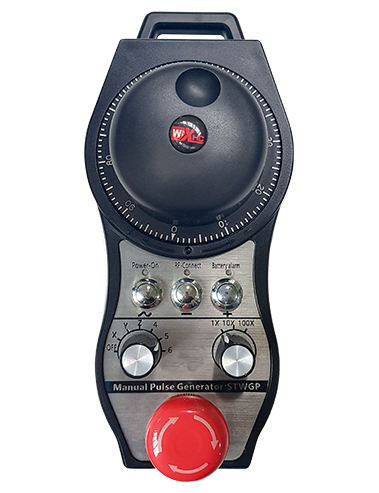
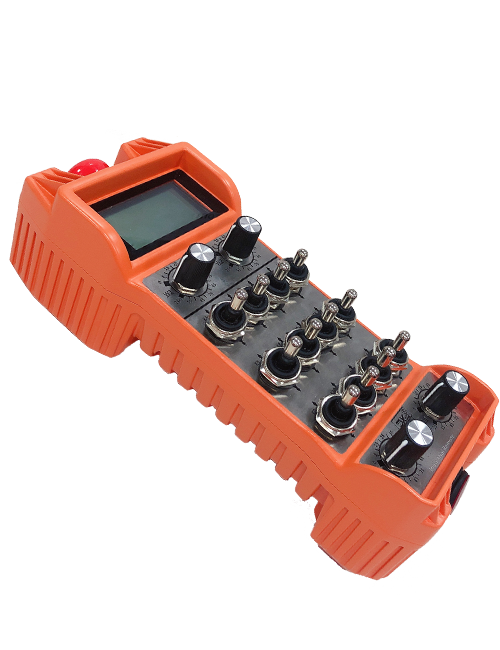
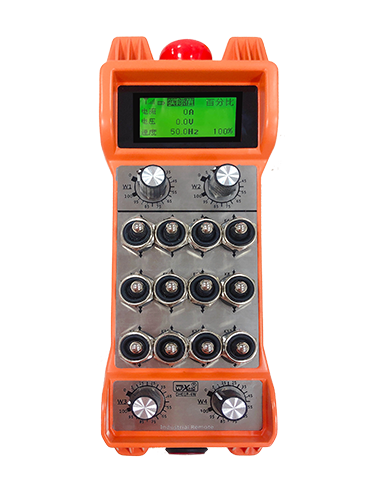
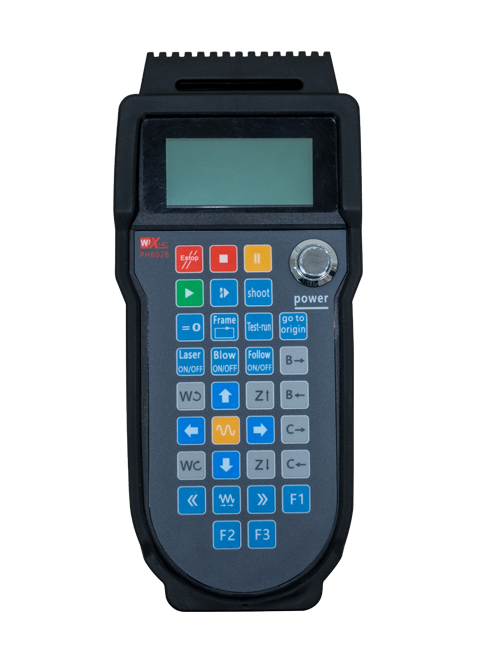
Wireless Remote Control is used for manual guidance, پوزیشننگ, tool setting and other operations of CNC machine tools. یہ پروڈکٹ وائرلیس ٹرانسمیشن ٹکنالوجی کو اپناتا ہے, روایتی موسم بہار کے تار کنکشن کو ختم کرنا, کیبلز کی وجہ سے سامان کی ناکامیوں کو کم کرنا, کیبل گھسیٹنے کے نقصانات کو ختم کرنا, تیل کے داغ, وغیرہ۔, and is more convenient to operate.It is widely applicable to CNC machine tools such as gantry machining centers, gantry vertical lathes, and CNC gear processing machines, and is compatible with various mainstream CNC system brands on the market, including Siemens, دوستسبشی, Fanuc, Syntec and more.
2.مصنوعات کی خصوصیات
1. Adopts 433MHz wireless communication technology with a wireless operating distance of 20 میٹر.
2.Adaptive frequency hopping; 32 sets of wireless remote controls can be used simultaneously without interference.
3.Supports the emergency stop button, and the emergency stop button remains effective even after the remote control is powered off.
4.سپورٹ 3 custom buttons with switching IO signal output.
5.Supports 6-axis control, اور 7 to 12-axis control is customizable.
6. Supports 3-speed magnification control, and 4-speed magnification control is customizable.
7.supports the enable button function, which can output switching IO signals, and also control axis selection, magnification and encoder.
8.Supports modifying the encoding type of axis selection and magnification via software.
9. Supports pulse encoder with specification of 100 دالیں فی انقلاب.
10. Supports standard Type-C charging with 5V-2A charging specification; built-in battery
specification: 14500 / 1100مہ.
| Working Voltage and Current of Handheld Terminal |
3.7V/20.0mA |
| Charging Battery Specification |
3.7V/14500/1100mAh
|
| Low Voltage Alarm Range of Handheld Terminal |
<3.35وی |
| Receiver Power Supply Voltage |
DC5V-24V/1A |
| Receiver Emergency Stop Output Load Range |
AC125V-1A/DC30V-2A |
| Receiver Enable Output Load Range |
AC125V-1A/DC30V-2A |
| Receiver Custom Button Output Load Range |
DC24V/50MA
|
| Receiver Axis Selection Output Load Range |
DC24V/50MA |
| Receiver magnification Output Load Range |
DC24V/50MA |
| Handheld Terminal Transmit Power |
15ڈی بی ایم
|
| وصول کنندہ حساسیت حاصل کرنا |
-100ڈی بی ایم |
| وائرلیس مواصلات کی فریکوئنسی |
433میگاہرٹز فریکوینسی بینڈ
|
| Wireless Communication Distance |
20 meters barrier-free distance
|
| Operating Temperature |
-25℃<x<55℃ |
| Safe drop height |
1 م
|
| Number of Custom Buttons |
3
|
| Product Weight |
546.86(g) |
| Product Dimensions |
200*87*72(ایم ایم) |
4. پروڈکٹ فنکشن کا تعارف

نوٹ:
① Emergency Stop Button:
ایمرجنسی اسٹاپ بٹن دبائیں, the two groups of emergency stop IO outputs on the receiver will disconnect, and all remote control functions will be invalidated.Release the emergency stop button, the emergency stop IO outputs on the receiver will be closed, and all remote control functions will be restored. اس کے علاوہ, even if the remote control is powered off, pressing the emergency stop button can still activate the emergency stop IO output of the receiver.
② Enable Button:
Press either enable button on both sides, the two sets of enable IO outputs on the receiver will conduct. Release the enable button, and the enable IO outputs will disconnect. It is necessary to press and hold the enable button before toggling axis selection, magnification or rotating the remote control for the operation to take effect.This function can be canceled through the configuration software.
③ Axis Selection Switch (Power Switch):
دبائیں اور قابل بٹن کو تھامیں, then toggling the axis selection switch can control the movement of axis .Press and hold the enable button, then toggle the axis selection switch to switch the motion axis controlled by the remote control. Toggle the switch from the OFF position to any axis position, and the remote control will power on automatically.
④ Pulse Encoder:
Press and hold the enable button and rotate the pulse encoder, it will output pulse signals to control the movement of the machine axis.
⑤ LCD Display Screen:

5. Product Accessories Diagram

6. پروڈکٹ انسٹالیشن گائیڈ
6.1 مصنوعات کی تنصیب کے اقدامات
1. Install the receiver in the electrical cabinet via the buckle on its back, or mount it inside the electrical cabinet through the screw holes at the four corners of the receiver.
2. ہمارے وصول کنندہ وائرنگ آریھ کا حوالہ دیں, اس کا موازنہ اپنے سائٹ کے سامان سے کریں, and connect the equipment to the receiver with cables.
3. After the receiver is fixed in place, install the supporting antenna of the receiver properly. Mount or place the outer end of the antenna outside the electrical cabinet. It is recommended to place it on the top of the electrical cabinet for optimal signal performance. Do not leave the antenna uninstalled or place it inside the electrical cabinet; otherwise, signal failure may occur.
4. آخر میں, turn on the remote control power switch, then you can remotely operate the machine via the remote control.
6.2 Receiver Installation Dimensions

6.3 وصول کنندہ وائرنگ ریفرنس ڈایاگرام
7. پروڈکٹ آپریشن کی ہدایات
1. مشین اور وصول کنندہ پر بجلی. The receiver operation indicator flashes. After the wireless electronic remote control is fully charged, toggle it from the OFF gear to the X-axis gear, and the remote control display lights up.
2. Select the axis : دبائیں اور قابل بٹن کو تھامیں, toggle the axis selection switch to select the axis to be operated.
3. Select the magnification: دبائیں اور قابل بٹن کو تھامیں, toggle the magnification switch to select the required magnification gear.
4. Axis movement: دبائیں اور قابل بٹن کو تھامیں, select the axis selection switch and the magnification switch, then rotate the pulse encoder. Rotate clockwise to move the axis in the positive direction, and rotate counterclockwise to move the axis in the negative direction.
5. کسی بھی کسٹم بٹن کو دبائیں اور تھامیں, the corresponding button IO output of the receiver will turn on; release the button, and the output will turn off.
6. ایمرجنسی اسٹاپ بٹن دبائیں, the corresponding emergency stop IO output of the receiver disconnects and the remote control function becomes invalid. Release the emergency stop button, the emergency stop IO output closes and the remote control function is restored.
7. If the wireless remote control is not operated for a period of time, بجلی کی کھپت کو کم کرنے کے لئے یہ خود بخود نیند کے موڈ میں داخل ہوجائے گا. It can be used normally again by pressing the enable button again.
8.If the wireless remote control is not used for a long time, turn the axis switch to OFF to turn off the power and extend battery life
①:UWGP stands for appearance style.
②:Pulse Output Parameters:
01: اشارہ کرتا ہے کہ پلس آؤٹ پٹ سگنل ایک ہے, بی; پلس وولٹیج 5V; نبض کی مقدار 100ppr.
02: اشارہ کرتا ہے کہ پلس آؤٹ پٹ سگنل ایک ہے, بی; پلس وولٹیج 12v; pulse quantity 25PPR.
03: اشارہ کرتا ہے کہ پلس آؤٹ پٹ سگنل ایک ہے, بی, a -, بی -; پلس وولٹیج 5V; نبض کی مقدار 100ppr.
04: ایک نچلی سطح کے NPN اوپن سرکٹ آؤٹ پٹ کی نشاندہی کرتا ہے, A اور B کے نبض آؤٹ پٹ سگنلز کے ساتھ; The number of pulses is 100PPR.
05: اعلی سطحی PNP ماخذ آؤٹ پٹ کی نشاندہی کرتا ہے, A اور B کے نبض آؤٹ پٹ سگنلز کے ساتھ; دالوں کی تعداد 100 پی پی آر ہے.
③:Represents the axis selection switch quantity; 6 stands for 6 محور, 7 stands for 7 محور, and so on.
④: Represents the signal type of the axis selection switch.A stands for point-to-point output signal, and B stands for encoder output signal.
⑤: Represents the signal type of the magnification switch.A stands for point-to-point output signal, and B stands for encoder output signal.
⑥: کسٹم بٹنوں کی تعداد کی نمائندگی کرتا ہے; 3 corresponds to 6 کسٹم بٹن.
⑦: Represents the power supply for the system remote control. 05 stands for 5V power supply, اور 24 stands for 24V power supply.
⑧: Represents the contact charging mode. It starts charging automatically when placed back on the charging base.
9. پروڈکٹ کی خرابیوں کا سراغ لگانا

10. Maintenance and upkeep
1. براہ کرم اسے خشک ماحول میں کمرے کے درجہ حرارت اور اس کی خدمت کی زندگی کو بڑھانے کے لئے دباؤ پر استعمال کریں.
2. Please avoid using in abnormal environments such as rain and water to extend the service life.
3. Please keep the appearance of the remote control clean to extend its service life.
4. Please avoid crushing, dropping, or bumping, وغیرہ. to prevent damage to the precision components inside the remote control or accuracy errors.
5. اگر ایک طویل وقت کے لئے استعمال نہیں کیا گیا ہے, please store the remote control in a clean and safe place.
6. Avoid moisture and shock during storage and transportation.
11. حفاظت سے متعلق معلومات
1. براہ کرم استعمال سے پہلے ہدایات کو احتیاط سے پڑھیں اور غیر پیشہ ور افراد کو آپریٹنگ سے منع کریں.
2. Please charge the remote control in a timely manner when the battery level is too low, to avoid malfunction and operational errors caused by insufficient power.
3. If you repair it yourself and cause damage, the warranty will be void.