描述

1.產品介紹
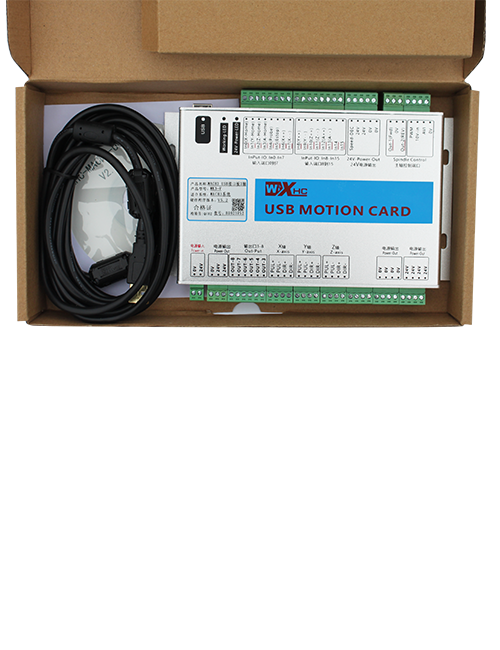
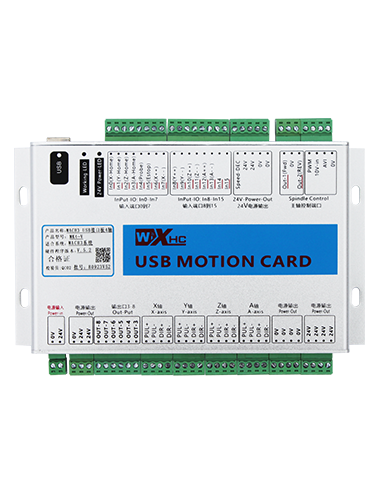
Wireless Remote Control is used for manual guidance, 定位, tool setting and other operations of CNC machine tools. 本產品採用無線傳輸技術, 消除傳統彈簧線連接, 減少電纜引起嘅設備故障, 消除電纜拖曳嘅缺點, 油污, 等等。, and is more convenient to operate.It is widely applicable to CNC machine tools such as gantry machining centers, gantry vertical lathes, and CNC gear processing machines, and is compatible with various mainstream CNC system brands on the market, including Siemens, 三菱, 法恩, Syntec and more.
2.產品功能
1. 採用 433MHz 無線通訊技術,無線操作距離為 … 20 米.
2.自適應頻率跳躍; 32 一套無線遙控器可以同時使用,唔會有干擾.
3.Supports the emergency stop button, and the emergency stop button remains effective even after the remote control is powered off.
4.支持 3 自訂按鈕,有切換 IO 訊號輸出.
5.支援 6 軸控制, 同 7 到12軸控制係可以自訂嘅.
6. 支援 3 段放大率控制, 同埋4速放大控制係可以自訂嘅.
7.支援啟用按鈕功能, 可以輸出開關 IO 訊號, 同埋控制軸嘅選擇, 放大倍率同編碼器.
8.支援透過軟件修改軸選擇同放大嘅編碼類型.
9. Supports pulse encoder with specification of 100 每轉脈衝.
10. Supports standard Type-C charging with 5V-2A charging specification; built-in battery
specification: 14500 / 1100mAh.
| Working Voltage and Current of Handheld Terminal |
3.7V/20.0mA |
| Charging Battery Specification |
3.7V/14500/1100mAh
|
| Low Voltage Alarm Range of Handheld Terminal |
<3.35V |
| Receiver Power Supply Voltage |
DC5V-24V/1A |
| Receiver Emergency Stop Output Load Range |
交流電125V-1A/直流30V-2A |
| Receiver Enable Output Load Range |
交流電125V-1A/直流30V-2A |
| Receiver Custom Button Output Load Range |
直流24V / 50mA
|
| Receiver Axis Selection Output Load Range |
直流24V / 50mA |
| Receiver magnification Output Load Range |
直流24V / 50mA |
| Handheld Terminal Transmit Power |
15dBm
|
| 接收器接收敏感度 |
-100dBm |
| 無線通訊頻率 |
433MHz 頻段
|
| Wireless Communication Distance |
20 meters barrier-free distance
|
| Operating Temperature |
-25℃<X<55℃ |
| Safe drop height |
1 m
|
| Number of Custom Buttons |
3
|
| Product Weight |
546.86(g) |
| Product Dimensions |
200*87*72⋯ ⋯ mm ) |
4. 產品功能介紹

筆記:
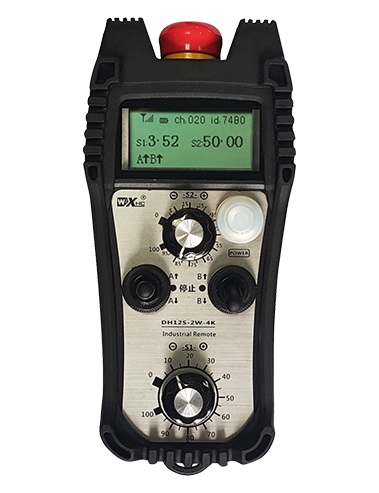
① Emergency Stop Button:
按緊急停止按鈕, the two groups of emergency stop IO outputs on the receiver will disconnect, and all remote control functions will be invalidated.Release the emergency stop button, the emergency stop IO outputs on the receiver will be closed, and all remote control functions will be restored. 加上, even if the remote control is powered off, pressing the emergency stop button can still activate the emergency stop IO output of the receiver.
② Enable Button:
Press either enable button on both sides, the two sets of enable IO outputs on the receiver will conduct. Release the enable button, and the enable IO outputs will disconnect. It is necessary to press and hold the enable button before toggling axis selection, magnification or rotating the remote control for the operation to take effect.This function can be canceled through the configuration software.
③ Axis Selection Switch (Power Switch):
按住啟用掣, then toggling the axis selection switch can control the movement of axis .Press and hold the enable button, then toggle the axis selection switch to switch the motion axis controlled by the remote control. Toggle the switch from the OFF position to any axis position, and the remote control will power on automatically.
④ Pulse Encoder:
Press and hold the enable button and rotate the pulse encoder, it will output pulse signals to control the movement of the machine axis.
⑤ LCD Display Screen:

5. Product Accessories Diagram

6. 產品安裝指南
6.1 產品安裝步驟
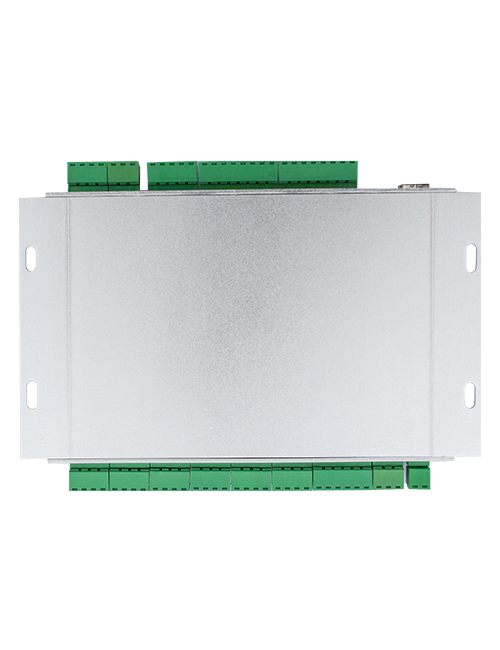
1. Install the receiver in the electrical cabinet via the buckle on its back, or mount it inside the electrical cabinet through the screw holes at the four corners of the receiver.
2. 請參閱我哋嘅接收器接線圖, 將佢同你嘅現場設備比較, and connect the equipment to the receiver with cables.
3. After the receiver is fixed in place, install the supporting antenna of the receiver properly. Mount or place the outer end of the antenna outside the electrical cabinet. It is recommended to place it on the top of the electrical cabinet for optimal signal performance. Do not leave the antenna uninstalled or place it inside the electrical cabinet; 否則, signal failure may occur.
4. 最終, turn on the remote control power switch, then you can remotely operate the machine via the remote control.
6.2 Receiver Installation Dimensions

7. 產品營運指示
1. 開機器同接收器嘅電源. The receiver operation indicator flashes. After the wireless electronic remote control is fully charged, toggle it from the OFF gear to the X-axis gear, and the remote control display lights up.
2. Select the axis : 按住啟用掣, toggle the axis selection switch to select the axis to be operated.
3. Select the magnification: 按住啟用掣, toggle the magnification switch to select the required magnification gear.
4. Axis movement: 按住啟用掣, select the axis selection switch and the magnification switch, then rotate the pulse encoder. Rotate clockwise to move the axis in the positive direction, and rotate counterclockwise to move the axis in the negative direction.
5. 按住任何自訂掣, the corresponding button IO output of the receiver will turn on; release the button, and the output will turn off.
6. 按緊急停止按鈕, the corresponding emergency stop IO output of the receiver disconnects and the remote control function becomes invalid. Release the emergency stop button, the emergency stop IO output closes and the remote control function is restored.
7. If the wireless remote control is not operated for a period of time, 佢會自動進入睡眠模式嚟減少功耗. It can be used normally again by pressing the enable button again.
8.If the wireless remote control is not used for a long time, turn the axis switch to OFF to turn off the power and extend battery life
①:UWGP stands for appearance style.
②:Pulse Output Parameters:
01: 表示脈衝輸出信號為 A, B; 脈衝電壓 5V; 脈衝量 100PPR.
02: 表示脈衝輸出信號為 A, B; 脈衝電壓 12V; pulse quantity 25PPR.
03: 表示脈衝輸出信號為 A, B, 一 -, B -; 脈衝電壓 5V; 脈衝量 100PPR.
04: 表示低層次 NPN 開放電路輸出, 有脈搏輸出訊號 A 及 B; The number of pulses is 100PPR.
05: 表示高層次 PNP 源輸出, 有脈搏輸出訊號 A 及 B; 脈衝數量為 100PPR.
③:Represents the axis selection switch quantity; 6 stands for 6 軸, 7 stands for 7 軸, and so on.
④: Represents the signal type of the axis selection switch.A stands for point-to-point output signal, and B stands for encoder output signal.
⑤: Represents the signal type of the magnification switch.A stands for point-to-point output signal, and B stands for encoder output signal.
⑥: 代表自訂掣嘅數量; 3 corresponds to 6 自訂掣.
⑦: Represents the power supply for the system remote control. 05 stands for 5V power supply, 同 24 stands for 24V power supply.
8: Represents the contact charging mode. It starts charging automatically when placed back on the charging base.
9. 產品故障排除

10. Maintenance and upkeep
1. 請於室溫下乾燥環境及壓力,延長使用壽命.
2. Please avoid using in abnormal environments such as rain and water to extend the service life.
3. Please keep the appearance of the remote control clean to extend its service life.
4. Please avoid crushing, dropping, or bumping, 等等. to prevent damage to the precision components inside the remote control or accuracy errors.
5. 如果唔用好耐, please store the remote control in a clean and safe place.
6. Avoid moisture and shock during storage and transportation.
11. 安全資訊
1. 使用前請仔細閱讀指示,並禁止非專業人士運作.
2. Please charge the remote control in a timely manner when the battery level is too low, to avoid malfunction and operational errors caused by insufficient power.
3. If you repair it yourself and cause damage, the warranty will be void.