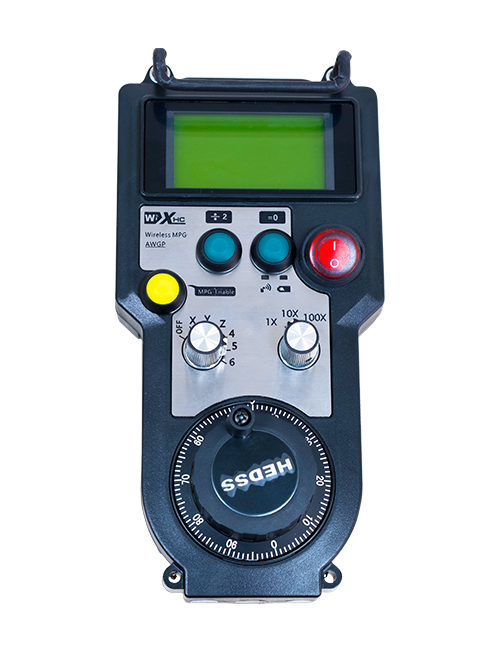
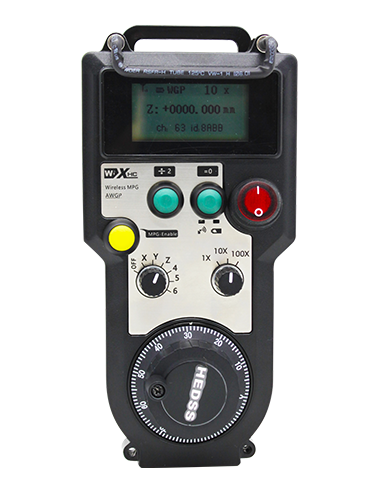
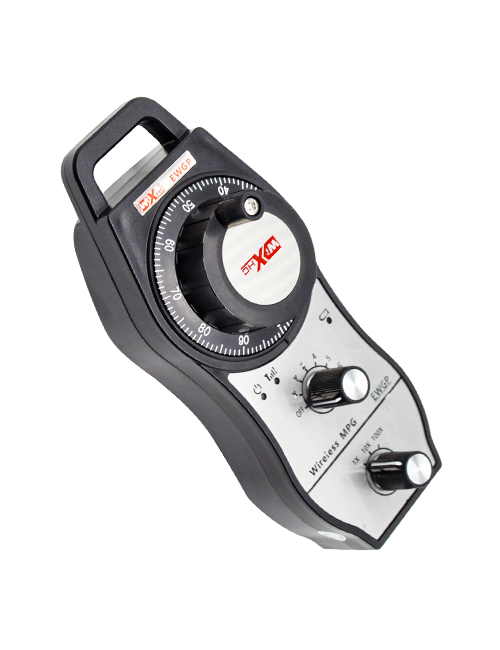
Ndhukung 2 Tombol Customizable, Kanthi output sinyal-jinis-jinis;
Ndhukung -2 Kontrol Axis;
Ndhukung kontrol bebaya 3 level;


1.Pambuka Produk
2. Fitur fungsi produk
| Tegangan operasi lan arus remot nirkabel |
3V/14MA
|
| Spesifikasi baterei | 2 baterei AA alkalin, ukuran 5 |
| Rentang weker tegangan rendah remote nirkabel | < 2.3V |
| Voltase penerus listrik | DC5V-24V/A |
| Receiver darurat mandeg sawetara beban output | AC125V-1A/DC30V-2A |
| Receiver mbisakake sawetara beban output |
AC125V-1A/DC30V-2A
|
| Rentang beban output tombol khusus panrima | DC24V/50mA |
| Rentang beban output sumbu panrima | DC24V/50mA |
| Rentang beban output pembesaran panrima | DC24V/50mA |
| Daya transmisi terminal genggam |
15dBm
|
| Receiver nampa sensitivitas | -100dBm |
| Frekuensi komunikasi nirkabel | 433Pita frekuensi MHz |
| Jarak komunikasi nirkabel | Jarak bebas alangan saka 40 meter |
| Suhu operasi | -25℃ < X < 55℃ |
| Dhuwur anti tiba | 1 (meter) |
| Jumlah tombol khusus | 2 |


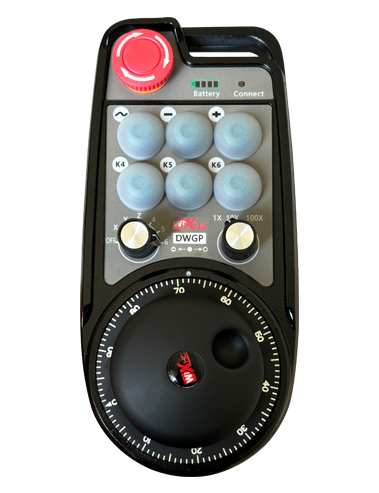
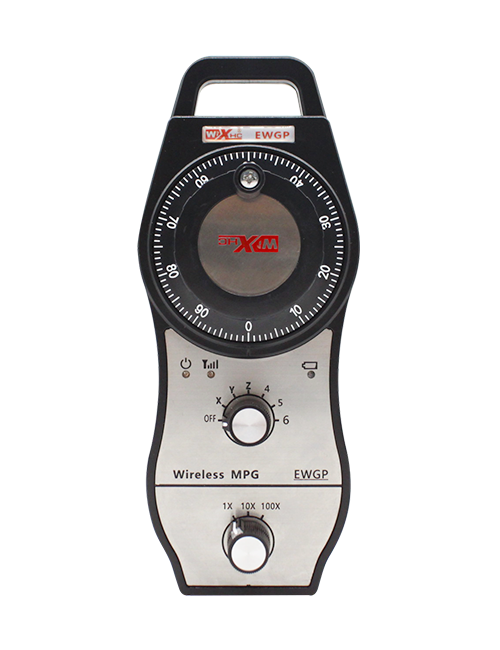
① Pulse encoder:
Pencet terus tombol Aktifake, goyangake encoder pulsa, emit sinyal pulsa,lan ngontrol gerakan sumbu mesin.
② Enable button:
Pencet salah siji tombol aktif ing salah siji sisih, lan loro set ngaktifake output IO ing panrima bakal tumindak. Bukak tombol ngaktifake kanggo medhot output ngaktifake IO; Lan sadurunge ngoper magnification pilihan sumbu lan goyang handwheel,tombol ngaktifake kudu dicekel mudhun kanggo dadi efektif; Fungsi iki bisa dibatalake liwat piranti lunak konfigurasi.
③ Indicator lights:
Lampu sisih kiwa: daya ing cahya,handwheel nggunakake sumbu kanggo milih OFF kanggo daya ing, lan lampu iki tetep urip sawise daya urip;
Cahya tengah: lampu sinyal sing murup nalika ngoperasikake sembarang fungsi saka handwheel, lan ora murup nalika ora ana operasi;
Lampu sisih tengen: Lampu Lampu Voltase Low, tingkat baterei kurang,lampu iki sumunar utawa tetep urip, baterei kudu diganti.
④ Emergency stop button:
Pencet tombol mandeg darurat, lan rong set darurat mandhegake outputs ing panrima bakal dipotong, Lan kabeh fungsi tangan tangan bakal ora bener.
⑤ Magnification switch:
Pencet terus tombol aktifake kanggo ngalih saklar pembesaran, kang bisa ngalih magnification kontrol dening handwheel.
⑥ Axis selection switch (switch daya):
Pencet terus tombol ngaktifake kanggo ngalih saklar pilihan sumbu, kang bisa ngalih sumbu gerakan kontrol dening handwheel. Ganti switch iki saka OFF menyang sumbu apa wae lan uripake daya setir.
⑦ Custom button:
Loro tombol khusus, Saben cocog karo titik output io ing panrima.

1. Pasang panrima menyang kabinet listrik liwat gesper ing mburi, utawa nginstal menyang kabinèt liwat bolongan meneng ing papat sudhut panrima.
2. Rujuk diagram panrima wiring kita lan mbandhingake karo peralatan ing situs sampeyan. Sambungake peralatan menyang panrima liwat kabel.
3.Sawise panrima wis didandani kanthi bener, Antena sing dilengkapi karo panrima kudu nyambung, lan mburi njaba antena kudu dipasang utawa diselehake ing njaba kabinet listrik. Apike kanggo nyelehake ing ndhuwur kabinet listrik kanggo efek sinyal paling apik. Dilarang ninggalake antena ora disambungake utawa dilebokake ing lemari listrik, amarga iki bisa nyebabake sinyal ora bisa digunakake.
4. Pungkasane, nguripake saklar daya saka handwheel, lan sampeyan bisa operate mesin mbatalake nggunakake handwheel.
6.2 Ukuran Instalasi Panampa

6.3 Diagram referensi wiring wiring panrima

7. Pandhuan operasi produk
1. Daya ing mesin lan panrima. The receiver’s working indicator light flashes. Pasang baterei ing roda tangan elektronik nirkabel, ngamanake tutup baterei, lan
nguripake saklar daya setir elektronik nirkabel. The handwheel’s battery level indicator light is on.
2. Pilih sumbu koordinat: Pencet terus tombol Aktifake, ngalih saklar pilihan sumbu, lan pilih sumbu sing pengin digunakake.
3. Pilih Magnifikasi: Pencet terus tombol Aktifake, ngalih saklar pembesaran,lan pilih tingkat perbesaran sing dikarepake.
4. Ngalih sumbu: Pencet terus tombol Aktifake, Pilih switch pilihan AXIS pilihan, Pilih switch pembahagi, banjur muter encoder pulsa. Puter searah jarum jam kanggo mindhah
sumbu positif lan counterclockwise kanggo mindhah sumbu negatif.
5. Pencet terus tombol apa wae, lan tombol cocog IO output panrima bakal diuripake. Ngeculake tombol, lan output bakal dipateni.
6. Pencet tombol mandeg darurat, output Io sing cocog karo panampa sing cocog karo panampa bakal dipotong, Fungsi handwheel bakal dipatèni,Rilis tombol mandeg darurat, output io mandheg darurat bakal ditutup, lan fungsi handwheel bakal dibalekake.
7. Yen handwheel ora dilakokno sajrone wektu, bakal kanthi otomatis mlebu mode turu kanggo nyuda konsumsi daya. Yen digunakake maneh, handwheel bisa diaktifake kanthi mencet tombol aktif.
8. Yen tangan tangan ora digunakake kanggo wektu sing suwe, dianjurake kanggo ngalih poros handwheel menyang posisi OFF, mateni kekuwatan tangan, lan ngluwihi umur baterei.
8. Katrangan Model Produk

① :ZTWGP nggambarake gaya tampilan
②:Parameter output pulsa:
01: Nuduhake yen sinyal output pulsa yaiku A, B; Pulsa voltase 5V; jumlah pulsa 100PPR.
02:Nuduhake yen sinyal output pulsa yaiku A lan B; Tegangan pulsa 12 V; jumlah pulsa 100PPR.
03:Nuduhake yen sinyal output pulsa yaiku A, B, A -, B -; Pulsa voltase 5V; jumlah pulsa 100PPR.
04:Nuduhake output sirkuit sing kurang murah, Kanthi sinyal output pulsa saka A lan B;Jumlah pulsa yaiku 100PPR.
05:Nuduhake output sumber PNP sing dhuwur, Kanthi sinyal output pulsa saka A lan B; Jumlah pulsa yaiku 100PPR.
③:Makili nomer saklar pilihan sumbu, 2 nggantosi 2 Axes.
④:Nggantosi jinis sinyal switch pilihan sumbu, A nggambarake sinyal output output titik-titik, lan B nggantosi sinyal output.
⑤:Nggantosi jinis sinyal ngalih multiplikasi, A nggambarake sinyal output output titik-titik, lan B nggantosi sinyal output.
⑥:Nggantosi nomer tombol khusus, 2 nggantosi 2 Kancing Custom.
⑦:Nggantosi sumber daya kanggo handwheel sistem, lan 05 makili sumber daya 5v.
⑧:L nggantosi kolom kiwa (wadhah piso kiwa), lan R nggantosi kolom tengen (wadhah piso tengen).
9.Solusi kanggo Malfunctions Product

1. Mangga nggunakake ing lingkungan garing ing suhu kamar lan tekanan kanggo ngluwihi layanan.
2. Aja nggunakake ing lingkungan sing ora normal kayata udan lan banyu kanggo ngluwihi layanan layanan kasebut.
3. Mangga tansah munculna tangan tangan ngresiki kanggo njaga uripe.
4. Aja nganti nyepelekake, Mudhun, nabrak, lsp. Kanggo nyegah karusakan ing komponen presisi ing tangan utawa akurasi akurasi.
5. Yen ora digunakake kanggo wektu sing suwe, Mangga simpen tangan ing papan sing resik lan aman. Sajrone panyimpenan lan transportasi, Perhatian kudu dibayar kanggo kelembapan lan resistensi kejut.
11. Informasi safety
1. Mangga maca pandhuan kanthi ati-ati sadurunge digunakake lan nglarang profesional saka operasi.
2. Ganti baterei kanthi pas wektune nalika level baterei sithik banget kanggo nyegah kesalahan sing disebabake dening daya baterei sing ora cukup lan ora bisa ngoperasikake roda tangan..
3. Yen ndandani dibutuhake, Hubungi pabrikan. Yen karusakan disebabake perbaikan dhewe, Pabrikan ora bakal menehi garansi