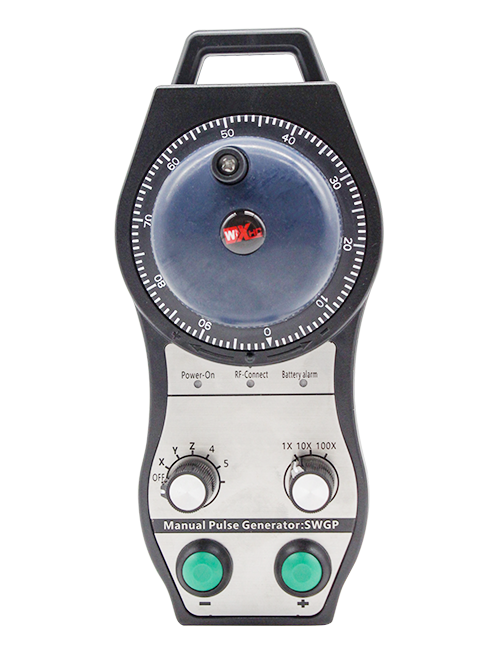
Описание

1.Введение продукта
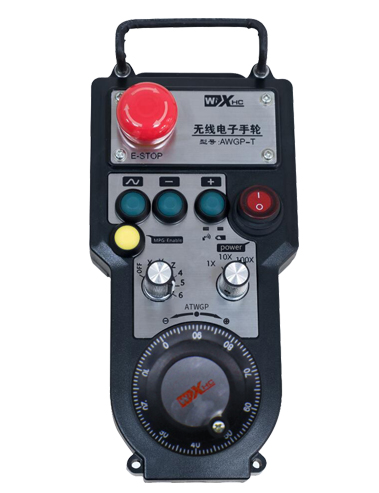
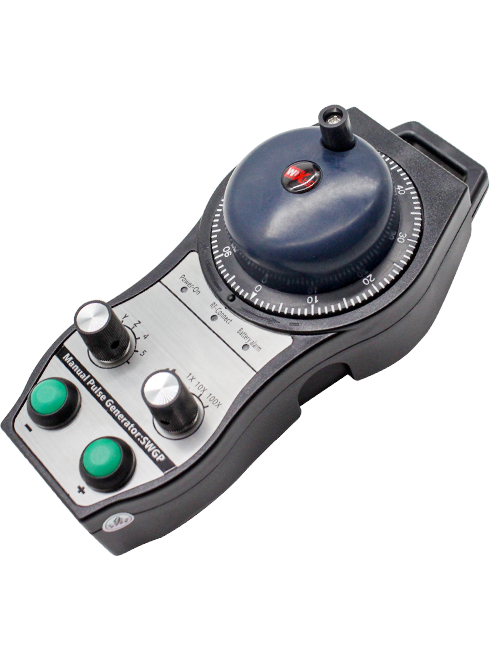
Wireless Remote Control is used for manual guidance, позиционирование, tool setting and other operations of CNC machine tools. Этот продукт использует технологию беспроводной передачи, Устранение традиционного соединения с пружинным проводом, Снижение сбоев оборудования, вызванные кабелями, устранение недостатков протаскивания кабеля, масляные пятна, и т. д., and is more convenient to operate.It is widely applicable to CNC machine tools such as gantry machining centers, gantry vertical lathes, and CNC gear processing machines, and is compatible with various mainstream CNC system brands on the market, including Siemens, Mitsubishi, Fanuc, Syntec and more.
2.Особенности продукта
1. Принимает технологию беспроводной связи 433 МГц с расстоянием беспроводной связи 20 метры.
2.Адаптивная перестройка частоты; 32 комплекты беспроводных пультов дистанционного управления можно использовать одновременно без помех.
3.Supports the emergency stop button, and the emergency stop button remains effective even after the remote control is powered off.
4.Поддерживает 3 пользовательские кнопки с переключением вывода сигнала ввода-вывода.
5.Поддерживает 6-осевое управление, и 7 12-осевое управление настраивается.
6. Поддерживает 3-скоростное управление увеличением., и 4-ступенчатое управление увеличением настраивается..
7.поддерживает функцию кнопки включения, который может выводить сигналы переключения ввода-вывода, а также выбор оси управления, увеличение и энкодер.
8.Поддерживает изменение типа кодирования выбора оси и увеличения с помощью программного обеспечения..
9. Supports pulse encoder with specification of 100 импульсов на оборот.
10. Supports standard Type-C charging with 5V-2A charging specification; built-in battery
specification: 14500 / 1100мАч.
| Working Voltage and Current of Handheld Terminal |
3.7V/20.0mA |
| Charging Battery Specification |
3.7V/14500/1100mAh
|
| Low Voltage Alarm Range of Handheld Terminal |
<3.35В |
| Receiver Power Supply Voltage |
DC5V-24V/1A |
| Receiver Emergency Stop Output Load Range |
AC125V-1A/DC30V-2A |
| Receiver Enable Output Load Range |
AC125V-1A/DC30V-2A |
| Receiver Custom Button Output Load Range |
24 В постоянного тока/50 мА
|
| Receiver Axis Selection Output Load Range |
24 В постоянного тока/50 мА |
| Receiver magnification Output Load Range |
24 В постоянного тока/50 мА |
| Handheld Terminal Transmit Power |
15дБм
|
| Чувствительность приема приемника |
-100дБм |
| Частота беспроводной связи |
433Полоса частот МГц
|
| Wireless Communication Distance |
20 meters barrier-free distance
|
| Operating Temperature |
-25℃<Х<55℃ |
| Safe drop height |
1 м
|
| Number of Custom Buttons |
3
|
| Product Weight |
546.86(g) |
| Product Dimensions |
200*87*72(mm) |
4. Введение функции продукта

Примечания:
① Emergency Stop Button:
Нажмите кнопку аварийной остановки, the two groups of emergency stop IO outputs on the receiver will disconnect, and all remote control functions will be invalidated.Release the emergency stop button, the emergency stop IO outputs on the receiver will be closed, and all remote control functions will be restored. Кроме того, even if the remote control is powered off, pressing the emergency stop button can still activate the emergency stop IO output of the receiver.
② Enable Button:
Press either enable button on both sides, the two sets of enable IO outputs on the receiver will conduct. Release the enable button, and the enable IO outputs will disconnect. It is necessary to press and hold the enable button before toggling axis selection, magnification or rotating the remote control for the operation to take effect.This function can be canceled through the configuration software.
③ Axis Selection Switch (Power Switch):
Нажмите и удерживайте кнопку включения, then toggling the axis selection switch can control the movement of axis .Press and hold the enable button, then toggle the axis selection switch to switch the motion axis controlled by the remote control. Toggle the switch from the OFF position to any axis position, and the remote control will power on automatically.
④ Pulse Encoder:
Press and hold the enable button and rotate the pulse encoder, it will output pulse signals to control the movement of the machine axis.
⑤ LCD Display Screen:

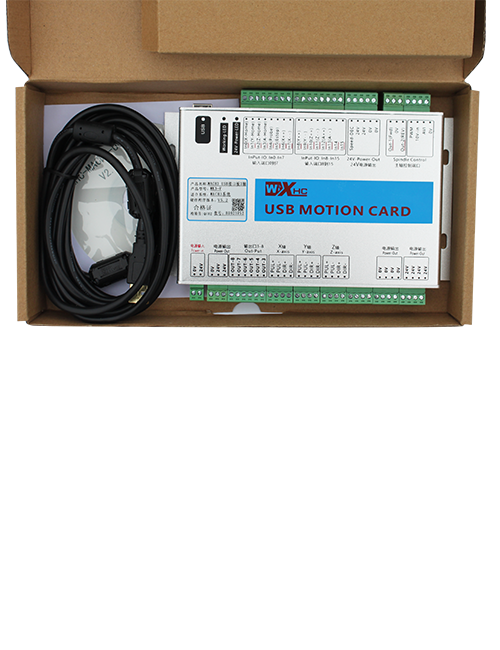
5. Product Accessories Diagram

6. Руководство по установке продукта
6.1 Шаги установки продукта
1. Install the receiver in the electrical cabinet via the buckle on its back, or mount it inside the electrical cabinet through the screw holes at the four corners of the receiver.
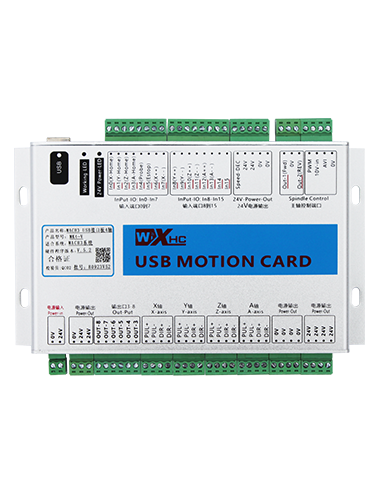
2. Обратитесь к нашей схеме подключения приемника, Сравните его с оборудованием на месте, and connect the equipment to the receiver with cables.
3. After the receiver is fixed in place, install the supporting antenna of the receiver properly. Mount or place the outer end of the antenna outside the electrical cabinet. It is recommended to place it on the top of the electrical cabinet for optimal signal performance. Do not leave the antenna uninstalled or place it inside the electrical cabinet; в противном случае, signal failure may occur.
4. Окончательно, turn on the remote control power switch, then you can remotely operate the machine via the remote control.
6.2 Receiver Installation Dimensions

6.3 Справочная диаграмма подключения приемника
7. Инструкции по эксплуатации продукта
1. Включите аппарат и приемник.. The receiver operation indicator flashes. After the wireless electronic remote control is fully charged, toggle it from the OFF gear to the X-axis gear, and the remote control display lights up.
2. Select the axis : Нажмите и удерживайте кнопку включения, toggle the axis selection switch to select the axis to be operated.
3. Select the magnification: Нажмите и удерживайте кнопку включения, toggle the magnification switch to select the required magnification gear.
4. Axis movement: Нажмите и удерживайте кнопку включения, select the axis selection switch and the magnification switch, then rotate the pulse encoder. Rotate clockwise to move the axis in the positive direction, and rotate counterclockwise to move the axis in the negative direction.
5. Нажмите и удерживайте любую пользовательскую кнопку, the corresponding button IO output of the receiver will turn on; release the button, and the output will turn off.
6. Нажмите кнопку аварийной остановки, the corresponding emergency stop IO output of the receiver disconnects and the remote control function becomes invalid. Release the emergency stop button, the emergency stop IO output closes and the remote control function is restored.
7. If the wireless remote control is not operated for a period of time, он автоматически перейдет в спящий режим, чтобы снизить энергопотребление. It can be used normally again by pressing the enable button again.
8.If the wireless remote control is not used for a long time, turn the axis switch to OFF to turn off the power and extend battery life
8. Описание модели продукта
①:UWGP stands for appearance style.
②:Pulse Output Parameters:
01: Указывает, что импульсный выходной сигнал равен A., Б; Импульсное напряжение 5В; количество импульсов 100PPR.
02: Указывает, что импульсный выходной сигнал равен A., Б; Импульсное напряжение 12В; pulse quantity 25PPR.
03: Указывает, что импульсный выходной сигнал равен A., Б, А -, Б -; Импульсное напряжение 5В; количество импульсов 100PPR.
04: Указывает на выход разомкнутой цепи NPN низкого уровня., с импульсными выходными сигналами A и B; The number of pulses is 100PPR.
05: Указывает выход источника PNP высокого уровня., с импульсными выходными сигналами A и B; Количество импульсов 100PPR..
③:Represents the axis selection switch quantity; 6 stands for 6 топоры, 7 stands for 7 топоры, and so on.
④: Represents the signal type of the axis selection switch.A stands for point-to-point output signal, and B stands for encoder output signal.
⑤: Represents the signal type of the magnification switch.A stands for point-to-point output signal, and B stands for encoder output signal.
⑥: Представляет количество пользовательских кнопок; 3 corresponds to 6 пользовательские кнопки.
⑦: Represents the power supply for the system remote control. 05 stands for 5V power supply, и 24 stands for 24V power supply.
⑧: Represents the contact charging mode. It starts charging automatically when placed back on the charging base.
9. Устранение неполадок продукта

10. Maintenance and upkeep
1. Пожалуйста, используйте его в сухой среде при комнатной температуре и давлении, чтобы продлить срок службы.
2. Please avoid using in abnormal environments such as rain and water to extend the service life.
3. Please keep the appearance of the remote control clean to extend its service life.
4. Please avoid crushing, dropping, or bumping, и т. д.. to prevent damage to the precision components inside the remote control or accuracy errors.
5. Если не используется в течение долгого времени, please store the remote control in a clean and safe place.
6. Avoid moisture and shock during storage and transportation.
11. Информация о безопасности
1. Пожалуйста, внимательно прочитайте инструкции перед использованием и запрещайте не специалистам работать.
2. Please charge the remote control in a timely manner when the battery level is too low, to avoid malfunction and operational errors caused by insufficient power.
3. If you repair it yourself and cause damage, the warranty will be void.