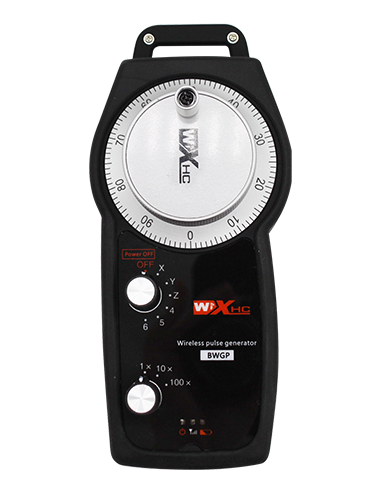
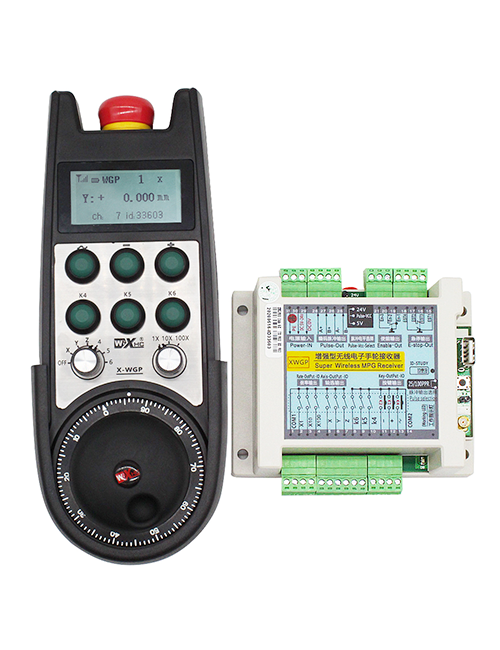
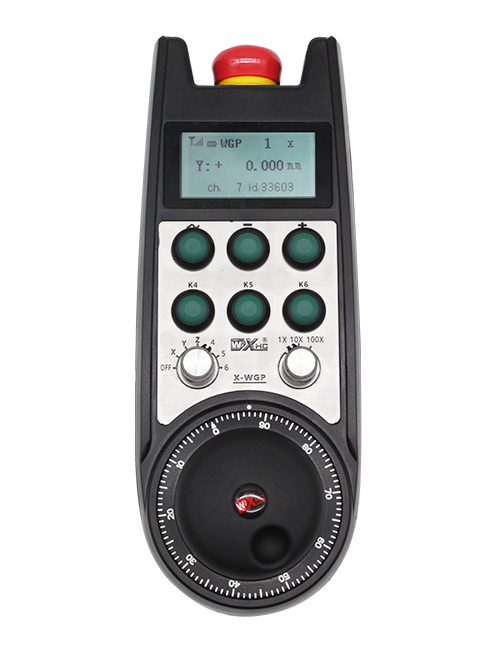
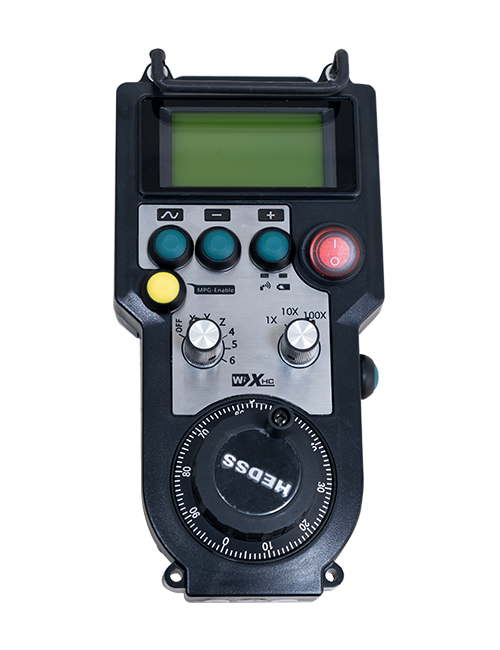
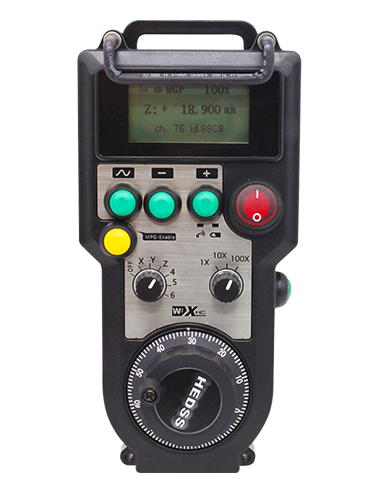
專用無線遙控器進行數控垂直車床操作指令

專用無線遙控器進行數控垂直車床操作指令

支持 2 可自訂掣, 有開關型 IO 訊號輸出;
支持 -2 軸控制;
支援 3 級放大控制;


  • 無線傳輸距離係開放嘅 40 米
  • 支持:一個 100PPR 編碼器

描述

1.產品介紹

The dedicated wireless remote contro for CNC vertical lathes is used for manual guidance, 定位, tool setting, and other operations on CNC vertical machine tools. 本產品採用無線傳輸技術, eliminating the need for traditional spring wirae connections, 減少電纜引起嘅設備故障, and eliminating the disadvantages of cable dragging and oil stains, making operation more convenient. It is widely applicable to various vertical lathes such as CNC vertical lathes, single-column vertical lathes, and double-column vertical lathes.It can also be adapted to a variety of CNC systems on the market, 例如西門子,
三菱, 法努克, and Syntec.

2. 產品功能功能

1. Adopting 433 MHz wireless communication technology, 無線運作距離係 40 米.
2.Adopting automatic frequency hopping function and using 32 sets of wireless remote controllers simultaneously, 唔影響對方.
3. 支援緊急停止掣, 開關 IO 訊號輸出.
4. 支持 2 可自訂掣, 有開關型 IO 訊號輸出.
5. 支持 -2 軸控制.
6. 支援 3 級放大控制.
7. Support the enable button function, which can output on/off IO signals and control axis selection, multiplying factor, and encoder.
8. Support for axis selection and magnification modification through software to change the encoding type.
9. Supports pulse encoder, with a specification of 100 pulses per revolution.
3. 產品規格
Operating voltage and current of wireless remote
3V/14MA
Battery specifications 2 AA alkaline batteries, size 5
Low voltage alarm range of wireless remote < 2.3V
接收器電源電壓 DC5V-24V/A
Receiver emergency stop output load range AC125V-1A/DC30V-2A
Receiver enable output load range
AC125V-1A/DC30V-2A
Receiver custom button output load range DC24V/50mA
Receiver axis selection output load range DC24V/50mA
Receiver magnification output load range DC24V/50mA
Transmission power of handheld terminal
15dBm
Receiver receiving sensitivity -100dBm
Wireless communication frequency 433MHz frequency band
Wireless communication distance Barrier free distance of 40 米
Operation temperature -25℃ < X < 55℃
Anti fall height 1 (米)
Custom button quantity 2
4. 產品功能介紹


筆記:

① Pulse encoder:
按住啟用掣, 搖動脈搏編碼器, 發出脈衝訊號,and control the movement ofthe machine axis.
② Enable button:
Press either enable button on either side, and the two sets of enable IO outputs on the receiver will conduct. Release the enable button to disconnect the enable IO output; And before switching the axis selection magnification and shaking the handwheel,the enable button needs to be held down to be effective; This function can be cancelled through configuration software.

③ Indicator lights:
Left side light: power on light,the handwheel uses the axis to select OFF for power on, and this light stays on after power on;
Middle light: a signal light that lights up when operating any function ofthe handwheel, and does not light up when there is no operation;
Right side light: Low voltage alarm light, low battery level,this lightflashes or stays on, battery needs to be replaced.

④ Emergency stop button:
按緊急停止按鈕, 而接收器上嘅兩組緊急停止 IO 輸出就會斷開, 而手輪嘅所有功能都會無效.

⑤ Magnification switch:
Press and hold the enable button to switch the magnification switch, which can switch the magnification controlled by the handwheel.

⑥ Axis selection switch (電源開關):
Press and hold the enable button to switch the axis selection switch, which can switch the movement axis controlled by the handwheel. Switch this switch from OFF to any axis and turn on the handwheel power.

⑦ Custom button:
Two custom buttons, 每個對應接收器上嘅 IO 輸出點.

5. 產品配件圖

6. 產品安裝指南
6.1 產品安裝步驟

1. 透過背面嘅扣裝接收器入電櫃, 或者透過接收器四個角落嘅螺絲孔,裝入櫃入面.
2. 請參閱我哋嘅接收器接線圖,然後同你嘅現場設備比較. Connect the equipment to the receiver via cables.
3.After the receiver is properly fixed, 配備接收器嘅天線必須連接, and the outer end of the antenna should be installed or placed outside the electrical cabinet. 建議將佢放係電櫃頂部,以獲得最佳訊號效果. It is prohibited to leave the antenna unconnected or place it inside the electrical cabinet, as this may result in the signal being unusable.
4. 最終, turn on the power switch of the handwheel, and you can operate the machine remotely using the handwheel.

6.2 接收器安裝尺寸

6.3 接收器接線參考圖

7. 產品運作指示
1. Power on the machine and the receiver. The receiver’s working indicator light flashes. Install the battery in the wireless electronic handwheel, secure the battery cover, 同
turn on the power switch of the wireless electronic handwheel. The handwheel’s battery level indicator light is on.
2. 選擇座標軸: 按住啟用掣, toggle the axis selection switch, and select the axis you want to operate.
3. 揀放大: 按住啟用掣, toggle the magnification switch,and select the desired magnification level.
4. 移動軸: 按住啟用掣, 選擇軸選擇開關, 選取放大開關, and then rotate the pulse encoder. Rotate clockwise to move the
positive axis and counterclockwise to move the negative axis.
5. 按住任何自訂掣, and the corresponding button IO output of the receiver will be turned on. Release the button, and the output will be turned off.
6. 按緊急停止按鈕, 對應嘅緊急停止 IO 輸出會斷開, 手輪功能會停用,發佈緊急停止掣, 緊急停止 IO 輸出會關閉, 而手輪功能亦會恢復.
7. 如果手輪係一段時間唔操作, it will automatically enter sleep mode to reduce power consumption. 當佢再用嘅時候, the handwheel can be activated by pressing the enable button.
8. 如果手輪唔用好耐, it is recommended to switch the handwheel shaft to the OFF position, 熄手輪功率, 同埋延長電池壽命.

8. 產品模型描述

① :ZTWGP represents the appearance style
②:脈衝輸出參數:
01: Indicates that the pulse output signal is A, B; 脈衝電壓 5V; pulse quantity 100PPR.
02:Indicating thatthe pulse output signals are A and B; Pulse voltage 12V; pulse quantity 100PPR.
03:Indicating thatthe pulse output signals are A, B, A -, B -; 脈衝電壓 5V; pulse quantity 100PPR.
04:表示低層次 NPN 開放電路輸出, 有脈搏輸出訊號 A 及 B;The number of pulses is 100PPR.
05:表示高層次 PNP 源輸出, 有脈搏輸出訊號 A 及 B; The number of pulses is 100PPR.
③:Representing the number of axis selection switches, 2 代表 2 軸.
④:Represents the type of axis selection switch signal, A 代表點對點輸出訊號, 而 B 代表編碼輸出訊號.
⑤:Represents the type of multiplication switch signal, A 代表點對點輸出訊號, 而 B 代表編碼輸出訊號.
⑥:Represents the number of custom buttons, 2 代表 2 自訂掣.
⑦:Represents the power supply for the system handwheel, 同 05 代表 5V 電源.
L represents the left column (left knife holder), and R represents the right column (right knife holder).

9.Solution to Product Malfunctions

10. Product maintenance

1. 請於室溫下乾燥環境及壓力,延長使用壽命.
2. 請避免使用於雨水及水泡等異常環境,以延長使用壽命.
3. 請保持手輪外觀乾淨,以延長使用壽命.
4. 請避免擠壓, 跌咗, 碰撞, 等等. 以防止手輪內嘅精密元件或準確度誤差.
5. 如果唔用好耐, 請將手輪儲存係乾淨安全嘅地方. 儲存同運輸期間, 應該注意防潮同抗震.

11. 安全資訊

1. 使用前請仔細閱讀指示,並禁止非專業人士運作.
2. Please replace the battery in a timely manner when the battery level is too low to avoid errors caused by insufficient battery power and inability to operate the handwheel.
3. 如果需要維修, 請聯絡廠商. 如果損壞係由自我修復引起, 廠商唔會提供保養
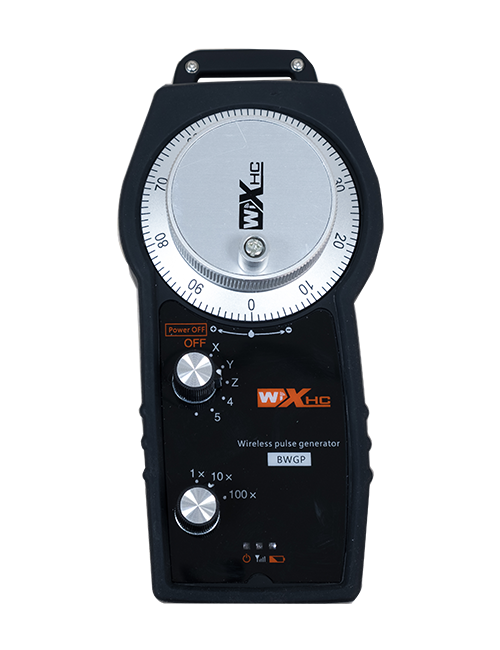
維克斯技術

我哋係數控行業嘅領袖, 專用無線傳輸及數控運動控制多於 ... 20 年. 我哋有幾十種專利技術, 而我哋嘅產品係多過 40 世界各地嘅國家, 累積近距離嘅典型應用 10000 客戶.

最近嘅推文

通訊

報名,就可以獲得最新消息同更新資訊. 唔使擔心, 我哋唔會送垃圾郵件!

    去頂