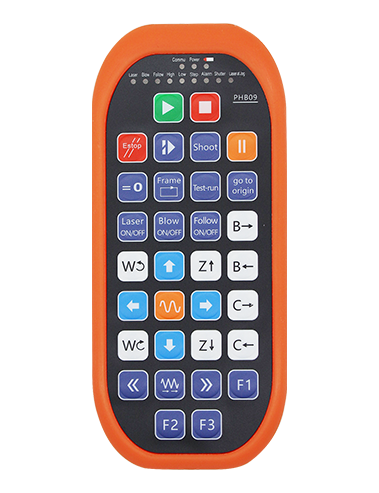
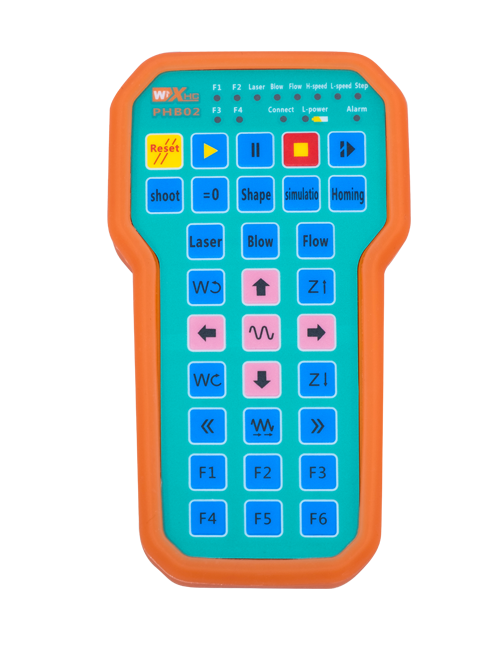
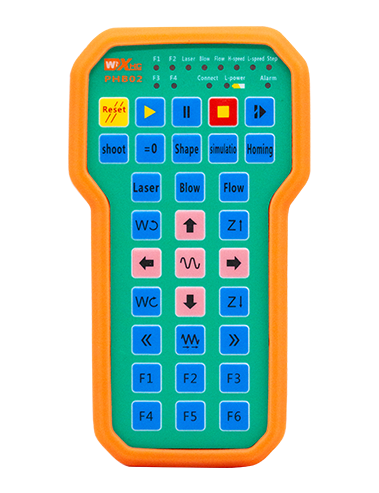
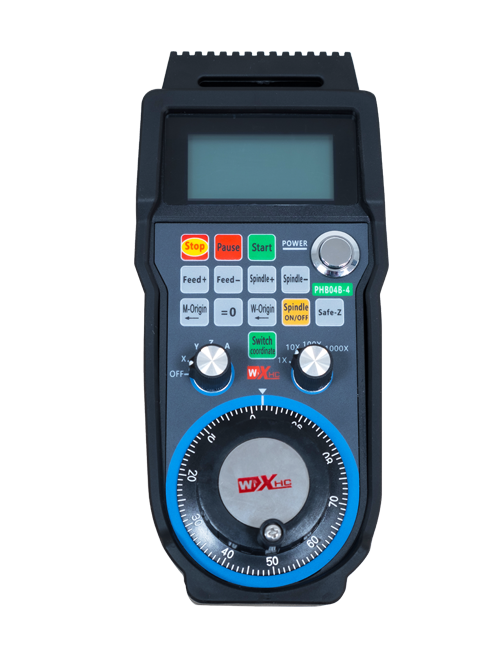
Tauturu 12 faanahoraa
Paturu i te mata e 2.8 tenetimetera, faaite i te mau faanahoraa matauhia
Na roto i te faaohiparaa i te mau rave'a aravihi apî no te haaparareraa parau 433MHZ, te ohipa uira aita e aho
fare ha'api'ira'a 80 Ua pohe

£300.00
Tauturu 12 faanahoraa
Paturu i te mata e 2.8 tenetimetera, faaite i te mau faanahoraa matauhia
Na roto i te faaohiparaa i te mau rave'a aravihi apî no te haaparareraa parau 433MHZ, te ohipa uira aita e aho
fare ha'api'ira'a 80 Ua pohe
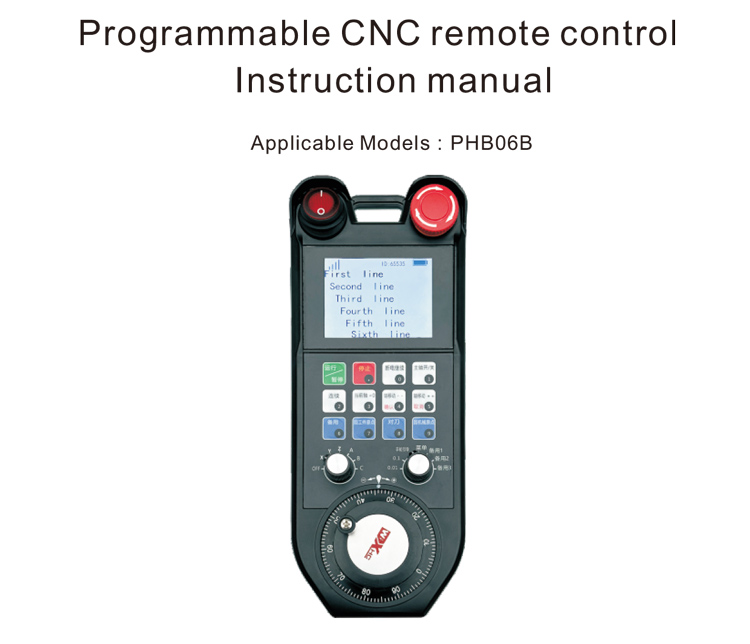
1.Āmui'a
E mea au roa te PHB06B CNC no te faatere i te mau rave'a faatere
Te faaohiparaa oioi o te mau faanahoraa CNC e rave rahi. E turu te reira i te feia faaohipa ia
A faanaho i te mau faanahoraa e a hamani i te mau ohipa no te ite i te mau mea atea
te faatereraa i te mau ohipa e rave rahi i nia i te faanahoraa CNC; te turu ra te reira i te feia faaohipa ia
no te faatupu i te mau tauiraa, a faanaho i te mau faanahoraa e a hamani i te mau ihirangi
faaiteraa i te huru o te faanahoraa; E tae mai te faatereraa atea e te hoê rechargeable
battery e te turu ra i te rave'a Type-C.
2.hoho'a
1. Na roto i te faaohiparaa i te mau rave'a aravihi apî no te haaparareraa parau 433MHZ, te ohipa uira aita e aho
fare ha'api'ira'a 80 Ua pohe;
2. Te faaohiparaa i te mau ravea no te hoo mai i te mau tao'a, 32 Te vai ra te mau hu'ahu'a atea roa
E nehenehe e faaohipa i te mau rave'a faatere i te hoê â taime ma te faaino ore i te tahi e te tahi;
3. Tauturu 12 faanahoraa;
4. Paturu i te mata e 2.8 tenetimetera, faaite i te mau faanahoraa matauhia;
5. Tauturu 1 6-tauiraa ma'itiraa axis vitiviti, e nehenehe e faanahohia;
6. Tauturu 1 7-tauiraa faarahi vitiviti, e nehenehe e faanahohia;
7. Tauturu 1 E tapo'i, 100 puturu;
8. A paturu i te huru Type-C; 5V-2A; paraiora
18650/12580mWh.
3.parau tumu
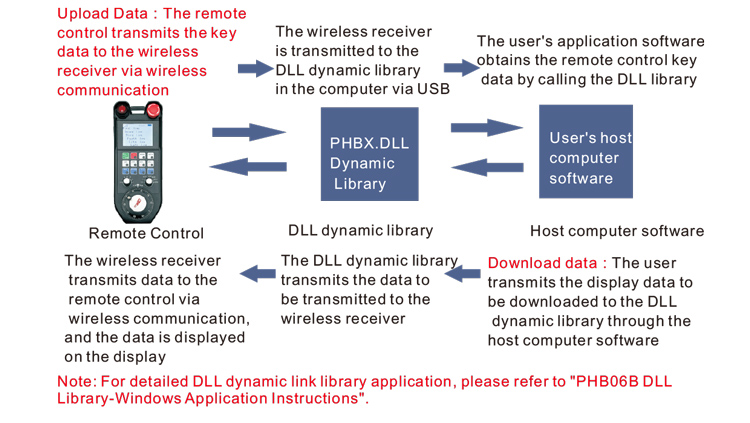
4. Fa'a'itira'a
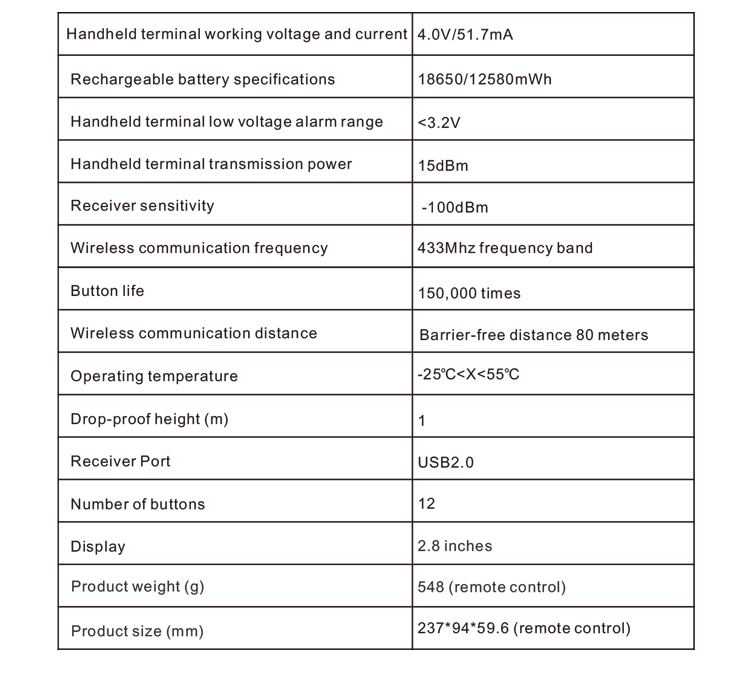
5.omuaraa
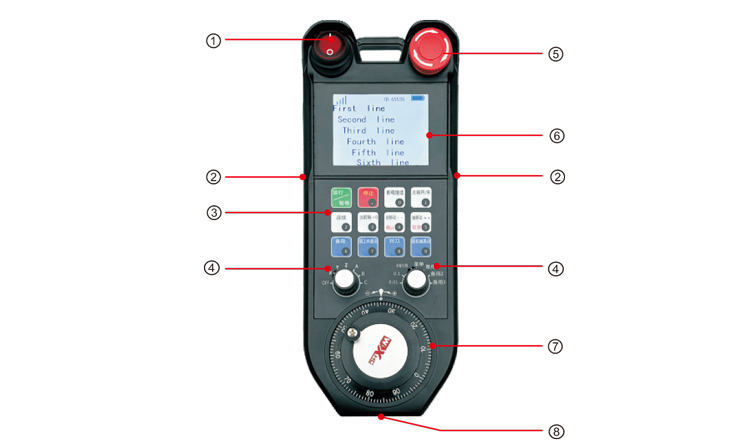
Fa'ahouhia:
①Power switch:
A faatere i te pereoo rima no te matara e no te opani
②Enable buttons on both sides:
E tia ia patoi i te taviri no te faatere i te taata faahoro pereoo;
③Custom button area
12 Te mau pato'i tei faanahohia i roto i te 3X4, Te mau faanahoraa i faataahia;
④Axis selection, tauiraa faarahi
1 6-taui no te ma'itiraa i te ti'araa, e nehenehe e faanahohia e e faanahohia;
1 7-tauiraa faito ti'araa, e nehenehe e faanahohia e e faanahohia
⑤ Emergency stop switch:
Handwheel taviri tape'araa rû;
⑥Display area:
E nehenehe e faaite i te mana o teie nei, tapa'o, e te mau mea e faaite mai;
⑦Electronic hand wheel:
1 E tapo'i, 100 puturu.
⑧Charging port:
Te hoê mori hi'opo'araa, ua faautahia ma te faaohipa i te Type-C, 5V,
i te 1A-2A; te taime no te faauta 7 hora;
6.Āfa'i
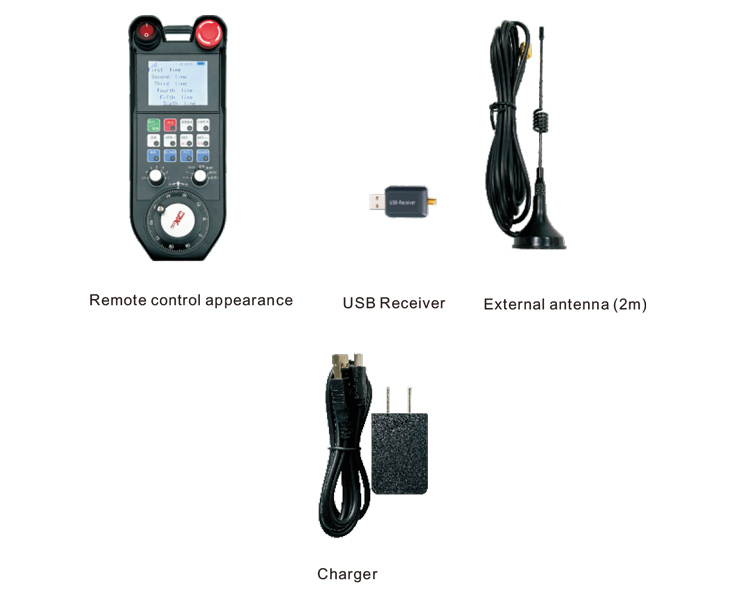
7.Te arata'iraa no ni'a i te mau tao'a
1. A tuu i te rave'a fariiraa USB i roto i te roro uira, E vai noa te roro
A ite e a faaûru i te rave'a faahoro pereoo USB ma te faaohipa ore i te rima;
2. A tuu i te faatereraa i roto i te afata teata. Ua, Hoʻeʻāmui
i ni'a i te tauiraa mana, i te pae hopea, e te faaite ra te faaiteiteraa i te mau mea tano, te hea
te auraa ra, ua manuïa te mana;
3. I muri a'e i te horoaraa i te mana i nia i te, E nehenehe ta outou e rave i te mau ohipa atoa. E nehenehe te faatereraa atea
turu i te faaohiparaa e piti taviri i te hoê â taime. Ia patoi ana'e outou i te hoê noa'e, te hoê ereere
E itehia te afata i pihai iho i te tapao i nia i te afata teata, te faaite ra e te taviri
e mea tano.
8.Te mau rave'a no te faaohiparaa i te mau tao'a
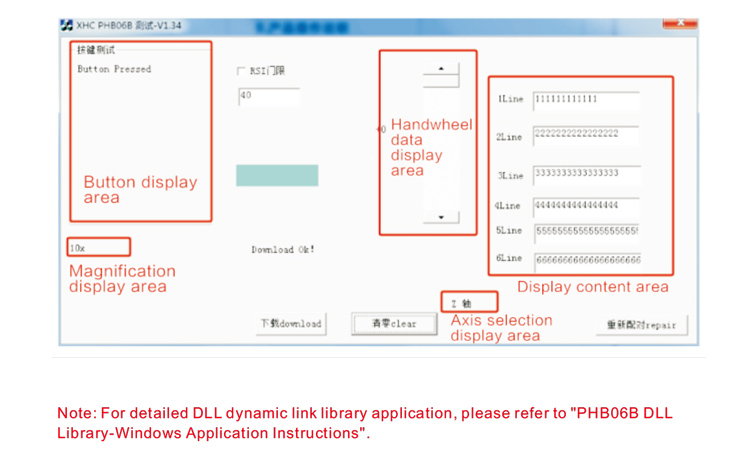
Na mua a'e i te faahoturaa e te faaohiparaa i te mau tao'a, E nehenehe ta outou e faaohipa i te rave'a Demo ta matou e horo'a nei no te tamata
te mau pato'i e te faaiteraa o te rave'a faatere mamao, e aore râ, a faaohipa i te Demo ei faanahoraa no te
Te faahoturaa i te mau faanahoraa no a muri a'e;
Hou a faaohipa ' i i te ravea Demo, A tuu i te rave'a no te farii i te USB i roto i te roro uira, hāmani
Ia papû maitai e, e navai te mana o te rave'a faatere mamao, faahou i te tauiraa i te tauiraa o te uira, E faaohipa i te reira;
Ia patoi ana'e te mau patoi i nia i te faatereraa atea roa, E faaite te rave'a hi'opo'araa Demo i te
te faufaa rahi e au i te reira. I muri a'e i to ' na faarueraa i te reira, e ere te auraa o te taviri i te mea tano, ma te faaite e
E mea tano te pato'i.
9.Te hamaniraa i te mau tao'a
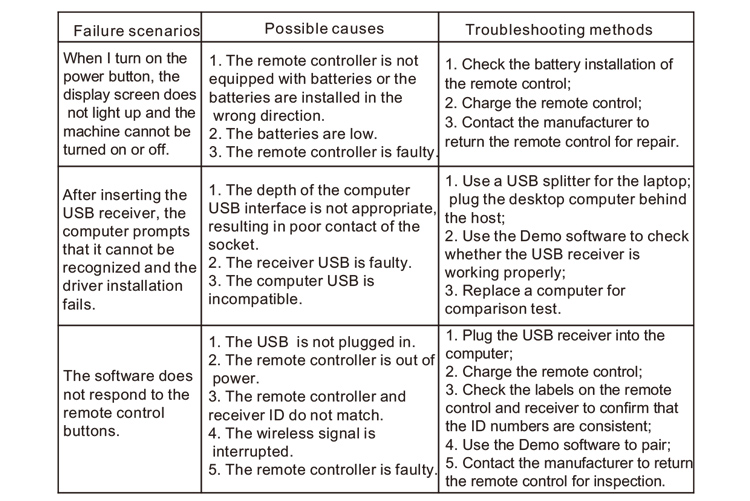
10. Fa'a'ite nei e
1. A faaohipa na i te reira i roto i te hoê vahi maro e te anuvera e te faaheporaa
te oraraa taviniraa;
2. Eiaha e faaohipa i te mau mea maitai no te tapea i te vahi faufaa roa no te faarahi i te oraraa o te taviniraa;
3. A tapea i te vahi faufaa roa no te faaiti i te ahu taviri;
4. Te hi'o noa ra e te toparaa i nia i te faatereraa atea roa;
5. Mai te mea e, aita e faaohipahia no te hoê tau maoro, A tatara i te pape pu'e e a tape'a i te afata teata, e
battery i roto i te hoê vahi mâ e te paruruhia;
6. E mea maitai a'e ia haapa'o i te haumi.
11.Te mau haamaramaramaraa no ni'a i te mau haamaramaramaraa
1. A tai'o maitai na i te mau faaueraa hou a faaohipa ' i. Ua opanihia te feia e ere i te mea toro'a
mai te faaohiparaa.
2. A faaohipa na i te charger matamua aore ra te hoê charger i hamanihia e te hoê taata hamani tamau
hoê â mau taa-ê-raa.
3. A faauta i te taime no te ape i te ohipa hape no te ereraa i te mana
eiaha e pahono i te afata teata.
4. E mea titauhia te tahi mau, A niuniu i te taata hamani i te mau tao'a. Mai te mea e, ua faatupu te
tata'i ia'na iho, Eita te taata hamani e horoa i te mau ravea apî.